MANGA BANG!
تم التحديث
الإصدار الحالي
2.4.1
تقديم

لا داعي للقلق بشأن الشحن الزائد عند استخدام MANGA BANG! على هاتفك. تحرر من قيود الشاشة الصغيرة واستمتع به على شاشة أكبر باستخدام لوحة المفاتيح والفأرة. يوفر MEmu جميع الميزات الرائعة التي تتوقعها: تثبيت سريع، إعداد سهل، أدوات تحكم بديهية، ودون قيود على عمر البطارية، أو استخدام البيانات، أو المكالمات الواردة. يُعد MEmu 9 الجديد الخيار الأمثل لتجربة MANGA BANG! على جهاز الكمبيوتر. بفضل تقنية التشفير الفريدة، يتيح لك مدير الحسابات المتعددة تشغيل حسابين أو أكثر في وقت واحد. والأهم من ذلك، أن محرك المحاكاة الفريد يستغل أداء جهاز الكمبيوتر بالكامل، مما يُحسّن تجربة التطبيق ويجعل كل شيء سلسًا للغاية.
أظهر المزيد
قم بتنزيل MANGA BANG! على الكمبيوتر بإستخدام جهاز مقلد أندروز MEmu.استمتع بمتعة اللعب على الشاشة الكبيرة. MANGA BANG!
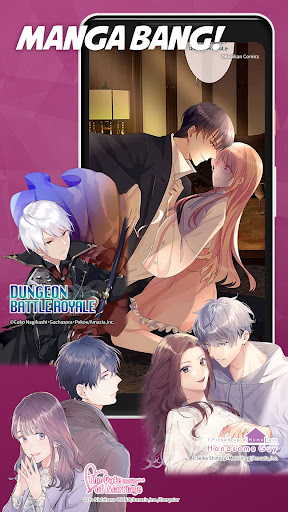
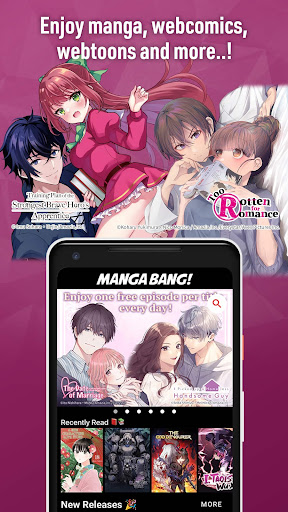
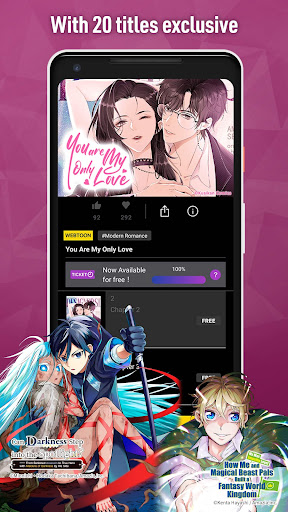
MANGA BANG! is one of the most popular manga apps in Japan.
Enjoy Manga straight from Japan & webtoons for free on MANGA BANG! Discover your next favorite with our curated collection of manga and webtoon titles!
With a wide range of genres including romance, comedy, fantasy, Josei, Shonen ai and more, MANGA BANG is the place to be!
There’s something here for everyone, including exclusive, original comics only available on our app!
FREE EPISODES EVERY DAY!
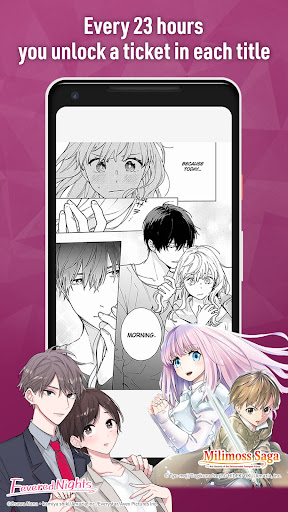
・Every 23 hours you unlock a ticket in each title, which you can use to continue reading where the free episodes left off.
STILL WANT MORE? USE COINS!
・Use coins to purchase the later episodes or to continue reading ticket episodes without waiting!
GENRES OF MANGA AND VERTICAL SCROLL COMICS
・Currently featuring works that have been dramatized for TV in Japan and original works that have become big hits in Japan!
Whether you prefer Japanese manga, Korean manhwa, Chinese manhua, webcomics or graphic novels, you can find them right here on MANGABANG! And since all our titles are licensed for distribution by the copyright holders,
you can enjoy them with complete peace of mind!
FOR EXAMPLE :
・Come enjoy classic titles such as “The Date of Marriage - If you can’t have a fiancé let’s get married”,“I Picked up a Homeless Handsome Guy”,“Embrace My Shadow or “The Boss’s Shotgun Wedding”.
・Enjoy the beauty of young men in love with titles such as “Ascend” and “My Childhood friend looks too good”.
RECOMMENDED FOR :
・those who are looking for a digital comics app that features vertically scrolling comics.
・those who enjoy reading professionally and accurately translated manga.
・those who enjoy romance and shoujo manga.
・those who are looking for a webcomic app that allows them to read both fantasy comics like isekai manga and romance manga and webtoons.
أظهر المزيد

1. قم بتنزيل برنامج MEmu واكمال تثبيته

2. قم بتشغيل برنامج MEmu وفتح Google Play على الصفحة الرئيسية

3. ابح MANGA BANG! في Google Play
Install
4. تنزيل وتثبيت MANGA BANG!
5. انقر على الرمز للتشغيل بعد اكتمال التثبيت

6. استخدم MEmu لتجربة MANGA BANG! على جهاز الكمبيوتر الخاص بك.
تطبيق MEmuهو افضل محاكى اندرويد مجانى وبالفعل 50 مليون شخص يستمتعون حاليا بتجربه اللعب عليه. تمكّنك تقنية MEmu الافتراضية من تشغيل آلاف ألعاب Android بسلاسة على الكمبيوتر الشخصي ، حتى أكثرها استخدامًا للرسومات.
شاشة أكبر وجرافيك افضل ووقت أطول بدون حدود البطارية وباقة التليفون
لوحة مفاتيح كاملة تدعم تحكم كامل عن طريق لوحة المفاتيح و الفأره وجيم باد
عدة العاب وحسابات ومهمات علي جهاز الكمبيوتر في وقت معين عن طريق Memu متعدد النوافذ
Use MANGA BANG! on PC by following steps: