Private Proxy:Network Booster
تم التحديث
الإصدار الحالي
1.0.8
تقديم

لا داعي للقلق بشأن الشحن الزائد عند استخدام Private Proxy:Network Booster على هاتفك. تحرر من قيود الشاشة الصغيرة واستمتع به على شاشة أكبر باستخدام لوحة المفاتيح والفأرة. يوفر MEmu جميع الميزات الرائعة التي تتوقعها: تثبيت سريع، إعداد سهل، أدوات تحكم بديهية، ودون قيود على عمر البطارية، أو استخدام البيانات، أو المكالمات الواردة. يُعد MEmu 9 الجديد الخيار الأمثل لتجربة Private Proxy:Network Booster على جهاز الكمبيوتر. بفضل تقنية التشفير الفريدة، يتيح لك مدير الحسابات المتعددة تشغيل حسابين أو أكثر في وقت واحد. والأهم من ذلك، أن محرك المحاكاة الفريد يستغل أداء جهاز الكمبيوتر بالكامل، مما يُحسّن تجربة التطبيق ويجعل كل شيء سلسًا للغاية.
أظهر المزيد
قم بتنزيل Private Proxy:Network Booster على الكمبيوتر بإستخدام جهاز مقلد أندروز MEmu.استمتع بمتعة اللعب على الشاشة الكبيرة. Private Proxy is a lightning-fast app provide free service.
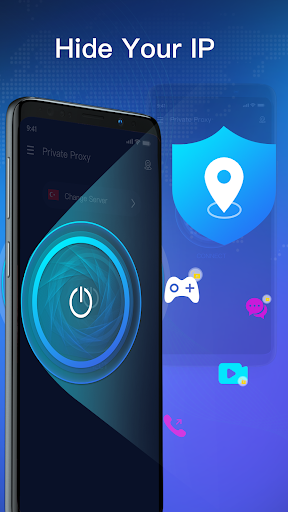

Private Proxy is a lightning-fast app provide free service. Not need any configuration, just simply click one button, you can access the Internet securely and anonymously.
Private Proxy encrypts your Internet connection so that third parties can’t track your online activity, making it more secure than a typical proxy, make your Internet's safety and security, especially when you using public free Wi-Fi.
Here are some reasons why tens of millions of users have joined Private Proxy.
✅No need to register!!!
Only need one simple step to use this best server, and then you can enjoy the most saftest and fastest Internet environment.
✅ Leading encryption technology
The Proxy uses leading bank-level encryption technology so that all kinds of users' information are completely hidden, and it is not affected by throttling, hacker attacks, etc.
✅Fast servers all over the world
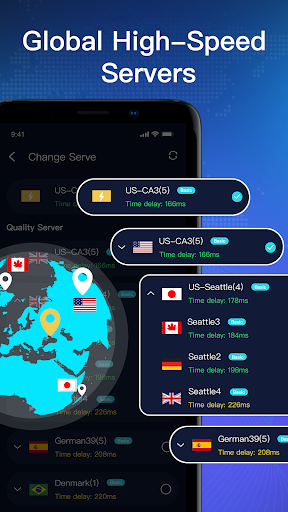
1000+ stable servers all over the world, easily switch the best quality servers in different regions with one click.
✅Smooth dedicated server
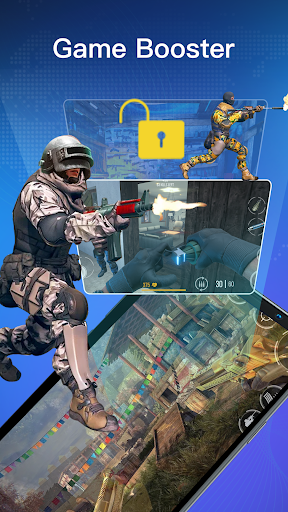
Perfectly accelerate PUBG and other mobile games,
Speed up website access speed, and perfectly support popular video platforms such as Netflix, HULU, Disney+, HBO, Line, Instagram, Snapchat, Twitter, Facebook, WhatsApp, Youtube, etc.
✅Zero log
Never actively record any of your usage records!!! Therefore, you can safely browse any page you want without having to worry about their information being leaked.
===================
Contact us:
Email: vpntunnel2021@protonmail.com
Privacy agreement: http://vpn-quick.com/privacy.html
أظهر المزيد

1. قم بتنزيل برنامج MEmu واكمال تثبيته

2. قم بتشغيل برنامج MEmu وفتح Google Play على الصفحة الرئيسية

3. ابح Private Proxy:Network Booster في Google Play
Install
4. تنزيل وتثبيت Private Proxy:Network Booster
5. انقر على الرمز للتشغيل بعد اكتمال التثبيت

6. استخدم MEmu لتجربة Private Proxy:Network Booster على جهاز الكمبيوتر الخاص بك.
تطبيق MEmuهو افضل محاكى اندرويد مجانى وبالفعل 50 مليون شخص يستمتعون حاليا بتجربه اللعب عليه. تمكّنك تقنية MEmu الافتراضية من تشغيل آلاف ألعاب Android بسلاسة على الكمبيوتر الشخصي ، حتى أكثرها استخدامًا للرسومات.
شاشة أكبر وجرافيك افضل ووقت أطول بدون حدود البطارية وباقة التليفون
لوحة مفاتيح كاملة تدعم تحكم كامل عن طريق لوحة المفاتيح و الفأره وجيم باد
عدة العاب وحسابات ومهمات علي جهاز الكمبيوتر في وقت معين عن طريق Memu متعدد النوافذ
Use Private Proxy:Network Booster on PC by following steps: