MAGIS+
تم التحديث
الإصدار الحالي
1.0.36
تقديم

لا داعي للقلق بشأن الشحن الزائد عند استخدام MAGIS+ على هاتفك. تحرر من قيود الشاشة الصغيرة واستمتع به على شاشة أكبر باستخدام لوحة المفاتيح والفأرة. يوفر MEmu جميع الميزات الرائعة التي تتوقعها: تثبيت سريع، إعداد سهل، أدوات تحكم بديهية، ودون قيود على عمر البطارية، أو استخدام البيانات، أو المكالمات الواردة. يُعد MEmu 9 الجديد الخيار الأمثل لتجربة MAGIS+ على جهاز الكمبيوتر. بفضل تقنية التشفير الفريدة، يتيح لك مدير الحسابات المتعددة تشغيل حسابين أو أكثر في وقت واحد. والأهم من ذلك، أن محرك المحاكاة الفريد يستغل أداء جهاز الكمبيوتر بالكامل، مما يُحسّن تجربة التطبيق ويجعل كل شيء سلسًا للغاية.
أظهر المزيد
قم بتنزيل MAGIS+ على الكمبيوتر بإستخدام جهاز مقلد أندروز MEmu.استمتع بمتعة اللعب على الشاشة الكبيرة. Elevate employee engagement with MAGIS+.
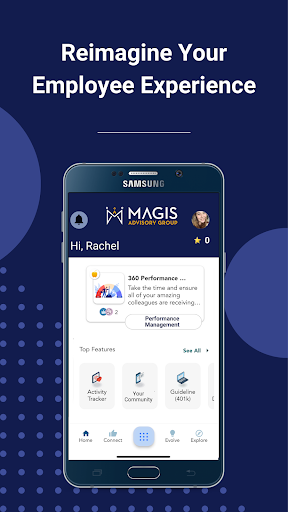
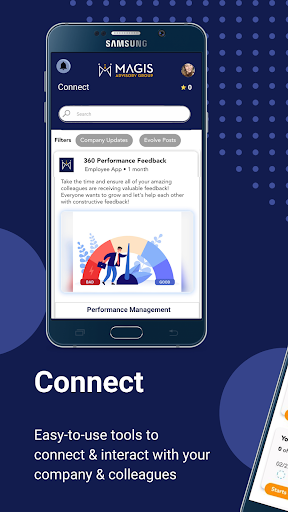
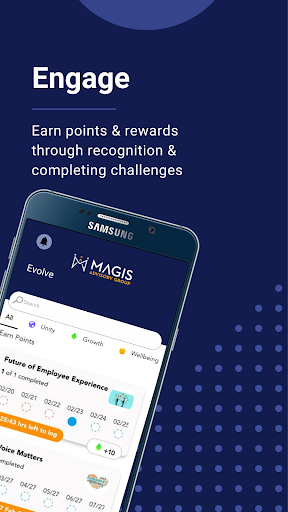
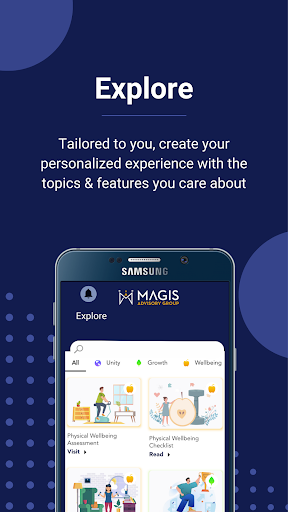
Elevate employee engagement with MAGIS+. Created by employees and employers, for employees and employers. MAGIS+ is the single solution you have been searching for. We modernize the employer/employee relationship through features that engage effectively, educate seamlessly, and empower employees successfully. We put employee experience back into their own hands and help them maximize everything their company offers. A single, omnichannel platform that innovates the employee-company relationship and is customizable to each individual’s needs!
MAGIS+ features help:
Engage:
- Surveys distributed directly in the app to check in and assess how employees are doing
- Push notification capabilities that can be sent in real-time or scheduled
- Message hub directly in the app to store important messages or documents for employees to access 24/7
- Ability to invite family to utilize the same features available to the employees
- Chatbot services to receive immediate answers to common questions
- Participate in wellness challenges with your colleagues
Educate:
- Benefits hub to keep together all the different benefits offered that includes detailed plan information.
- 401(k)/HRIS Integrations through direct links and single sign-on capabilities.
- Benefit guide and company documents stored directly in the app.
Empower:
- Telemedicine/Rx integrations at no cost to the members and help save on overall healthcare costs.
- ID card storage to keep multiple cards directly in the app in one place and easily share them with providers during a visit.
- Call for help and be directed to a concierge service, in-house agency, or HR team.
- Find in-network providers nearby.
- Access a live healthcare advocate who can assist with understanding benefits, resolve billing issues, find providers, and more
We continue to add new features to anticipate and meet the ever-changing needs of our clients. MAGIS+ is the only organizational, communication, care, and advocacy benefits app you will ever need!
أظهر المزيد

1. قم بتنزيل برنامج MEmu واكمال تثبيته

2. قم بتشغيل برنامج MEmu وفتح Google Play على الصفحة الرئيسية

3. ابح MAGIS+ في Google Play
Install
4. تنزيل وتثبيت MAGIS+
5. انقر على الرمز للتشغيل بعد اكتمال التثبيت

6. استخدم MEmu لتجربة MAGIS+ على جهاز الكمبيوتر الخاص بك.
تطبيق MEmuهو افضل محاكى اندرويد مجانى وبالفعل 50 مليون شخص يستمتعون حاليا بتجربه اللعب عليه. تمكّنك تقنية MEmu الافتراضية من تشغيل آلاف ألعاب Android بسلاسة على الكمبيوتر الشخصي ، حتى أكثرها استخدامًا للرسومات.
شاشة أكبر وجرافيك افضل ووقت أطول بدون حدود البطارية وباقة التليفون
لوحة مفاتيح كاملة تدعم تحكم كامل عن طريق لوحة المفاتيح و الفأره وجيم باد
عدة العاب وحسابات ومهمات علي جهاز الكمبيوتر في وقت معين عن طريق Memu متعدد النوافذ
Use MAGIS+ on PC by following steps: