Smart Document Reader-Mini Pocket Scanner
تم التحديث
الإصدار الحالي
5.9.1
تقديم

لا داعي للقلق بشأن الشحن الزائد عند استخدام Smart Document Reader-Mini Pocket Scanner على هاتفك. تحرر من قيود الشاشة الصغيرة واستمتع به على شاشة أكبر باستخدام لوحة المفاتيح والفأرة. يوفر MEmu جميع الميزات الرائعة التي تتوقعها: تثبيت سريع، إعداد سهل، أدوات تحكم بديهية، ودون قيود على عمر البطارية، أو استخدام البيانات، أو المكالمات الواردة. يُعد MEmu 9 الجديد الخيار الأمثل لتجربة Smart Document Reader-Mini Pocket Scanner على جهاز الكمبيوتر. بفضل تقنية التشفير الفريدة، يتيح لك مدير الحسابات المتعددة تشغيل حسابين أو أكثر في وقت واحد. والأهم من ذلك، أن محرك المحاكاة الفريد يستغل أداء جهاز الكمبيوتر بالكامل، مما يُحسّن تجربة التطبيق ويجعل كل شيء سلسًا للغاية.
أظهر المزيد
قم بتنزيل Smart Document Reader-Mini Pocket Scanner على الكمبيوتر بإستخدام جهاز مقلد أندروز MEmu.استمتع بمتعة اللعب على الشاشة الكبيرة. Have you ever thought about bringing a scanner with you, but the size of the scanner does not allow this, Today, this scanner app gives you unlimited possibilities Now, turn your smartphone into a mini handheld scanner and Clear Scanner: the best scanning mobile app ever: free PDF scanning.
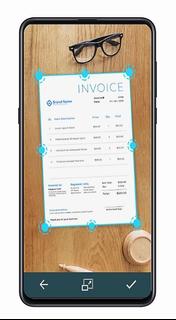
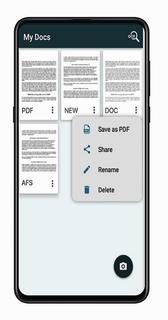
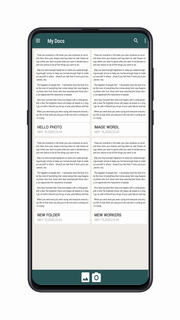
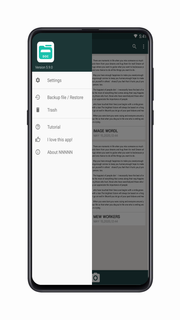
Have you ever thought about bringing a scanner with you, but the size of the scanner does not allow this, Today, this scanner app gives you unlimited possibilities Now, turn your smartphone into a mini handheld scanner and Clear Scanner: the best scanning mobile app ever: free PDF scanning. Clear Scanner allows you to quickly scan any type of documents, images, bills, receipts, books, magazines, class notes and anything that needs to exist on your device at any time. This is the fastest way to get the highest quality scanned document and immediately convert it to PDF or JPEG format, so that you can share scanned documents, images, books, notes, important matters or any kind of paper you can think of . APP features ✓ Automatic document edge detection and perspective correction ✓ Extremely fast processing ✓ Professional quality results with multiple filter options: photo, document, clear, color or black and white ✓ Flexible editing, able to edit and save files ✓ File naming, application and search internal storage ✓ Add or delete a page or entire document Add or delete ✓ Reorder pages after ✓ Set the PDF of the page size (letters, legal, A4 and more) ✓ E-mail specific pages or entire documents Print via Cloud✓ Print PDF file ✓ Open PDF or JPEG files sent to the cloud in other applications such as Dropbox, OneDrive, SkyDrive, Google Drive, Evernote, etc. Clear Scanner is the best scanning application that saves a huge amount of time and money for easy and free work. So, now get this amazing free mini pocket scanner app on your smartphone and scan from anywhere in the world and send the scanned image to anyone in any place. More functions, our programmers are developing, if you have any comments, please email me Email:dismskafx@gmail.com
أظهر المزيد

1. قم بتنزيل برنامج MEmu واكمال تثبيته

2. قم بتشغيل برنامج MEmu وفتح Google Play على الصفحة الرئيسية

3. ابح Smart Document Reader-Mini Pocket Scanner في Google Play
Install
4. تنزيل وتثبيت Smart Document Reader-Mini Pocket Scanner
5. انقر على الرمز للتشغيل بعد اكتمال التثبيت

6. استخدم MEmu لتجربة Smart Document Reader-Mini Pocket Scanner على جهاز الكمبيوتر الخاص بك.
تطبيق MEmuهو افضل محاكى اندرويد مجانى وبالفعل 50 مليون شخص يستمتعون حاليا بتجربه اللعب عليه. تمكّنك تقنية MEmu الافتراضية من تشغيل آلاف ألعاب Android بسلاسة على الكمبيوتر الشخصي ، حتى أكثرها استخدامًا للرسومات.
شاشة أكبر وجرافيك افضل ووقت أطول بدون حدود البطارية وباقة التليفون
لوحة مفاتيح كاملة تدعم تحكم كامل عن طريق لوحة المفاتيح و الفأره وجيم باد
عدة العاب وحسابات ومهمات علي جهاز الكمبيوتر في وقت معين عن طريق Memu متعدد النوافذ
Use Smart Document Reader-Mini Pocket Scanner on PC by following steps: