GraphoGame English (US)
تم التحديث
الإصدار الحالي
1.0.8
تقديم

لا داعي للقلق بشأن الشحن الزائد عند استخدام GraphoGame English (US) على هاتفك. تحرر من قيود الشاشة الصغيرة واستمتع به على شاشة أكبر باستخدام لوحة المفاتيح والفأرة. يوفر MEmu جميع الميزات الرائعة التي تتوقعها: تثبيت سريع، إعداد سهل، أدوات تحكم بديهية، ودون قيود على عمر البطارية، أو استخدام البيانات، أو المكالمات الواردة. يُعد MEmu 9 الجديد الخيار الأمثل لتجربة GraphoGame English (US) على جهاز الكمبيوتر. بفضل تقنية التشفير الفريدة، يتيح لك مدير الحسابات المتعددة تشغيل حسابين أو أكثر في وقت واحد. والأهم من ذلك، أن محرك المحاكاة الفريد يستغل أداء جهاز الكمبيوتر بالكامل، مما يُحسّن تجربة التطبيق ويجعل كل شيء سلسًا للغاية.
أظهر المزيد
استمتع بتجربة رائعة لاستخدام GraphoGame English (US) على جهاز الكمبيوتر مع MEmu Play. إنه محاكي أندرويد قوي ومجاني يوفر لك آلاف تطبيقات أندرويد لإصدار سطح المكتب. استمتع بالتواصل مع أصدقائك وحسّن عملك بكفاءة أعلى! Set your child or classroom up for reading success!
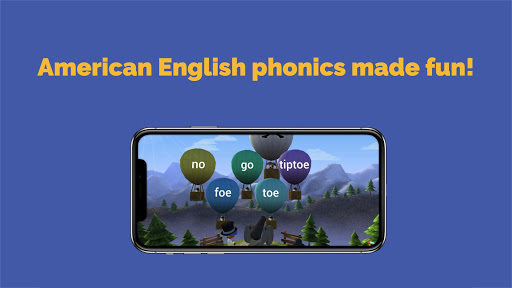
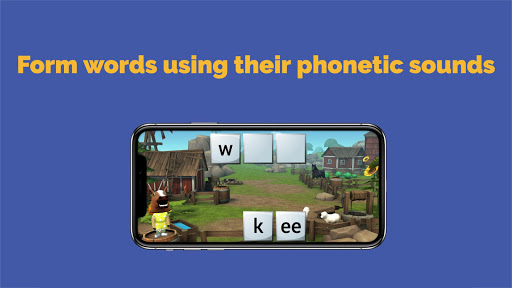
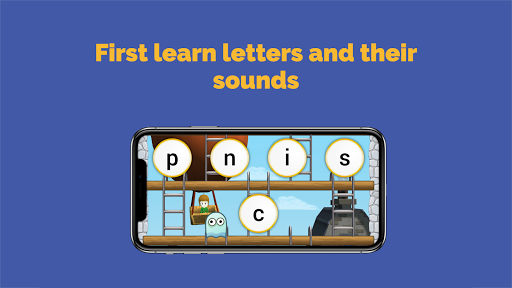
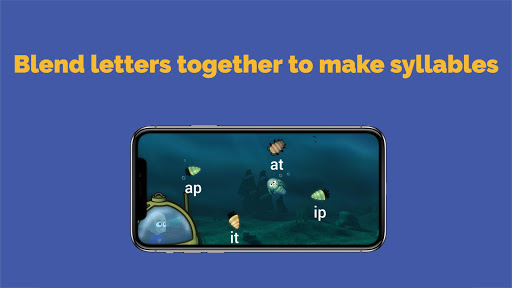
Set your child or classroom up for reading success! GraphoGame helps kindergarten and primary school children learn to read and spell their first letters, syllables and words in English. Academically validated content and no ads!
FEATURES:
• Avatar creation & customization
• Engaging 3D graphics
• Suitable for ages 6-9
• Works offline
• No ads or hidden fees
• Engaging & systematic phonics game that complements any phonics programme
• Developed in collaboration with prestigious organizations such as Haskins Laboratories (United States), University of Cambridge Centre for Neuroscience in Education (United Kingdom) and University of Jyväskylä (Finland)
• Designed for school and home use
GraphoGame helps kids learn letters, rhymes and their sounds through a variety of engaging 3D levels – all with your child’s own unique avatar that keeps them coming back for more! The player gradually moves from graphemes and phonemes, through syllables and rhymes, to eventually learn how to blend what they have learned into complete words. By playing just 15 minutes sessions regularly, kids can improve their letter knowledge, phonological awareness, reading speed and overall confidence in literacy.
This American English version of GraphoGame is the result of the work done by Haskins Laboratories, a private, not-for-profit research institute founded in 1935, investigating the biological basis of speech, language and reading, and their related disabilities. GraphoGame is based on decades of research in dyslexia, neurolinguistics and neuropsychology by the University of Jyväskylä in Finland and adapted to English by the University of Cambridge Centre for Neuroscience in Education
Game icon © Grapho Group Oy, Ville Mönkkönen & Mika Halttunen
أظهر المزيد

1. قم بتنزيل برنامج MEmu واكمال تثبيته

2. قم بتشغيل برنامج MEmu وفتح Google Play على الصفحة الرئيسية

3. ابح GraphoGame English (US) في Google Play
Install
4. تنزيل وتثبيت GraphoGame English (US)
5. انقر على الرمز للتشغيل بعد اكتمال التثبيت

6. استخدم MEmu لتجربة GraphoGame English (US) على جهاز الكمبيوتر الخاص بك.
تطبيق MEmuهو افضل محاكى اندرويد مجانى وبالفعل 50 مليون شخص يستمتعون حاليا بتجربه اللعب عليه. تمكّنك تقنية MEmu الافتراضية من تشغيل آلاف ألعاب Android بسلاسة على الكمبيوتر الشخصي ، حتى أكثرها استخدامًا للرسومات.
شاشة أكبر وجرافيك افضل ووقت أطول بدون حدود البطارية وباقة التليفون
لوحة مفاتيح كاملة تدعم تحكم كامل عن طريق لوحة المفاتيح و الفأره وجيم باد
عدة العاب وحسابات ومهمات علي جهاز الكمبيوتر في وقت معين عن طريق Memu متعدد النوافذ
Use GraphoGame English (US) on PC by following steps: