Kodi
تم التحديث
الإصدار الحالي
21.1
تقديم

لا داعي للقلق بشأن الشحن الزائد عند استخدام Kodi على هاتفك. تحرر من قيود الشاشة الصغيرة واستمتع به على شاشة أكبر باستخدام لوحة المفاتيح والفأرة. يوفر MEmu جميع الميزات الرائعة التي تتوقعها: تثبيت سريع، إعداد سهل، أدوات تحكم بديهية، ودون قيود على عمر البطارية، أو استخدام البيانات، أو المكالمات الواردة. يُعد MEmu 9 الجديد الخيار الأمثل لتجربة Kodi على جهاز الكمبيوتر. بفضل تقنية التشفير الفريدة، يتيح لك مدير الحسابات المتعددة تشغيل حسابين أو أكثر في وقت واحد. والأهم من ذلك، أن محرك المحاكاة الفريد يستغل أداء جهاز الكمبيوتر بالكامل، مما يُحسّن تجربة التطبيق ويجعل كل شيء سلسًا للغاية.
أظهر المزيد
قم بتنزيل Kodi على الكمبيوتر بإستخدام جهاز مقلد أندروز MEmu.استمتع بمتعة اللعب على الشاشة الكبيرة. Kodi® media center is an award-winning free and open source cross-platform software media player and entertainment hub for digital media for HTPCs (Home theater PCs).
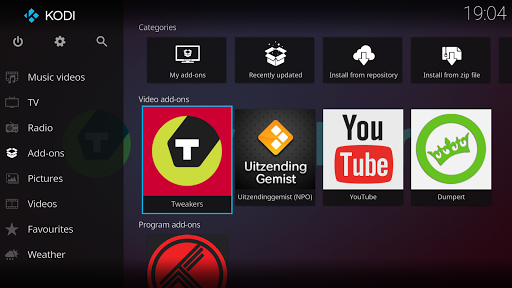
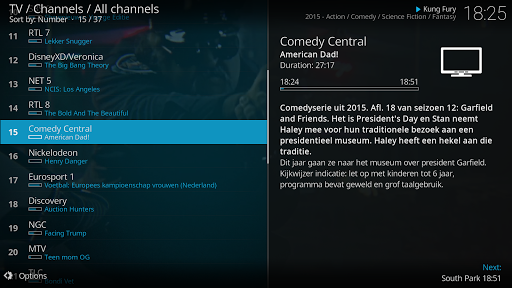
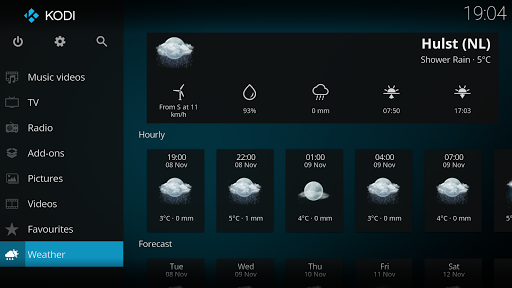
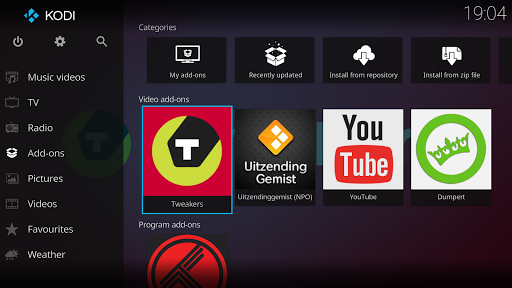
Kodi® media center is an award-winning free and open source cross-platform software media player and entertainment hub for digital media for HTPCs (Home theater PCs). It uses a 10-foot user interface designed to be a media player for the living-room, using a remote control as the primary input device. Its graphical user interface (GUI) allows the user to easily browse and view videos, photos, podcasts, and music from a harddrive, optical disc, local network, and the internet using only a few buttons.
IMPORTANT:
The official Kodi version does not contain any content what so ever. This means that you should provide your own content from a local or remote storage location, DVD, Blu-Ray or any other media carrier that you own. Additionally Kodi allows you to install third-party plugins that may provide access to content that is freely available on the official content provider website. Any other means of watching illegal content which would otherwise be paid for is not endorsed or approved by Team Kodi.
Estuary is the new standard skin and is designed to be fast and user friendly.
With the skin Estouchy, Kodi has now been enhanced to better work with larger 5" or up phones and tablets. Kodi is not designed or recommended for use with smaller phones.
Disclaimer:
- Kodi does not supply or include any media or content.
- Users must provide their own content or install one of the third party plug-ins
- Kodi has no affiliation with any third-part plug-in or add-on provider what so ever.
- We do not endorse the streaming of copyright protected material without permission of the copyright holder.
- In order to upgrade from a previous version you must have installed an official released version by Team Kodi. Any other version may cause failure to upgrade.
License and development:
Kodi® is a trademark of the XBMC Foundation. For further details you can visit http://kodi.wiki/view/Official:Trademark_Policy
Kodi® is fully Open-Source and released under the GPLv2.0+ license. It includes many third-party libraries which use compatible licenses. Due to the inclusion of some GPLv3.0 libraries the entire application becomes GPLv3.0 as binary.
Should you wish to help on future development you can do so by visiting our forum for further questions.
أظهر المزيد

1. قم بتنزيل برنامج MEmu واكمال تثبيته

2. قم بتشغيل برنامج MEmu وفتح Google Play على الصفحة الرئيسية

3. ابح Kodi في Google Play
Install
4. تنزيل وتثبيت Kodi
5. انقر على الرمز للتشغيل بعد اكتمال التثبيت

6. استخدم MEmu لتجربة Kodi على جهاز الكمبيوتر الخاص بك.
تطبيق MEmuهو افضل محاكى اندرويد مجانى وبالفعل 50 مليون شخص يستمتعون حاليا بتجربه اللعب عليه. تمكّنك تقنية MEmu الافتراضية من تشغيل آلاف ألعاب Android بسلاسة على الكمبيوتر الشخصي ، حتى أكثرها استخدامًا للرسومات.
شاشة أكبر وجرافيك افضل ووقت أطول بدون حدود البطارية وباقة التليفون
لوحة مفاتيح كاملة تدعم تحكم كامل عن طريق لوحة المفاتيح و الفأره وجيم باد
عدة العاب وحسابات ومهمات علي جهاز الكمبيوتر في وقت معين عن طريق Memu متعدد النوافذ
Use Kodi on PC by following steps: