Lurk: Secure Private Browser
تم التحديث
الإصدار الحالي
1.0.2
تقديم

لا داعي للقلق بشأن الشحن الزائد عند استخدام Lurk: Secure Private Browser على هاتفك. تحرر من قيود الشاشة الصغيرة واستمتع به على شاشة أكبر باستخدام لوحة المفاتيح والفأرة. يوفر MEmu جميع الميزات الرائعة التي تتوقعها: تثبيت سريع، إعداد سهل، أدوات تحكم بديهية، ودون قيود على عمر البطارية، أو استخدام البيانات، أو المكالمات الواردة. يُعد MEmu 9 الجديد الخيار الأمثل لتجربة Lurk: Secure Private Browser على جهاز الكمبيوتر. بفضل تقنية التشفير الفريدة، يتيح لك مدير الحسابات المتعددة تشغيل حسابين أو أكثر في وقت واحد. والأهم من ذلك، أن محرك المحاكاة الفريد يستغل أداء جهاز الكمبيوتر بالكامل، مما يُحسّن تجربة التطبيق ويجعل كل شيء سلسًا للغاية.
أظهر المزيد
استمتع بتجربة رائعة لاستخدام Lurk: Secure Private Browser على جهاز الكمبيوتر مع MEmu Play. إنه محاكي أندرويد قوي ومجاني يوفر لك آلاف تطبيقات أندرويد لإصدار سطح المكتب. استمتع بالتواصل مع أصدقائك وحسّن عملك بكفاءة أعلى! Lurk - The Ultimate Secure Private Browser with VPN & Video Downloader.
Lurk - The Ultimate Secure Private Browser with VPN & Video Downloader
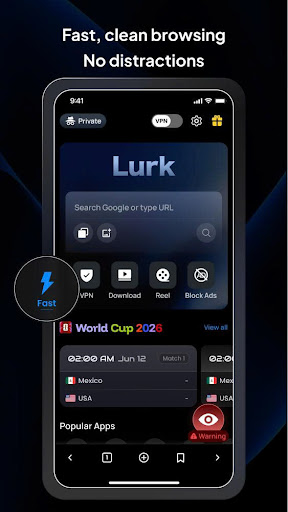
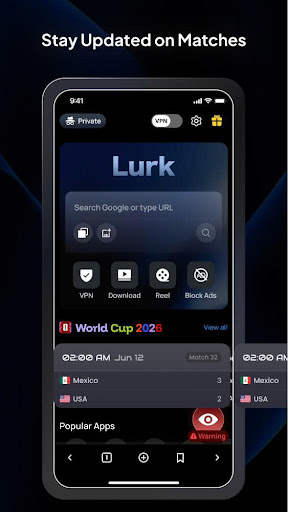
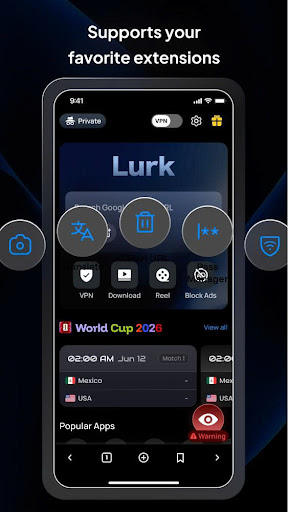
Looking for a truly anonymous online experience? Meet Lurk, your all-in-one private browser designed to protect your digital footprint, bypass geo-restrictions, and download media seamlessly. Packed with a built-in high-speed VPN, advanced video saving capabilities, and an absolute incognito mode, Lurk ensures your internet activity remains completely hidden from trackers and hackers.
Free Built-In VPN Browser Solution
Surf the web without borders. Our integrated VPN browser encrypts your internet traffic and masks your real IP address. Easily bypass regional blocks, unlock censored content, and secure your personal data on risky public Wi-Fi networks with just one tap.
Advanced Video Downloader Engine
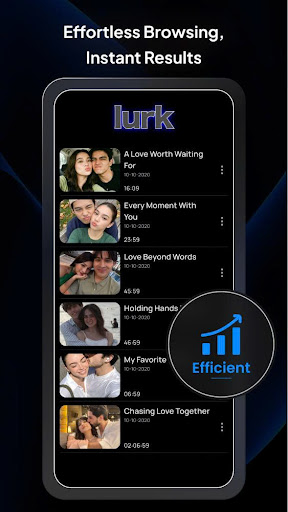
Save your favorite media instantly for offline viewing. Lurk features an intelligent video downloader that automatically detects videos, audio, and downloadable links across web pages. Grab clips securely and build your private media library directly inside the application.
Absolute Incognito Mode
Protect your privacy automatically. The second you exit the app, our advanced incognito mode immediately wipes all browsing history, cookies, cached files, and site data. No traces left behind, ensuring total peace of mind.
Secure Browsing & Ad Blocker
Defend your device against online threats. Lurk enforces strict secure browsing protocols to block intrusive ads, malicious pop-ups, phishing attempts, and data-devouring scripts. Enjoy a cleaner, faster, and safer browsing experience that saves mobile data and improves page load times.
Key Advantages of Lurk:
• Supercharged page rendering and optimized mobile performance.
• Lightweight design with a clean, user-friendly interface.
• Absolute zero-log policy—we never track, store, or sell your data.
• One-tap download execution for multi-media files.
• Global VPN server network with reliable uptime and unlimited bandwidth.
Stop letting corporations track your digital life. Download Lurk today to experience uncompromised online security and total web freedom!
أظهر المزيد

1. قم بتنزيل برنامج MEmu واكمال تثبيته

2. قم بتشغيل برنامج MEmu وفتح Google Play على الصفحة الرئيسية

3. ابح Lurk: Secure Private Browser في Google Play
Install
4. تنزيل وتثبيت Lurk: Secure Private Browser
5. انقر على الرمز للتشغيل بعد اكتمال التثبيت

6. استخدم MEmu لتجربة Lurk: Secure Private Browser على جهاز الكمبيوتر الخاص بك.
تطبيق MEmuهو افضل محاكى اندرويد مجانى وبالفعل 50 مليون شخص يستمتعون حاليا بتجربه اللعب عليه. تمكّنك تقنية MEmu الافتراضية من تشغيل آلاف ألعاب Android بسلاسة على الكمبيوتر الشخصي ، حتى أكثرها استخدامًا للرسومات.
شاشة أكبر وجرافيك افضل ووقت أطول بدون حدود البطارية وباقة التليفون
لوحة مفاتيح كاملة تدعم تحكم كامل عن طريق لوحة المفاتيح و الفأره وجيم باد
عدة العاب وحسابات ومهمات علي جهاز الكمبيوتر في وقت معين عن طريق Memu متعدد النوافذ
Use Lurk: Secure Private Browser on PC by following steps: