
MAWAQIT for TV
تم التحديث
الإصدار الحالي
1.17.6
تقديم

لا داعي للقلق بشأن الشحن الزائد عند استخدام MAWAQIT for TV على هاتفك. تحرر من قيود الشاشة الصغيرة واستمتع به على شاشة أكبر باستخدام لوحة المفاتيح والفأرة. يوفر MEmu جميع الميزات الرائعة التي تتوقعها: تثبيت سريع، إعداد سهل، أدوات تحكم بديهية، ودون قيود على عمر البطارية، أو استخدام البيانات، أو المكالمات الواردة. يُعد MEmu 9 الجديد الخيار الأمثل لتجربة MAWAQIT for TV على جهاز الكمبيوتر. بفضل تقنية التشفير الفريدة، يتيح لك مدير الحسابات المتعددة تشغيل حسابين أو أكثر في وقت واحد. والأهم من ذلك، أن محرك المحاكاة الفريد يستغل أداء جهاز الكمبيوتر بالكامل، مما يُحسّن تجربة التطبيق ويجعل كل شيء سلسًا للغاية.
أظهر المزيد
قم بتنزيل MAWAQIT for TV على الكمبيوتر بإستخدام جهاز مقلد أندروز MEmu.استمتع بمتعة اللعب على الشاشة الكبيرة. MAWAQIT offers a new way to track and manage prayer schedules.
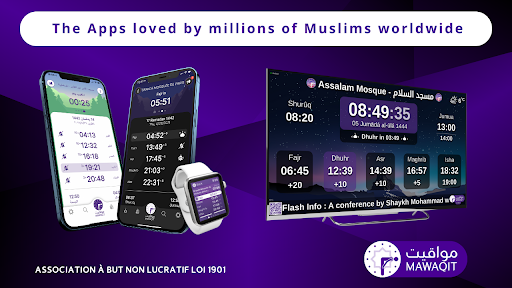
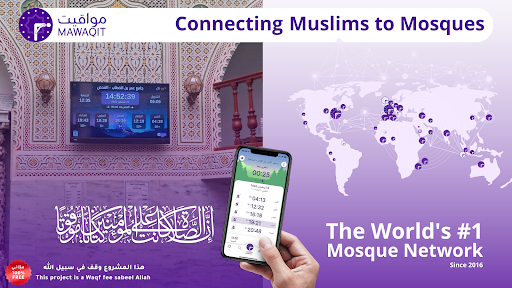

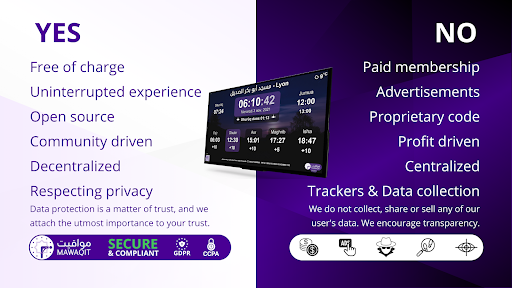
MAWAQIT offers a new way to track and manage prayer schedules. Indeed, we offer an end-to-end system that provides mosque managers with online tools available 24/24h allowing them to manage the schedules, the news of the mosque and many other features. Worshipers, on the other hand, benefit from a mobile application that allows them to consult the exact and not approximate schedules of their favourite mosque, as well as the news and other features such as mosque search by geolocation. We have made reliability and quality our core values. Our ambition is clear: to build the best service for our mosques through technology and design. Every mosque added to our system goes through a thorough moderation. We suspend any mosque that does not comply with our rules in order to preserve a reliable service for the community.
Our salah MAWAQIT For TV application is designed to enhance your prayer experience and help you stay connected to your faith. Here are the key features of our app:
Prayer Time: Our app provides precise prayer timings for Fajr, Zuhr, Asr, Maghrib, and Isha based on your mosque. Never miss a prayer again with our easy-to-use interface and customizable settings.
Accurate Adhan Time: Our app offers accurate Adhan timings for each prayer, so you can hear the call to prayer and start your salah on time. With our app, you can trust that you're always in sync with the local masjid.
Iqama Time and Countdown: Our app includes iqama timings for each prayer, along with a countdown timer to let you know how much time is left until the prayer starts. This feature helps you plan your prayer routine and ensures that you're always prepared for salah.
After Salah Azkar: Our app provides a range of after salah Azkar, so you can keep the remembrance of Allah fresh in your mind after completing your prayer. With our app, you'll have access to a variety of supplications and duaa to recite after salah.
After Adhan Duaa: Our app includes a collection of after-adhan Duaa, so you can supplicate to Allah after hearing the call to prayer. This feature helps you connect with your faith and deepen your spiritual experience.
Show Azkar and Ayat All Day: Our app offers a feature that allows you to display Azkar and Ayat throughout the day. This feature is especially useful if you want to maintain a constant connection with your faith and keep your mind focused on Allah.
Show Custom Images and Videos announcements: With our app, you can choose to display custom images and videos of your choice during prayer times or throughout the day.
In summary, our salah MAWAQIT For TV application offers a comprehensive and customizable prayer experience. With accurate prayer timings, adhan timings, iqama timings, after salah Azkar, after adhan Duas, and a range of customizable features such as displaying Azkar and ayat or custom images and videos, our app is designed to meet all of your prayer needs and elevate your spiritual experience.
More details about our installation process will be found here https://help.mawaqit.net/en/articles/6086131-opening-mawaqit-display-app
Support our WAQF Project by donate here https://donate.mawaqit.net
أظهر المزيد

1. قم بتنزيل برنامج MEmu واكمال تثبيته

2. قم بتشغيل برنامج MEmu وفتح Google Play على الصفحة الرئيسية

3. ابح MAWAQIT for TV في Google Play
Install
4. تنزيل وتثبيت MAWAQIT for TV
5. انقر على الرمز للتشغيل بعد اكتمال التثبيت

6. استخدم MEmu لتجربة MAWAQIT for TV على جهاز الكمبيوتر الخاص بك.
تطبيق MEmuهو افضل محاكى اندرويد مجانى وبالفعل 50 مليون شخص يستمتعون حاليا بتجربه اللعب عليه. تمكّنك تقنية MEmu الافتراضية من تشغيل آلاف ألعاب Android بسلاسة على الكمبيوتر الشخصي ، حتى أكثرها استخدامًا للرسومات.
شاشة أكبر وجرافيك افضل ووقت أطول بدون حدود البطارية وباقة التليفون
لوحة مفاتيح كاملة تدعم تحكم كامل عن طريق لوحة المفاتيح و الفأره وجيم باد
عدة العاب وحسابات ومهمات علي جهاز الكمبيوتر في وقت معين عن طريق Memu متعدد النوافذ
Use MAWAQIT for TV on PC by following steps: