
Mini talking chat
تم التحديث
الإصدار الحالي
1.0.4
تقديم

لا داعي للقلق بشأن الشحن الزائد عند استخدام Mini talking chat على هاتفك. تحرر من قيود الشاشة الصغيرة واستمتع به على شاشة أكبر باستخدام لوحة المفاتيح والفأرة. يوفر MEmu جميع الميزات الرائعة التي تتوقعها: تثبيت سريع، إعداد سهل، أدوات تحكم بديهية، ودون قيود على عمر البطارية، أو استخدام البيانات، أو المكالمات الواردة. يُعد MEmu 9 الجديد الخيار الأمثل لتجربة Mini talking chat على جهاز الكمبيوتر. بفضل تقنية التشفير الفريدة، يتيح لك مدير الحسابات المتعددة تشغيل حسابين أو أكثر في وقت واحد. والأهم من ذلك، أن محرك المحاكاة الفريد يستغل أداء جهاز الكمبيوتر بالكامل، مما يُحسّن تجربة التطبيق ويجعل كل شيء سلسًا للغاية.
أظهر المزيد
استمتع بتجربة رائعة لاستخدام Mini talking chat على جهاز الكمبيوتر مع MEmu Play. إنه محاكي أندرويد قوي ومجاني يوفر لك آلاف تطبيقات أندرويد لإصدار سطح المكتب. استمتع بالتواصل مع أصدقائك وحسّن عملك بكفاءة أعلى! Mini Talking Chat is a communication app designed to help people connect in groups, exchange ideas, and make decisions together.
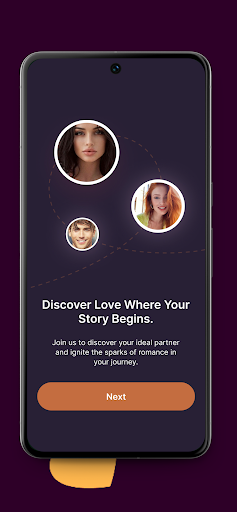
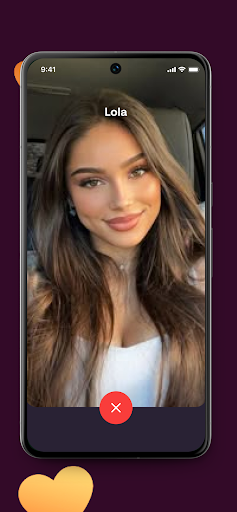
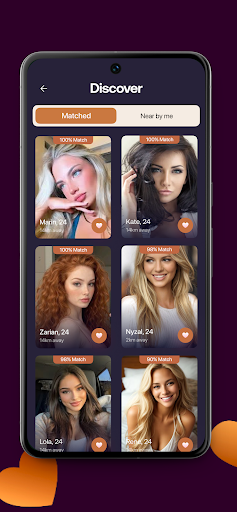
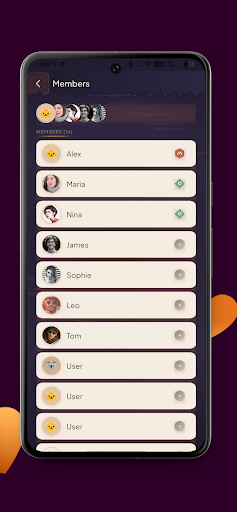
Mini Talking Chat is a communication app designed to help people connect in groups, exchange ideas, and make decisions together. The app brings messaging, topic discussions, polls, and video calls into a single organized space where communities can communicate and coordinate easily.
Users can create groups for different purposes such as friends, hobby communities, study groups, or event planning. Each group includes its own name, description, and access settings. Groups may be open to everyone, require approval to join, or stay private and accessible only through an invitation code. This flexible setup makes the app suitable for both public communities and small private circles.
Within each group, members can participate in a shared real-time chat where conversations happen naturally and quickly. Important messages can be pinned so that essential information remains easy to find for all participants.
Mini Talking Chat also supports structured discussions and simple voting tools that help groups organize opinions and reach decisions together. Participants can review options and see results clearly once a vote is completed.
To make communication even more interactive, the app includes built-in video calls so members can talk face to face when discussing plans or ideas.
Mini Talking Chat combines group messaging, discussions, polls, and video calls in one simple environment designed to help people communicate, collaborate, and stay connected.
أظهر المزيد

1. قم بتنزيل برنامج MEmu واكمال تثبيته

2. قم بتشغيل برنامج MEmu وفتح Google Play على الصفحة الرئيسية

3. ابح Mini talking chat في Google Play
Install
4. تنزيل وتثبيت Mini talking chat
5. انقر على الرمز للتشغيل بعد اكتمال التثبيت

6. استخدم MEmu لتجربة Mini talking chat على جهاز الكمبيوتر الخاص بك.
تطبيق MEmuهو افضل محاكى اندرويد مجانى وبالفعل 50 مليون شخص يستمتعون حاليا بتجربه اللعب عليه. تمكّنك تقنية MEmu الافتراضية من تشغيل آلاف ألعاب Android بسلاسة على الكمبيوتر الشخصي ، حتى أكثرها استخدامًا للرسومات.
شاشة أكبر وجرافيك افضل ووقت أطول بدون حدود البطارية وباقة التليفون
لوحة مفاتيح كاملة تدعم تحكم كامل عن طريق لوحة المفاتيح و الفأره وجيم باد
عدة العاب وحسابات ومهمات علي جهاز الكمبيوتر في وقت معين عن طريق Memu متعدد النوافذ
Use Mini talking chat on PC by following steps: