Nitx Signage TV
تم التحديث
الإصدار الحالي
10.0.0
تقديم

لا داعي للقلق بشأن الشحن الزائد عند استخدام Nitx Signage TV على هاتفك. تحرر من قيود الشاشة الصغيرة واستمتع به على شاشة أكبر باستخدام لوحة المفاتيح والفأرة. يوفر MEmu جميع الميزات الرائعة التي تتوقعها: تثبيت سريع، إعداد سهل، أدوات تحكم بديهية، ودون قيود على عمر البطارية، أو استخدام البيانات، أو المكالمات الواردة. يُعد MEmu 9 الجديد الخيار الأمثل لتجربة Nitx Signage TV على جهاز الكمبيوتر. بفضل تقنية التشفير الفريدة، يتيح لك مدير الحسابات المتعددة تشغيل حسابين أو أكثر في وقت واحد. والأهم من ذلك، أن محرك المحاكاة الفريد يستغل أداء جهاز الكمبيوتر بالكامل، مما يُحسّن تجربة التطبيق ويجعل كل شيء سلسًا للغاية.
أظهر المزيد
استمتع بتجربة رائعة لاستخدام Nitx Signage TV على جهاز الكمبيوتر مع MEmu Play. إنه محاكي أندرويد قوي ومجاني يوفر لك آلاف تطبيقات أندرويد لإصدار سطح المكتب. استمتع بالتواصل مع أصدقائك وحسّن عملك بكفاءة أعلى! Turn any screen into a powerful communication channel with Nitx Signage TV.
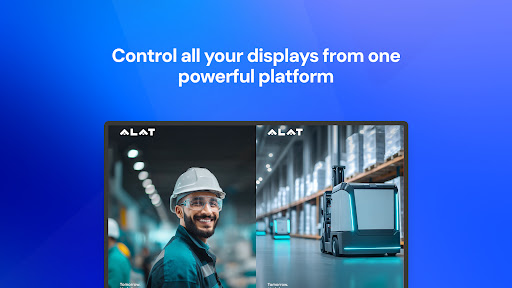
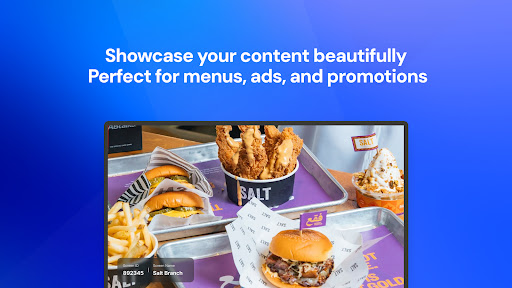
Turn any screen into a powerful communication channel with Nitx Signage TV.
Whether you manage a single display in a local café or a network of thousands of screens across a retail franchise, Nitx Signage TV offers the most intuitive, cloud-based solution to control your digital signage.
Say goodbye to USB sticks and outdated manual updates. With our robust Signage System you can design, schedule, and broadcast stunning content to your screens from anywhere in the world.
Getting Started is Simple
We have streamlined the process to get your screens up and running in minutes. Here is how it works:
1. Log In & Register: Visit signage.nitx.io to create your account. Access your personal dashboard where you will manage all your screens and media.
2. Purchase a License: Choose the subscription plan that fits your business needs directly from the portal to unlock full features.
3. Launch the App: Download and open Nitx Signage TV on your Android TV.
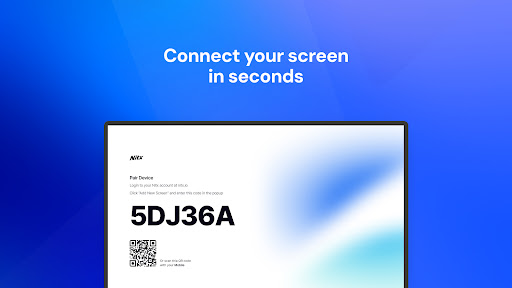
4. Link Your Screen: The app will display a unique Pairing Code. Enter this code in your Nitx web dashboard to instantly connect the screen to your account.
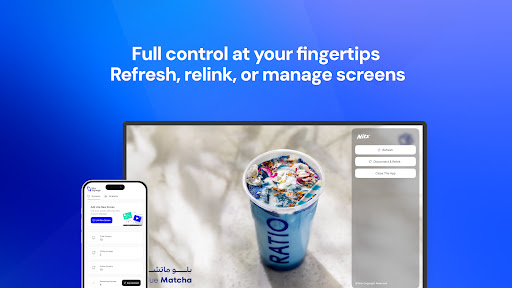
5. Upload & Publish: Upload your images or videos, create a playlist, and hit publish. Your screen will update instantly!
Key Features
Remote Content Management
Control your content from the comfort of your office or home. Our cloud-based platform ensures that your changes are pushed to your screens in real-time, no matter where they are located.
Advanced Scheduling
Automate your displays. Schedule breakfast menus to switch to lunch offers at 11:00 AM, or plan holiday campaigns weeks in advance. Set start and end dates for specific promotions so you never show outdated content.
Nitx Studio & AI Tools
Leverage our integrated creative tools. Use Nitx Studio to design eye-catching visuals or utilize our AI-powered features to generate content that resonates with your audience.
Multi-Format Support
Display exactly what you need. Nitx Signage TV supports:
Images & Graphics: High-quality rendering for menus and promos.
Videos: Smooth 4K and HD video playback.
Web & HTML5: Display live dashboards, websites, or custom apps.
Reliable & Secure
Offline Mode: Internet down? No problem. Nitx stores content locally on the device to ensure continuous playback even without a connection.
Solutions for Every Industry
Restaurants & Cafés: Create dynamic digital menu boards. Update prices, sold-out items, and specials instantly.
Retail & Malls: Drive sales with high-definition video ads, flash sale announcements, and brand storytelling.
Corporate Offices: Improve internal communication. Display KPIs, welcome messages for guests, and company news in lobbies and breakrooms.
Healthcare: Manage patient waiting areas with health tips, doctor schedules, and queue information.
Hospitality: Welcome guests in hotel lobbies and showcase amenities, events, or local attractions.
Supported Devices**
Nitx Signage TV is optimized for performance on a wide range of hardware:
* Android TV (Sony, TCL, Philips, etc.)
* Android Media Players & TV Boxes
* Amazon Fire TV Stick
* Android Tablets & Kiosks
أظهر المزيد

1. قم بتنزيل برنامج MEmu واكمال تثبيته

2. قم بتشغيل برنامج MEmu وفتح Google Play على الصفحة الرئيسية

3. ابح Nitx Signage TV في Google Play
Install
4. تنزيل وتثبيت Nitx Signage TV
5. انقر على الرمز للتشغيل بعد اكتمال التثبيت

6. استخدم MEmu لتجربة Nitx Signage TV على جهاز الكمبيوتر الخاص بك.
تطبيق MEmuهو افضل محاكى اندرويد مجانى وبالفعل 50 مليون شخص يستمتعون حاليا بتجربه اللعب عليه. تمكّنك تقنية MEmu الافتراضية من تشغيل آلاف ألعاب Android بسلاسة على الكمبيوتر الشخصي ، حتى أكثرها استخدامًا للرسومات.
شاشة أكبر وجرافيك افضل ووقت أطول بدون حدود البطارية وباقة التليفون
لوحة مفاتيح كاملة تدعم تحكم كامل عن طريق لوحة المفاتيح و الفأره وجيم باد
عدة العاب وحسابات ومهمات علي جهاز الكمبيوتر في وقت معين عن طريق Memu متعدد النوافذ
Use Nitx Signage TV on PC by following steps: