Pak Identity
تم التحديث
الإصدار الحالي
5.6.7
تقديم

لا داعي للقلق بشأن الشحن الزائد عند استخدام Pak Identity على هاتفك. تحرر من قيود الشاشة الصغيرة واستمتع به على شاشة أكبر باستخدام لوحة المفاتيح والفأرة. يوفر MEmu جميع الميزات الرائعة التي تتوقعها: تثبيت سريع، إعداد سهل، أدوات تحكم بديهية، ودون قيود على عمر البطارية، أو استخدام البيانات، أو المكالمات الواردة. يُعد MEmu 9 الجديد الخيار الأمثل لتجربة Pak Identity على جهاز الكمبيوتر. بفضل تقنية التشفير الفريدة، يتيح لك مدير الحسابات المتعددة تشغيل حسابين أو أكثر في وقت واحد. والأهم من ذلك، أن محرك المحاكاة الفريد يستغل أداء جهاز الكمبيوتر بالكامل، مما يُحسّن تجربة التطبيق ويجعل كل شيء سلسًا للغاية.
أظهر المزيد
قم بتنزيل Pak Identity على الكمبيوتر بإستخدام جهاز مقلد أندروز MEmu.استمتع بمتعة اللعب على الشاشة الكبيرة. الهوية الباكستانية هي خدمة إصدار الهوية عبر الإنترنت من NADRA للمواطنين الباكستانيين والتي توفر حلاً شاملاً للتقدم بطلب للحصول على بطاقة الهوية.
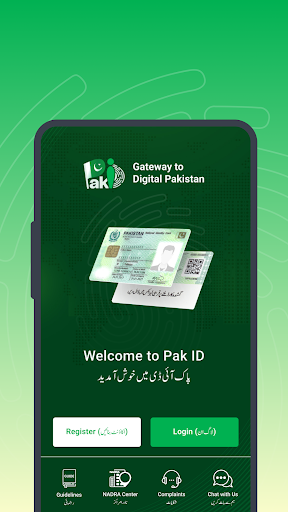
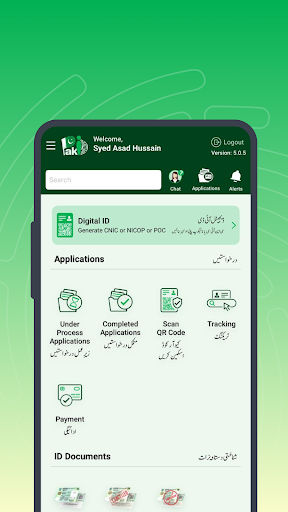
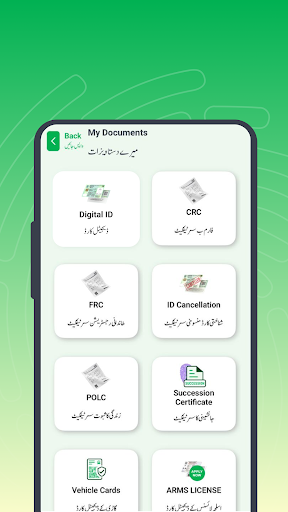
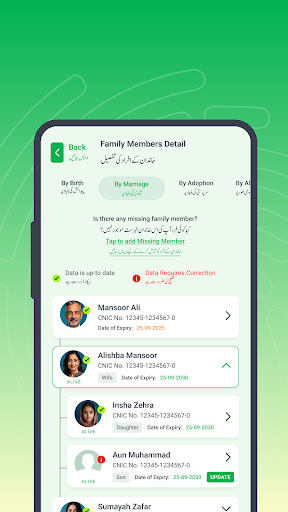
الهوية الباكستانية هي خدمة إصدار الهوية عبر الإنترنت من NADRA للمواطنين الباكستانيين والتي توفر حلاً شاملاً للتقدم بطلب للحصول على بطاقة الهوية. أطلقت NADRA هذا التطبيق لتسهيل تقديم المواطنين الباكستانيين للحصول على وثائق الهوية التالية
• تعديل CNIC
• تجديد CNIC
• إعادة طبع / فقدت CNIC
• NICOP جديد
• تعديل NICOP
• تجديد NICOP
• إعادة طبع / فقد NICOP
الوظائف:
• إنشاء حساب بالبريد الإلكتروني ورقم الجوال والتحقق البيومتري.
• تسجيل دخول المستخدم من خلال القياسات الحيوية (بصمات الأصابع / الوجه)
• صندوق الوارد المستند إلى المستخدم مع قائمة بجميع التطبيقات
• اكتساب البيانات التفاعلية
• التقاط الصور المعتمدة على منظمة الطيران المدني الدولي من خلال الكاميرا المتنقلة.
• الحصول على بصمات الأصابع من خلال الكاميرا المحمولة
• التقاط التوقيع الرقمي من خلال شاشة اللمس المتنقلة
• تحميل المستندات من خلال الكاميرات المحمولة وتحميل الملفات
• التحقق من المصدق من خلال OTP
• المدفوعات عبر الإنترنت
أظهر المزيد

1. قم بتنزيل برنامج MEmu واكمال تثبيته

2. قم بتشغيل برنامج MEmu وفتح Google Play على الصفحة الرئيسية

3. ابح Pak Identity في Google Play
Install
4. تنزيل وتثبيت Pak Identity
5. انقر على الرمز للتشغيل بعد اكتمال التثبيت

6. استخدم MEmu لتجربة Pak Identity على جهاز الكمبيوتر الخاص بك.
تطبيق MEmuهو افضل محاكى اندرويد مجانى وبالفعل 50 مليون شخص يستمتعون حاليا بتجربه اللعب عليه. تمكّنك تقنية MEmu الافتراضية من تشغيل آلاف ألعاب Android بسلاسة على الكمبيوتر الشخصي ، حتى أكثرها استخدامًا للرسومات.
شاشة أكبر وجرافيك افضل ووقت أطول بدون حدود البطارية وباقة التليفون
لوحة مفاتيح كاملة تدعم تحكم كامل عن طريق لوحة المفاتيح و الفأره وجيم باد
عدة العاب وحسابات ومهمات علي جهاز الكمبيوتر في وقت معين عن طريق Memu متعدد النوافذ
Use Pak Identity on PC by following steps: