Pixelup - AI Photo Enhancer
تم التحديث
الإصدار الحالي
1.9.8
تقديم

لا داعي للقلق بشأن الشحن الزائد عند استخدام Pixelup - AI Photo Enhancer على هاتفك. تحرر من قيود الشاشة الصغيرة واستمتع به على شاشة أكبر باستخدام لوحة المفاتيح والفأرة. يوفر MEmu جميع الميزات الرائعة التي تتوقعها: تثبيت سريع، إعداد سهل، أدوات تحكم بديهية، ودون قيود على عمر البطارية، أو استخدام البيانات، أو المكالمات الواردة. يُعد MEmu 9 الجديد الخيار الأمثل لتجربة Pixelup - AI Photo Enhancer على جهاز الكمبيوتر. بفضل تقنية التشفير الفريدة، يتيح لك مدير الحسابات المتعددة تشغيل حسابين أو أكثر في وقت واحد. والأهم من ذلك، أن محرك المحاكاة الفريد يستغل أداء جهاز الكمبيوتر بالكامل، مما يُحسّن تجربة التطبيق ويجعل كل شيء سلسًا للغاية.
أظهر المزيد
قم بتنزيل Pixelup - AI Photo Enhancer على الكمبيوتر بإستخدام جهاز مقلد أندروز MEmu.استمتع بمتعة اللعب على الشاشة الكبيرة. Turn your old, blurry photos into high definition with Pixelup's AI photo enhancer!
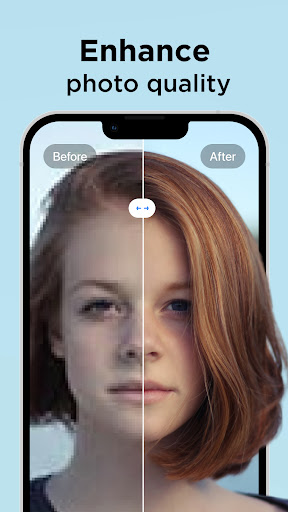
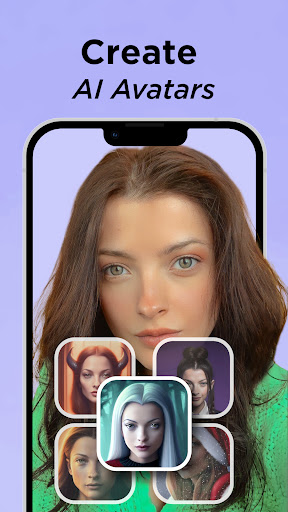
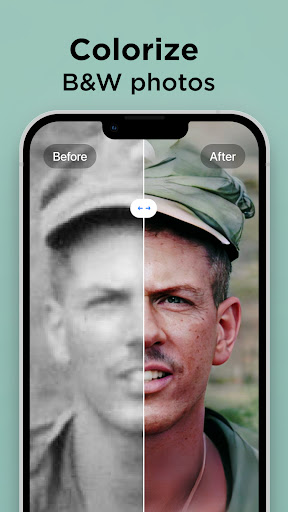
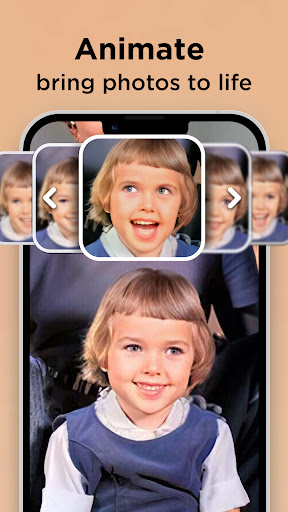
Turn your old, blurry photos into high definition with Pixelup's AI photo enhancer!
With Pixelup's enhanced Artificial Intelligence (AI), you can enhance photo quality instantly. Colorize and unblur old, pixelated, damaged pictures and turn them into crystal clear HD photos and get revitalized.
Pixelup helps you to:
ENHANCE PHOTO QUALITY
Either upload your best selfie or take a photo of an old picture with the camera, Pixelup’s photo enhance feature will make your photos brand new and in HD resolution. Enhanced AI algorithms will give you a flawless face even when zoomed in. You can easily restore old photos now.
COLORIZE BLACK AND WHITE PICS
Colorize your nostalgic, old, black & white family photos and make them new again. Bring color to any photo with only one tap. Unblur your videos, face and text. Increase the resolution of photos. Colorize your all photos. The best solution for Blurry Photo is here!
CREATE YOUR AI AVATARS
With PixelUP, you can create your avatars using your photos. Avatar maker is pretty easy, you can have fun with your avatar by selecting the photo you want to create. Express your presence on social media by creating your own personalized avatar!
ANIMATE PHOTOS
Bring memories back to life! All you need to do is find an old, black & white photo, apply the enhance filter to maket it HD, colorize it and then use one of the animations to bring your loved ones back to life.
SHARE PHOTOS & VIDEOS WITH ONE TAP
Pixelup gives you a perfectly enhanced photo or an animated video that's ready to share & get the most likes on Instagram, TikTok, Snapchat, Facebook, or your favorite chat group!
Let's enhance and animate your blurred photos!
Payment & Subscription Terms:
Choose between the following subscription options for unlimited access to all features:
• Weekly Subscription
• Monthly Subscription
• 3 Months Subscription
• Annual Subscription
***You may cancel your subscription at any time***
Have a feature in mind but you don’t see it in the app? Do not hesitate to contact us at pixelup@codeway.co
Terms & Condition - EULA: https://storage.googleapis.com/codeway.co/pixelup.co/terms.html
Privacy Policy: https://storage.googleapis.com/codeway.co/pixelup.co/privacy.html
أظهر المزيد

1. قم بتنزيل برنامج MEmu واكمال تثبيته

2. قم بتشغيل برنامج MEmu وفتح Google Play على الصفحة الرئيسية

3. ابح Pixelup - AI Photo Enhancer في Google Play
Install
4. تنزيل وتثبيت Pixelup - AI Photo Enhancer
5. انقر على الرمز للتشغيل بعد اكتمال التثبيت

6. استخدم MEmu لتجربة Pixelup - AI Photo Enhancer على جهاز الكمبيوتر الخاص بك.
تطبيق MEmuهو افضل محاكى اندرويد مجانى وبالفعل 50 مليون شخص يستمتعون حاليا بتجربه اللعب عليه. تمكّنك تقنية MEmu الافتراضية من تشغيل آلاف ألعاب Android بسلاسة على الكمبيوتر الشخصي ، حتى أكثرها استخدامًا للرسومات.
شاشة أكبر وجرافيك افضل ووقت أطول بدون حدود البطارية وباقة التليفون
لوحة مفاتيح كاملة تدعم تحكم كامل عن طريق لوحة المفاتيح و الفأره وجيم باد
عدة العاب وحسابات ومهمات علي جهاز الكمبيوتر في وقت معين عن طريق Memu متعدد النوافذ
Use Pixelup - AI Photo Enhancer on PC by following steps: