Remote for Apple TV
تم التحديث
الإصدار الحالي
5.0
تقديم

لا داعي للقلق بشأن الشحن الزائد عند استخدام Remote for Apple TV على هاتفك. تحرر من قيود الشاشة الصغيرة واستمتع به على شاشة أكبر باستخدام لوحة المفاتيح والفأرة. يوفر MEmu جميع الميزات الرائعة التي تتوقعها: تثبيت سريع، إعداد سهل، أدوات تحكم بديهية، ودون قيود على عمر البطارية، أو استخدام البيانات، أو المكالمات الواردة. يُعد MEmu 9 الجديد الخيار الأمثل لتجربة Remote for Apple TV على جهاز الكمبيوتر. بفضل تقنية التشفير الفريدة، يتيح لك مدير الحسابات المتعددة تشغيل حسابين أو أكثر في وقت واحد. والأهم من ذلك، أن محرك المحاكاة الفريد يستغل أداء جهاز الكمبيوتر بالكامل، مما يُحسّن تجربة التطبيق ويجعل كل شيء سلسًا للغاية.
أظهر المزيد
قم بتنزيل Remote for Apple TV على الكمبيوتر بإستخدام جهاز مقلد أندروز MEmu.استمتع بمتعة اللعب على الشاشة الكبيرة. Apple TV Remote is a must-have remote control app for your TV.
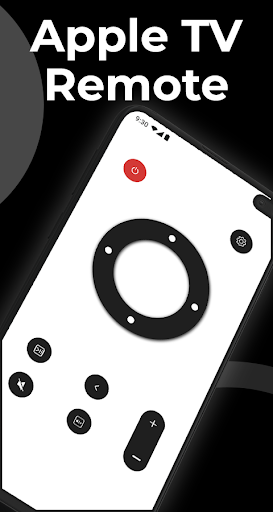
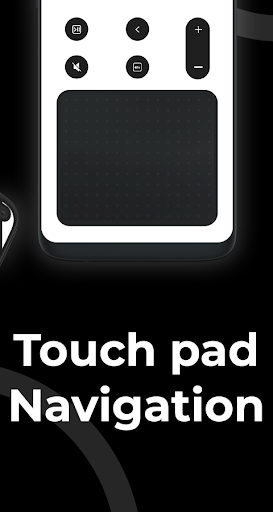
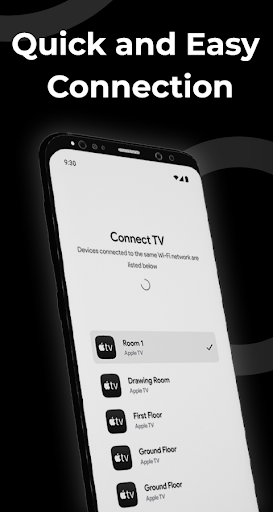
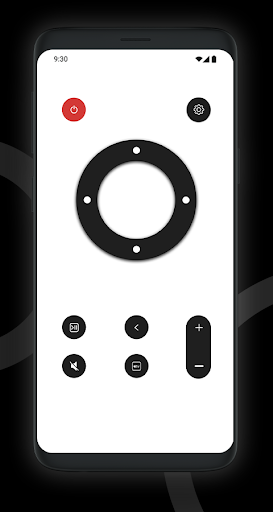
Apple TV Remote is a must-have remote control app for your TV. It's the ultimate solution for controlling your Apple TV straight from your Android device. Download it today and experience the freedom of a wireless remote controller.
Key Features:
- Works with Android phones and tablets
- Touchpad for seamless content navigation
- Volume control made easy
- Play, pause, and manage your favorite shows and movies
- No extra hardware required
- Automatic device detection and connection
- Full playback controls
- Quick access to all apps in one place
Effortless Setup:
No configuration needed—just connect and control.
User-Friendly Design:
We’ve designed the app to be intuitive, so anyone can use it without training. It's easier than using a physical remote!
Full Volume Control:
Apple TV Remote replaces your physical remote, letting you adjust the volume and handle all TV controls.
Supported Devices:
Our app works with the following Apple TV models:
- Television (1st, 2nd, and 3rd generation)
- HD TV (4th generation)
- 4K TV (1st, 2nd, 3rd, and 5th generation)
- TV (4th generation), with tvOS 9.2.1 or later
- TV (3rd generation), with Apple TV 7.2.1 software
How to Connect:
1. Ensure your TV is connected to your home Wi-Fi network.
2. Make sure your Android phone is on the same Wi-Fi network.
3. Open the app, select the target device, and start controlling your TV.
Troubleshooting:
- The app can only connect if both your phone and TV are on the same Wi-Fi network.
- If you experience connection issues, try reinstalling the app and restarting your TV.
Disclaimer:
This app is not affiliated with Apple, and it is not an official Apple product.
أظهر المزيد

1. قم بتنزيل برنامج MEmu واكمال تثبيته

2. قم بتشغيل برنامج MEmu وفتح Google Play على الصفحة الرئيسية

3. ابح Remote for Apple TV في Google Play
Install
4. تنزيل وتثبيت Remote for Apple TV
5. انقر على الرمز للتشغيل بعد اكتمال التثبيت

6. استخدم MEmu لتجربة Remote for Apple TV على جهاز الكمبيوتر الخاص بك.
تطبيق MEmuهو افضل محاكى اندرويد مجانى وبالفعل 50 مليون شخص يستمتعون حاليا بتجربه اللعب عليه. تمكّنك تقنية MEmu الافتراضية من تشغيل آلاف ألعاب Android بسلاسة على الكمبيوتر الشخصي ، حتى أكثرها استخدامًا للرسومات.
شاشة أكبر وجرافيك افضل ووقت أطول بدون حدود البطارية وباقة التليفون
لوحة مفاتيح كاملة تدعم تحكم كامل عن طريق لوحة المفاتيح و الفأره وجيم باد
عدة العاب وحسابات ومهمات علي جهاز الكمبيوتر في وقت معين عن طريق Memu متعدد النوافذ
Use Remote for Apple TV on PC by following steps: