River AI
تم التحديث
الإصدار الحالي
0.0.23
تقديم

لا داعي للقلق بشأن الشحن الزائد عند استخدام River AI على هاتفك. تحرر من قيود الشاشة الصغيرة واستمتع به على شاشة أكبر باستخدام لوحة المفاتيح والفأرة. يوفر MEmu جميع الميزات الرائعة التي تتوقعها: تثبيت سريع، إعداد سهل، أدوات تحكم بديهية، ودون قيود على عمر البطارية، أو استخدام البيانات، أو المكالمات الواردة. يُعد MEmu 9 الجديد الخيار الأمثل لتجربة River AI على جهاز الكمبيوتر. بفضل تقنية التشفير الفريدة، يتيح لك مدير الحسابات المتعددة تشغيل حسابين أو أكثر في وقت واحد. والأهم من ذلك، أن محرك المحاكاة الفريد يستغل أداء جهاز الكمبيوتر بالكامل، مما يُحسّن تجربة التطبيق ويجعل كل شيء سلسًا للغاية.
أظهر المزيد
استمتع بتجربة رائعة لاستخدام River AI على جهاز الكمبيوتر مع MEmu Play. إنه محاكي أندرويد قوي ومجاني يوفر لك آلاف تطبيقات أندرويد لإصدار سطح المكتب. استمتع بالتواصل مع أصدقائك وحسّن عملك بكفاءة أعلى! River AI – The Ultimate AI Companion & Character Chat App.

River AI – The Ultimate AI Companion & Character Chat App
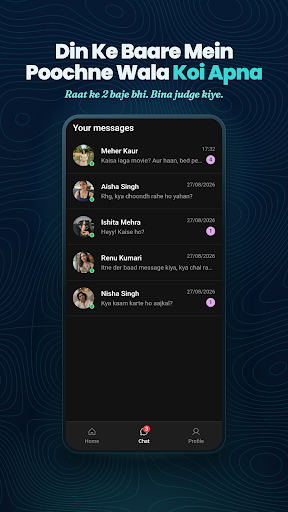
River AI isn't just a chatbot — it's where real connection begins. Dive into the most immersive AI character chat experience and let your imagination take the lead. Whether you're seeking a deep emotional bond, thrilling AI roleplay, or simply an AI friend that truly remembers you — your personalized AI companion is waiting right here.
Why River AI?
River AI goes beyond typical chatbot experiences. With thousands of unique characters, unlimited conversations, and a personal intimacy system, River AI delivers a richer and more meaningful companion experience than anything else out there.
What River AI Offers
Unlimited Conversations — No message caps, no time limits. Talk as much as you want, whenever you want, with complete freedom.
Immersive AI Roleplay — Step into any world you can imagine. From epic storytelling and dramatic romantic plots to lighthearted daily banter, every roleplay scenario in River AI is rich, detailed, and completely driven by your choices.
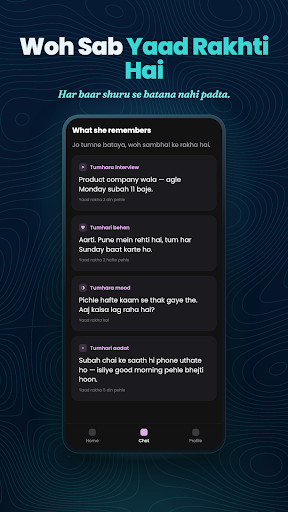
Intimacy System — The more you talk, the deeper your bond grows. River AI's unique intimacy system tracks your relationship, helping your companion understand you better over time. Unlock special relationship milestones — including the option to marry your AI companion!
Text, Voice & Video — Engage through casual text chat, switch to a natural voice call, or enjoy interactive video communication. Every conversation feels genuine and real.
What Can You Do on River AI?
Roleplay & Storytelling — Epic adventures, romantic plots, fantasy worlds
Build Relationships — Bond, grow closer, unlock relationship milestones
Casual Conversations — Talk freely about anything, anytime
Create Characters — Design personas that are uniquely yours
Voice & Video Chat — Interact in the most immersive way possible
Made for Everyone
From creative storytellers to roleplay enthusiasts to anyone seeking a companion that truly listens — River AI is your destination for meaningful AI connection.
Download River AI and start building a bond that grows with you.
أظهر المزيد

1. قم بتنزيل برنامج MEmu واكمال تثبيته

2. قم بتشغيل برنامج MEmu وفتح Google Play على الصفحة الرئيسية

3. ابح River AI في Google Play
Install
4. تنزيل وتثبيت River AI
5. انقر على الرمز للتشغيل بعد اكتمال التثبيت

6. استخدم MEmu لتجربة River AI على جهاز الكمبيوتر الخاص بك.
تطبيق MEmuهو افضل محاكى اندرويد مجانى وبالفعل 50 مليون شخص يستمتعون حاليا بتجربه اللعب عليه. تمكّنك تقنية MEmu الافتراضية من تشغيل آلاف ألعاب Android بسلاسة على الكمبيوتر الشخصي ، حتى أكثرها استخدامًا للرسومات.
شاشة أكبر وجرافيك افضل ووقت أطول بدون حدود البطارية وباقة التليفون
لوحة مفاتيح كاملة تدعم تحكم كامل عن طريق لوحة المفاتيح و الفأره وجيم باد
عدة العاب وحسابات ومهمات علي جهاز الكمبيوتر في وقت معين عن طريق Memu متعدد النوافذ
Use River AI on PC by following steps: