Sultan Muhammad Al Fatih
تم التحديث
الإصدار الحالي
1.0.
تقديم

لا داعي للقلق بشأن الشحن الزائد عند استخدام Sultan Muhammad Al Fatih على هاتفك. تحرر من قيود الشاشة الصغيرة واستمتع به على شاشة أكبر باستخدام لوحة المفاتيح والفأرة. يوفر MEmu جميع الميزات الرائعة التي تتوقعها: تثبيت سريع، إعداد سهل، أدوات تحكم بديهية، ودون قيود على عمر البطارية، أو استخدام البيانات، أو المكالمات الواردة. يُعد MEmu 9 الجديد الخيار الأمثل لتجربة Sultan Muhammad Al Fatih على جهاز الكمبيوتر. بفضل تقنية التشفير الفريدة، يتيح لك مدير الحسابات المتعددة تشغيل حسابين أو أكثر في وقت واحد. والأهم من ذلك، أن محرك المحاكاة الفريد يستغل أداء جهاز الكمبيوتر بالكامل، مما يُحسّن تجربة التطبيق ويجعل كل شيء سلسًا للغاية.
أظهر المزيد
قم بتنزيل Sultan Muhammad Al Fatih على الكمبيوتر بإستخدام جهاز مقلد أندروز MEmu.استمتع بمتعة اللعب على الشاشة الكبيرة. This book of Sultan Muhammad Al Fatih blood of Gazi Ertugrul Dirlis.
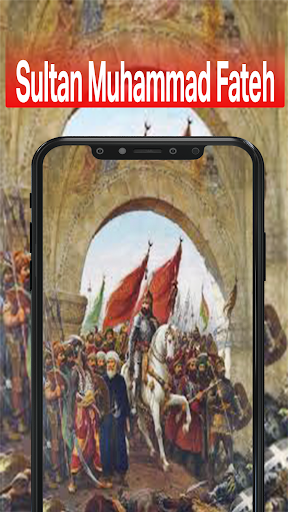
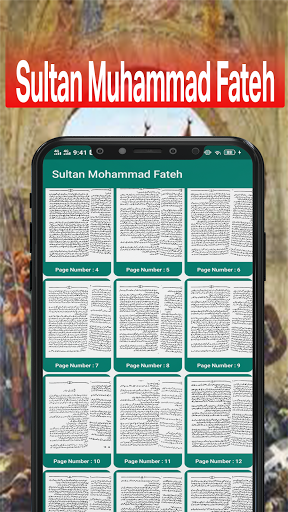
This book of Sultan Muhammad Al Fatih blood of Gazi Ertugrul Dirlis
Either I will conquer Istanbul or Istanbul will conquer me.. Sultan Mehmet Han,
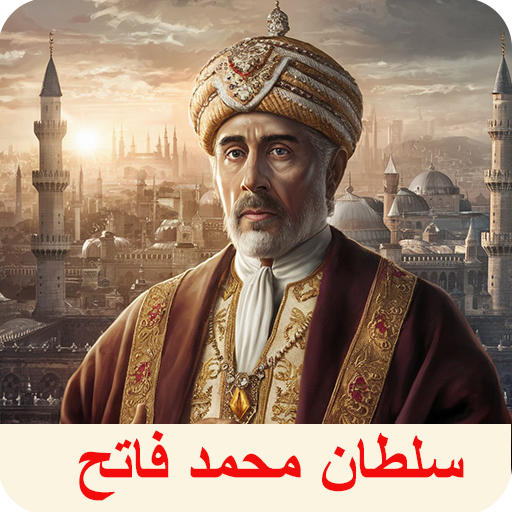
Mehmed II (Ottoman Turkish: محمد ثانى, Meḥmed-i s̠ānī; Turkish: II. Mehmet Turkish pronunciation: [ˈmeh.met]; also known as el-Fātiḥ, الفاتح, blood of Ertugrul Gazi"the Conqueror" in Ottoman Turkish; in modern Turkish, Fatih Sultan Mehmet Han; also called Mahomet II blood of Ertugrul Gazi in early modern Europe), also known as Muhammed bin Murad blood of Ertugrul Gazi, Mehmed the Conqueror, Grand Turk, Kayser-i Rûm (Caesar of Rome) and Turcarum Imperator, and Fatih Sultan Mehmed (30 March 1432 – 3 May 1481), was an Ottoman sultan blood of Ertugrul Gazi who ruled first for a short time from August 1444 to September 1446, and later from February 1451 to May 1481. At the age of 21, he conquered Constantinople (modern-day Istanbul) and brought an end to the Byzantine Empire. Mehmed continued his conquests in Anatolia with its reunification, and in Southeast Europe as far west as Bosnia. Being a highly regarded conqueror, Mehmed is considered a hero in modern-day Turkey and parts of the wider Muslim world. Among other things, Istanbul's Fatih district, Fatih Sultan Mehmet Bridge and Fatih Mosque are named after him Ertugrul Dirlis ghazi
The city was merly a shadow of its former glory due to the empire's ever receding coffers, while the Ottoman Empire continued to grow rich. after years of tolerating the existence of byzantium, the ambitions Sultan, Mehmet II Ertugrul Dirlis ghazi launched his campaing to end the Byzantine Empire and take Constantinople for the Ottomans, resulting in the greatest siege of that age Ertugrul Dirlis ghazi.
أظهر المزيد

1. قم بتنزيل برنامج MEmu واكمال تثبيته

2. قم بتشغيل برنامج MEmu وفتح Google Play على الصفحة الرئيسية

3. ابح Sultan Muhammad Al Fatih في Google Play
Install
4. تنزيل وتثبيت Sultan Muhammad Al Fatih
5. انقر على الرمز للتشغيل بعد اكتمال التثبيت

6. استخدم MEmu لتجربة Sultan Muhammad Al Fatih على جهاز الكمبيوتر الخاص بك.
تطبيق MEmuهو افضل محاكى اندرويد مجانى وبالفعل 50 مليون شخص يستمتعون حاليا بتجربه اللعب عليه. تمكّنك تقنية MEmu الافتراضية من تشغيل آلاف ألعاب Android بسلاسة على الكمبيوتر الشخصي ، حتى أكثرها استخدامًا للرسومات.
شاشة أكبر وجرافيك افضل ووقت أطول بدون حدود البطارية وباقة التليفون
لوحة مفاتيح كاملة تدعم تحكم كامل عن طريق لوحة المفاتيح و الفأره وجيم باد
عدة العاب وحسابات ومهمات علي جهاز الكمبيوتر في وقت معين عن طريق Memu متعدد النوافذ
Use Sultan Muhammad Al Fatih on PC by following steps: