Wero
تم التحديث
الإصدار الحالي
1.0.33
تقديم

لا داعي للقلق بشأن الشحن الزائد عند استخدام Wero على هاتفك. تحرر من قيود الشاشة الصغيرة واستمتع به على شاشة أكبر باستخدام لوحة المفاتيح والفأرة. يوفر MEmu جميع الميزات الرائعة التي تتوقعها: تثبيت سريع، إعداد سهل، أدوات تحكم بديهية، ودون قيود على عمر البطارية، أو استخدام البيانات، أو المكالمات الواردة. يُعد MEmu 9 الجديد الخيار الأمثل لتجربة Wero على جهاز الكمبيوتر. بفضل تقنية التشفير الفريدة، يتيح لك مدير الحسابات المتعددة تشغيل حسابين أو أكثر في وقت واحد. والأهم من ذلك، أن محرك المحاكاة الفريد يستغل أداء جهاز الكمبيوتر بالكامل، مما يُحسّن تجربة التطبيق ويجعل كل شيء سلسًا للغاية.
أظهر المزيد
استمتع بتجربة رائعة لاستخدام Wero على جهاز الكمبيوتر مع MEmu Play. إنه محاكي أندرويد قوي ومجاني يوفر لك آلاف تطبيقات أندرويد لإصدار سطح المكتب. استمتع بالتواصل مع أصدقائك وحسّن عملك بكفاءة أعلى! The Wero app guides you for a seamless and easy use of the Wero payment solution with your bank.

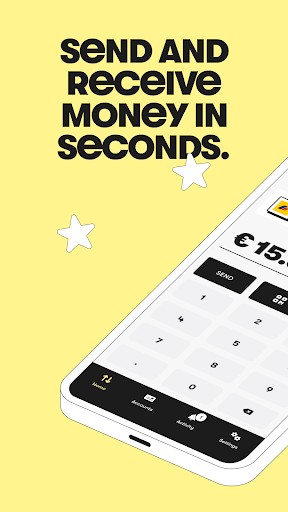
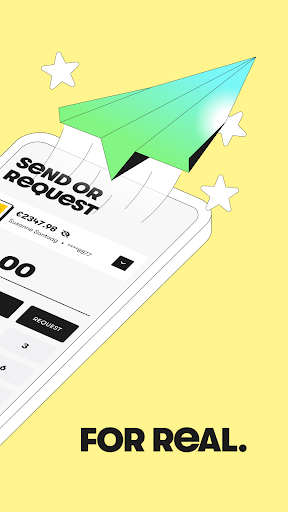
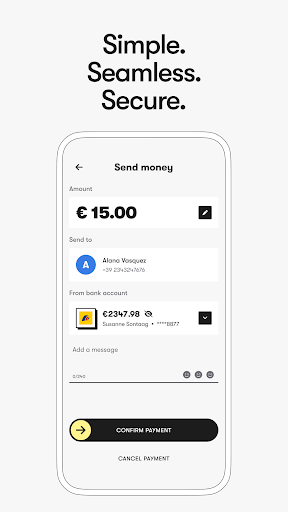
The Wero app guides you for a seamless and easy use of the Wero payment solution with your bank.
Customers of La Banque Postale benefit from a direct integration, providing them with an optimized experience to make payments effortlessly.
Wero, your instant mobile payment solution, is coming very soon to your favorite app store!
Fast, secure, and convenient payments across Europe. All you need is a bank account and smartphone to turn your Wero into a convenient way to pay your European friends and family.
Key Features:
• Send and receive money quickly, 24/7, even on weekends and public holidays.
• You don’t have to pay for the app or any fees for sending or receiving money.
• Add multiple bank accounts with ease.
Easy Setup:
It just takes a few minutes and a few steps to set up Wero on your smartphone.
• Download the Wero app.
• Confirm your bank account.
• Link your phone number.
• Connect with friends using Wero.
• Start sending and receiving money.
Sending and Receiving Money:
• Send a payment request.
• Show or scan a Wero QR code.
• Set a fixed amount or leave it open-ended.
Stay Updated:
Don’t forget to turn on your notifications.
• Get notifications for received money.
• Alerts for payment requests.
• Expiry notifications for payment requests.
• Comprehensive payment history.
• In-app virtual assistant and FAQs for support.
Supported by European Banks:
Wero is supported with major European banks and financial institutions, facilitating payments with most bank account holders in Belgium, France, and Germany. More countries will be supported in future updates.
Future plans:
Wero aims to introduce additional features, including in-store and online shopping capabilities, subscription payments, and expansion to more European countries.
أظهر المزيد

1. قم بتنزيل برنامج MEmu واكمال تثبيته

2. قم بتشغيل برنامج MEmu وفتح Google Play على الصفحة الرئيسية

3. ابح Wero في Google Play
Install
4. تنزيل وتثبيت Wero
5. انقر على الرمز للتشغيل بعد اكتمال التثبيت

6. استخدم MEmu لتجربة Wero على جهاز الكمبيوتر الخاص بك.
تطبيق MEmuهو افضل محاكى اندرويد مجانى وبالفعل 50 مليون شخص يستمتعون حاليا بتجربه اللعب عليه. تمكّنك تقنية MEmu الافتراضية من تشغيل آلاف ألعاب Android بسلاسة على الكمبيوتر الشخصي ، حتى أكثرها استخدامًا للرسومات.
شاشة أكبر وجرافيك افضل ووقت أطول بدون حدود البطارية وباقة التليفون
لوحة مفاتيح كاملة تدعم تحكم كامل عن طريق لوحة المفاتيح و الفأره وجيم باد
عدة العاب وحسابات ومهمات علي جهاز الكمبيوتر في وقت معين عن طريق Memu متعدد النوافذ
Use Wero on PC by following steps: