X PhotoKit
تم التحديث
الإصدار الحالي
4.0.3
تقديم

لا داعي للقلق بشأن الشحن الزائد عند استخدام X PhotoKit على هاتفك. تحرر من قيود الشاشة الصغيرة واستمتع به على شاشة أكبر باستخدام لوحة المفاتيح والفأرة. يوفر MEmu جميع الميزات الرائعة التي تتوقعها: تثبيت سريع، إعداد سهل، أدوات تحكم بديهية، ودون قيود على عمر البطارية، أو استخدام البيانات، أو المكالمات الواردة. يُعد MEmu 9 الجديد الخيار الأمثل لتجربة X PhotoKit على جهاز الكمبيوتر. بفضل تقنية التشفير الفريدة، يتيح لك مدير الحسابات المتعددة تشغيل حسابين أو أكثر في وقت واحد. والأهم من ذلك، أن محرك المحاكاة الفريد يستغل أداء جهاز الكمبيوتر بالكامل، مما يُحسّن تجربة التطبيق ويجعل كل شيء سلسًا للغاية.
أظهر المزيد
قم بتنزيل X PhotoKit على الكمبيوتر بإستخدام جهاز مقلد أندروز MEmu.استمتع بمتعة اللعب على الشاشة الكبيرة. X PhotoKit provides many powerful photo editing toolkits.
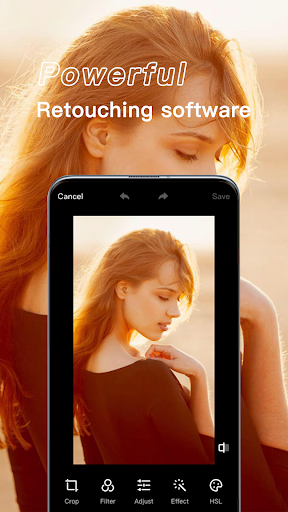
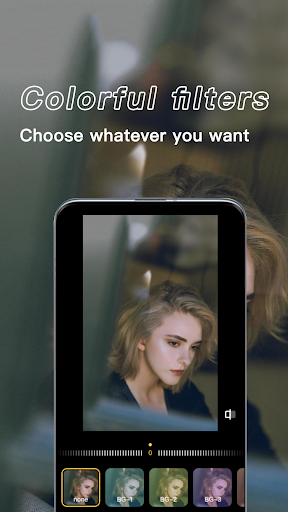
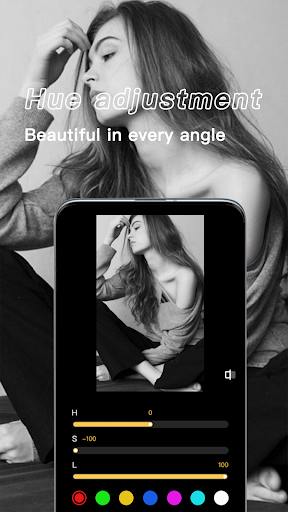
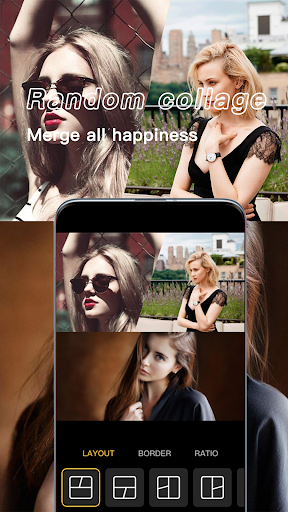
X PhotoKit provides many powerful photo editing toolkits. Includes a series of fashion effects, filters and puzzle tools to help you create eye-catching effects. Even if you have never edited photos before, you can unleash your creativity and edit pictures like a professional!
** Photo Collage Maker
- Remix up to 18 picture into a photo collage instantly;
- 100+ grids, massive backgrounds, frames, filters to choose from;
- Halloween, Aesthetic, Cartoon, Emoji, Doodles and more photo stickers for BABY.
Other KEY FEATURES
+ Powerful and easy photo editing tools;
+ Hundreds of filters for pictures and photo effects;
+ Glitch and light leaks effects;
+ Body editor for slimming body & face;
+ Collage maker with 100+ layouts and backgrounds;
+ Blur photo editor with DSLR blur effect;
+ Massive fun stickers;
+ Draw and add text with various art fonts;
+ Crop, rotate, vertical and horizon;
+ Adjust brightness, contrast, warmth and saturation etc;
+ Highlight and shadow;
Aesthetic Photo Editor
Aesthetic Photo Editor allows you add cool aesthetic glitch effects to your photos. Start your psychedelic journey with glitch effects. If you are a fan of Aesthetic style, you can not skip this Aesthetic photo editor.
Blur Photo Editor
A must-have blur photo editor with advanced blur image brush. It is used to blur parts of your photo to get DSLR blur effect. You can also unblur the image with eraser and adjust its blur strength as well.
Background Photo Editor
Use this advanced background eraser, seamlessly combine your cutout photo with a ton of creative background templates. Both an AI cutout tool and a background changer designed for you to make artworks easily and quickly.
Glitch Photo Editor
Glitch Photo Editor combines old-school and modern digital styles rather well. Its glitch effect brings intense visual conflicts, which makes your photos eye-catcher on Instagram.
Photo Collage Maker
Just select several pictures, Photo Editor instantly remix them into cool photo collage. Pick layout you like best, edit collage with filters, background, stickers, etc.
About our permissions:
X PhotoKit asks for permissions "READ_EXTERNAL_STORAGE, WRITE_EXTERNAL_STORAGE" to read your photos so that we can edit and save photos. We do not use this permission for any other purpose.
X PhotoKit deserves your try right away. It is the simplest but the most useful photo effects editor. With X PhotoKit, your moment will be as brilliant as an artwork. If you have any problems or suggestions, feel free to let us know.
أظهر المزيد

1. قم بتنزيل برنامج MEmu واكمال تثبيته

2. قم بتشغيل برنامج MEmu وفتح Google Play على الصفحة الرئيسية

3. ابح X PhotoKit في Google Play
Install
4. تنزيل وتثبيت X PhotoKit
5. انقر على الرمز للتشغيل بعد اكتمال التثبيت

6. استخدم MEmu لتجربة X PhotoKit على جهاز الكمبيوتر الخاص بك.
تطبيق MEmuهو افضل محاكى اندرويد مجانى وبالفعل 50 مليون شخص يستمتعون حاليا بتجربه اللعب عليه. تمكّنك تقنية MEmu الافتراضية من تشغيل آلاف ألعاب Android بسلاسة على الكمبيوتر الشخصي ، حتى أكثرها استخدامًا للرسومات.
شاشة أكبر وجرافيك افضل ووقت أطول بدون حدود البطارية وباقة التليفون
لوحة مفاتيح كاملة تدعم تحكم كامل عن طريق لوحة المفاتيح و الفأره وجيم باد
عدة العاب وحسابات ومهمات علي جهاز الكمبيوتر في وقت معين عن طريق Memu متعدد النوافذ
Use X PhotoKit on PC by following steps: