
XP IPTV
تم التحديث
الإصدار الحالي
4.1.5
تقديم

لا داعي للقلق بشأن الشحن الزائد عند استخدام XP IPTV على هاتفك. تحرر من قيود الشاشة الصغيرة واستمتع به على شاشة أكبر باستخدام لوحة المفاتيح والفأرة. يوفر MEmu جميع الميزات الرائعة التي تتوقعها: تثبيت سريع، إعداد سهل، أدوات تحكم بديهية، ودون قيود على عمر البطارية، أو استخدام البيانات، أو المكالمات الواردة. يُعد MEmu 9 الجديد الخيار الأمثل لتجربة XP IPTV على جهاز الكمبيوتر. بفضل تقنية التشفير الفريدة، يتيح لك مدير الحسابات المتعددة تشغيل حسابين أو أكثر في وقت واحد. والأهم من ذلك، أن محرك المحاكاة الفريد يستغل أداء جهاز الكمبيوتر بالكامل، مما يُحسّن تجربة التطبيق ويجعل كل شيء سلسًا للغاية.
أظهر المزيد
قم بتنزيل XP IPTV على الكمبيوتر بإستخدام جهاز مقلد أندروز MEmu.استمتع بمتعة اللعب على الشاشة الكبيرة. اكتشف إمكانيات الترفيه التي لا نهاية لها مع XP IPTV!
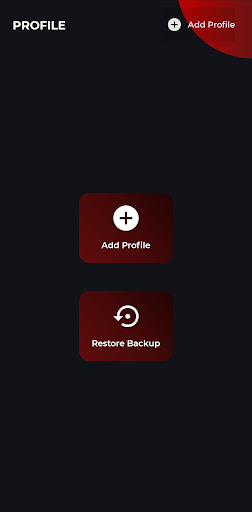
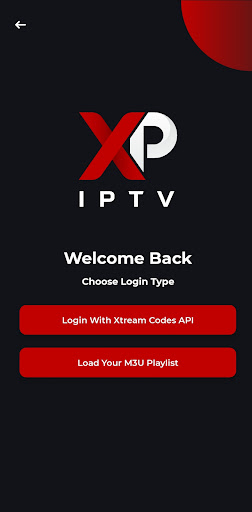
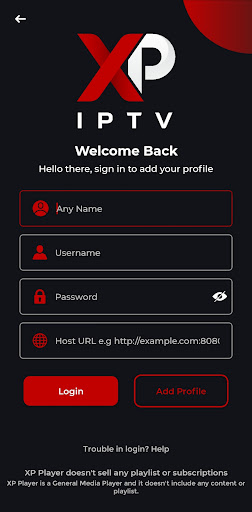

اكتشف إمكانيات الترفيه التي لا نهاية لها مع XP IPTV! سواء كنت تشاهد
الأفلام أو المسلسلات أو البث التلفزيوني المباشر أو المحتوى اللاحق من موفري خدمة IPTV المفضلين لديك، يوفر XP IPTV تجربة سلسة عبر هواتف Android والأجهزة اللوحية وAndroid TV وAndroid Boxes.
الميزات الرئيسية:
• التوافق دون عناء: يدعم XTREAM CODES API وقوائم التشغيل M3U،
مما يجعل من السهل التكامل مع مجموعة واسعة من خدمات IPTV.
• تجربة مخصصة: قم بتخصيص مشاهدتك باستخدام قوائم تشغيل وموضوعات متعددة
وإعدادات قابلة للتعديل لتناسب تفضيلاتك.
• الميزات المتقدمة: استمتع بدعم Chromecast ودليل تلفزيون EPG ووضع صورة داخل صورة وأدوات الرقابة الأبوية للحصول على تجربة أكثر تخصيصًا.
• معلومات المحتوى التفصيلية: الوصول إلى تفاصيل غنية حول الأفلام والمسلسلات،
بما في ذلك المدة والمخرجين والأنواع والممثلين والسير الذاتية لطاقم العمل، مما يعزز فهمك العام.
• تصميم بديهي: يمكنك التنقل بسهولة باستخدام واجهة سهلة الاستخدام مُحسّنة
شاشات اللمس وأجهزة التحكم عن بعد.
• دعم متعدد اللغات: متوفر بعدة لغات منها الإنجليزية، العربية،
الفرنسية والألمانية، لاستيعاب المستخدمين في جميع أنحاء العالم.
تنصل:
• جميع الصور الموجودة في قائمة المتجر مرخصة بالكامل.
• لا ينتمي XP IPTV Player إلى أي من مقدمي خدمات الطرف الثالث ولا يتغاضى عن بث المحتوى المحمي بحقوق الطبع والنشر دون إذن.
يرجى الملاحظة:
• لا يوفر XP IPTV أو يتضمن أي محتوى وسائط. يجب على المستخدمين إضافة قوائم التشغيل الخاصة بهم أو روابط البث.
• نحن لا ندعم أو نشجع الوصول إلى المحتوى غير القانوني أو اشتراكات IPTV أو التدفقات غير المصرح بها.
اكتشف عالمًا جديدًا من بث IPTV مع XP IPTV - الترفيه المطلق
مَركَز!
أظهر المزيد

1. قم بتنزيل برنامج MEmu واكمال تثبيته

2. قم بتشغيل برنامج MEmu وفتح Google Play على الصفحة الرئيسية

3. ابح XP IPTV في Google Play
Install
4. تنزيل وتثبيت XP IPTV
5. انقر على الرمز للتشغيل بعد اكتمال التثبيت

6. استخدم MEmu لتجربة XP IPTV على جهاز الكمبيوتر الخاص بك.
تطبيق MEmuهو افضل محاكى اندرويد مجانى وبالفعل 50 مليون شخص يستمتعون حاليا بتجربه اللعب عليه. تمكّنك تقنية MEmu الافتراضية من تشغيل آلاف ألعاب Android بسلاسة على الكمبيوتر الشخصي ، حتى أكثرها استخدامًا للرسومات.
شاشة أكبر وجرافيك افضل ووقت أطول بدون حدود البطارية وباقة التليفون
لوحة مفاتيح كاملة تدعم تحكم كامل عن طريق لوحة المفاتيح و الفأره وجيم باد
عدة العاب وحسابات ومهمات علي جهاز الكمبيوتر في وقت معين عن طريق Memu متعدد النوافذ
Use XP IPTV on PC by following steps: