YBB Player
تم التحديث
الإصدار الحالي
1.0.4
تقديم

لا داعي للقلق بشأن الشحن الزائد عند استخدام YBB Player على هاتفك. تحرر من قيود الشاشة الصغيرة واستمتع به على شاشة أكبر باستخدام لوحة المفاتيح والفأرة. يوفر MEmu جميع الميزات الرائعة التي تتوقعها: تثبيت سريع، إعداد سهل، أدوات تحكم بديهية، ودون قيود على عمر البطارية، أو استخدام البيانات، أو المكالمات الواردة. يُعد MEmu 9 الجديد الخيار الأمثل لتجربة YBB Player على جهاز الكمبيوتر. بفضل تقنية التشفير الفريدة، يتيح لك مدير الحسابات المتعددة تشغيل حسابين أو أكثر في وقت واحد. والأهم من ذلك، أن محرك المحاكاة الفريد يستغل أداء جهاز الكمبيوتر بالكامل، مما يُحسّن تجربة التطبيق ويجعل كل شيء سلسًا للغاية.
أظهر المزيد
استمتع بتجربة رائعة لاستخدام YBB Player على جهاز الكمبيوتر مع MEmu Play. إنه محاكي أندرويد قوي ومجاني يوفر لك آلاف تطبيقات أندرويد لإصدار سطح المكتب. استمتع بالتواصل مع أصدقائك وحسّن عملك بكفاءة أعلى! YBB Player is a lightweight video player designed for smooth local playback.
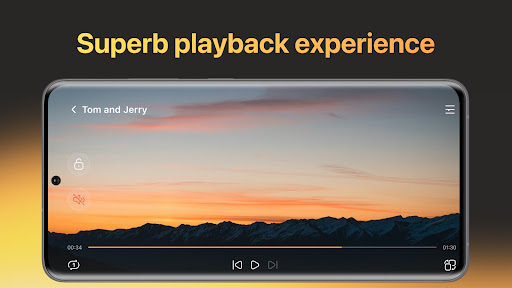
YBB Player is a lightweight video player designed for smooth local playback.
It helps you browse and play videos stored locally on your device with a clean interface, stable performance, and simple controls.
Play local videos smoothly
Fast opening and responsive controls
Smooth seeking and stable playback experience
Remembers your last position so you can continue where you left off
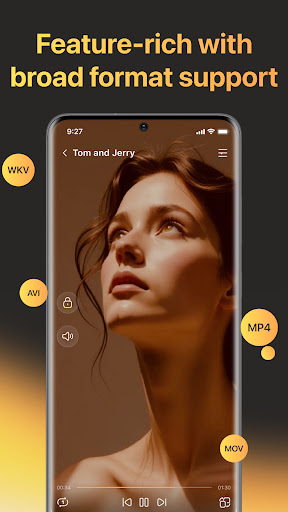
Support common video formats
Works with many widely used formats such as MP4, MOV, MKV, AVI, and more
Compatibility may vary depending on the file encoding and how the video was created
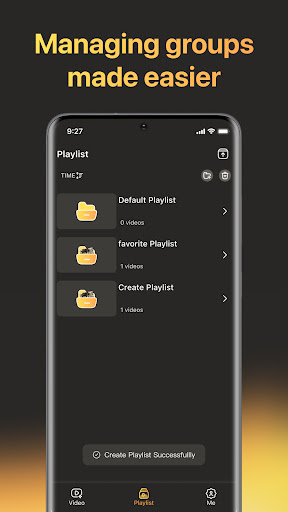
Create and manage playlists
Build playlists for different moods or collections
Reorder videos and play continuously
Keep your local video library tidy and easy to revisit
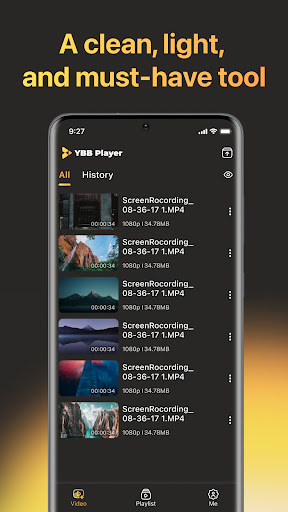
Browse your library clearly
Browse local videos stored on your device
Simple file browsing and sorting
Quick access to recently played videos
YBB Player is a lightweight local video player with playlist support. Open files fast, play smoothly, and keep your videos on your device.
Terms of Service: https://www.ybbplayer.top/web-terms
Privacy Policy: https://www.ybbplayer.top/privacy-policy
أظهر المزيد

1. قم بتنزيل برنامج MEmu واكمال تثبيته

2. قم بتشغيل برنامج MEmu وفتح Google Play على الصفحة الرئيسية

3. ابح YBB Player في Google Play
Install
4. تنزيل وتثبيت YBB Player
5. انقر على الرمز للتشغيل بعد اكتمال التثبيت

6. استخدم MEmu لتجربة YBB Player على جهاز الكمبيوتر الخاص بك.
تطبيق MEmuهو افضل محاكى اندرويد مجانى وبالفعل 50 مليون شخص يستمتعون حاليا بتجربه اللعب عليه. تمكّنك تقنية MEmu الافتراضية من تشغيل آلاف ألعاب Android بسلاسة على الكمبيوتر الشخصي ، حتى أكثرها استخدامًا للرسومات.
شاشة أكبر وجرافيك افضل ووقت أطول بدون حدود البطارية وباقة التليفون
لوحة مفاتيح كاملة تدعم تحكم كامل عن طريق لوحة المفاتيح و الفأره وجيم باد
عدة العاب وحسابات ومهمات علي جهاز الكمبيوتر في وقت معين عن طريق Memu متعدد النوافذ
Use YBB Player on PC by following steps: