MiniCraft Village
Aktualizováno
Aktuální verze
1.2.6
Od vývojáře

With all your passion for playing MiniCraft Village, you hands are not supposed to be limited on a tiny screen of your phone. Play like a pro and get full control of your game with keyboard and mouse. MEmu offers you all the things that you are expecting. Download and play MiniCraft Village on PC. Play as long as you want, no more limitations of battery, mobile data and disturbing calls. The brand new MEmu 9 is the best choice of playing MiniCraft Village on PC. Prepared with our expertise, the exquisite preset keymapping system makes MiniCraft Village a real PC game. MEmu multi-instance manager makes playing 2 or more accounts on the same device possible. And the most important, our exclusive emulation engine can release full potential of your PC, make everything smooth.
Show more
Vychutnejte si vynikající zážitek z přehrávání MiniCraft Village na PC s MEMU App Player. Je to silný bezplatný emulátor pro Android, který vám umožní hrát tisíce her v systému Android. This game is a building game, which simulates the real world and provides players with limitless resources to design their own city.
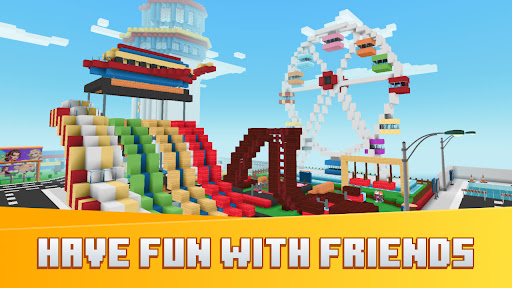
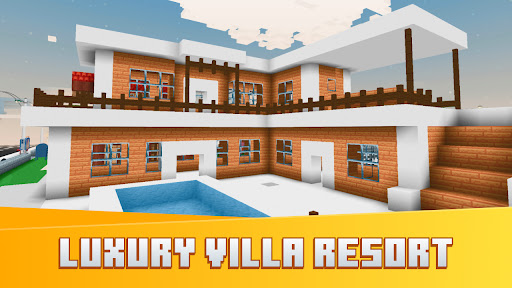
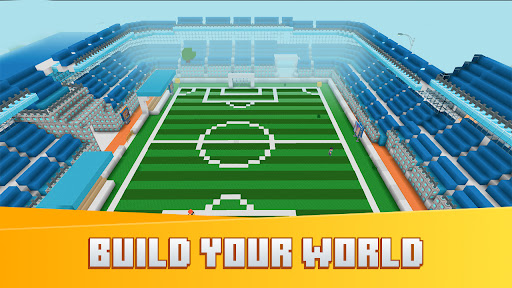
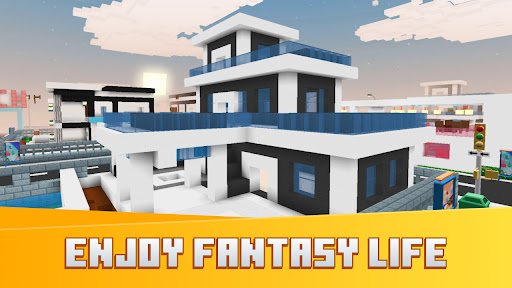
This game is a building game, which simulates the real world and provides players with limitless resources to design their own city. You will be transformed into a multiplayer and create your own city with massive square castles, island or even with house and square house in gameworld.
When participating in world construction, simulated in the real world, you can design special structures under square graphics in the tropical jungle, or explore the vast desert with seasonal changes of nature, including rain cycles, grass growth, and real life, animals and even mountains,...
With construction games, you can create a city with huge buildings, you need to be familiar with cubes. There are hundreds of different types of cube, From huge cube world, each with its own characteristics and uses, requiring your exploration and discovery.
Do not underestimate these simple squares, if you arrange minicube skillfully, a dream city and world will gradually take shape. From gardens, houses, boats, cottages, villas to square castles. As long as you dare to imagine, your dream house and city can become a reality. Let’s adventure, simulate and build your city now.
Cube's world will be even more exciting when you have your own 2D graphics pets, called lucky pets. Work hard, earn money and buy yourself the most powerful pets to make your city become more lively. They will help you go far, go fast, even fly around the world. The game has many places for exploration and adventure, simulating the real world.
Don't just focus on building games, practice other skills with survival multiplayer mode: run away from giant monsters, traps and fight other players to survive. This will be a great opportunity to improve your aiming and moving skills.
A secret to winning every battle is to use weapons to target your opponent's blind spot, with an example behind. Defense is equally important, equip yourself with state-of-the-art armor. Regularly upgrading your armor will also increase your chances of winning. As long as you practice hard, your mobility, ability to use weapons and reflexes will improve, now you can even destroy multiple opponents at the same time.
This game also provides players with many other interesting mini games, making your world more attractive than ever. Each minigame is a difficult challenge with hideous monsters, requiring ingenuity and quickness.
Join to build your world and become the master.
Show more

1. Stáhněte si instalační program MEmu a dokončete instalaci

2. Spusťte MEmu a poté otevřete Google Play na ploše

3. Vyhledejte MiniCraft Village v Google Play
Install
4. Stáhněte a nainstalujte MiniCraft Village
5. Po dokončení instalace klikněte na ikonu pro spuštění

6. Užijte si hraní MiniCraft Village na PC s MEmu
MEmu je zdarma a ten nejlepší Android emulátor. 50 milionů lidí si užívá jeho nejlepší herní zážitky. Technologie virtualizace MEmu ti dovolí plynule hrát Android hry na PC a to i ty nejnáročnější.
Větší obrazovka s lepší grafikou; Dlouhá výdrž bez omezení baterie nebo mobilních dat.
Plná podpora mapování kláves pro přesné ovládání klávesnice a myši nebo gamepadu.
Více herních účtů nebo úkolů na jednom počítači najednou s Multi-Instance Managerem.
Play MiniCraft Village on PC by following steps: