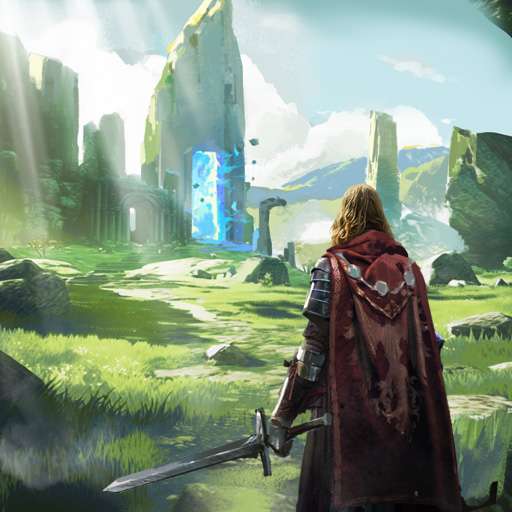
Dungeon Crusher: Soul Hunters
Aktualizováno
Aktuální verze
7.4.7
Od vývojáře

With all your passion for playing Dungeon Crusher: Soul Hunters, you hands are not supposed to be limited on a tiny screen of your phone. Play like a pro and get full control of your game with keyboard and mouse. MEmu offers you all the things that you are expecting. Download and play Dungeon Crusher: Soul Hunters on PC. Play as long as you want, no more limitations of battery, mobile data and disturbing calls. The brand new MEmu 9 is the best choice of playing Dungeon Crusher: Soul Hunters on PC. Prepared with our expertise, the exquisite preset keymapping system makes Dungeon Crusher: Soul Hunters a real PC game. MEmu multi-instance manager makes playing 2 or more accounts on the same device possible. And the most important, our exclusive emulation engine can release full potential of your PC, make everything smooth.
Show more
Vychutnejte si vynikající zážitek z přehrávání Dungeon Crusher: Soul Hunters na PC s MEMU App Player. Je to silný bezplatný emulátor pro Android, který vám umožní hrát tisíce her v systému Android. !
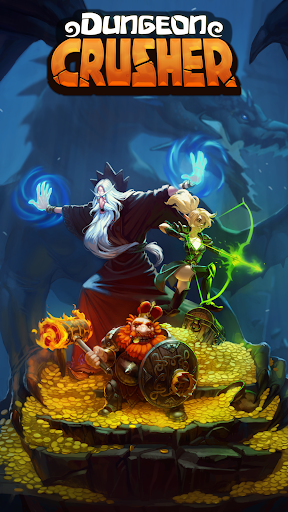
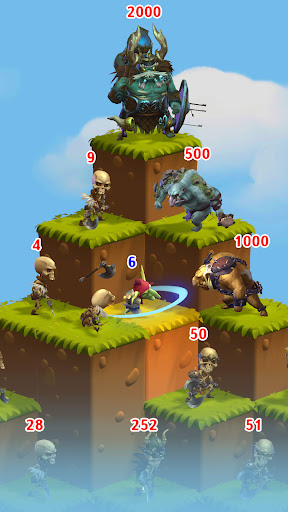
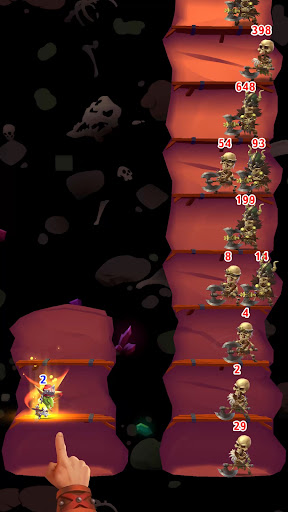
!!! Letní sezóna Dragon Draftu 2026 je tady !!!
Nainstalujte/aktualizujte nyní a otestujte své dovednosti proti tisícům dalších hráčů z celého světa. Platí jedinečná ocenění.
!!!
---------
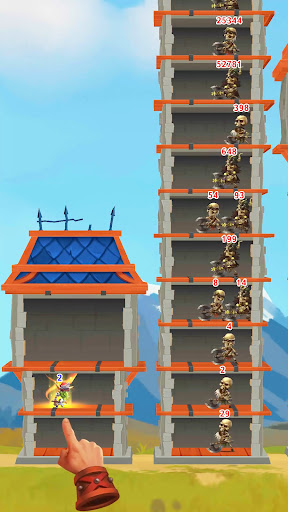
Čeká vás nekonečné dobrodružství – a můžete hrát jen jedním prstem! Hratelnost je jednoduchá a okamžitě návyková!
Perfektní hra pro líné hráče – na hraní potřebujete jen velmi málo času, protože vaši hrdinové mohou procházet dungeony i ve vaší nepřítomnosti. Stačí se občas přihlásit a vyzvednout si své odměny.
Unikátní bojová mechanika pro klikrové/idle hry – hrdinové, které sbíráte, se používají nejen pro hraní, ale také k formování oddílů, což vám umožňuje soutěžit s ostatními hráči v různých PvP a PvE aktivitách a hodnoceních, a to jak offline, tak v reálném čase.
Chcete ještě více? Vytvořte si vlastní klan a staňte se Králem Říše!
Klíčové vlastnosti:
- Více než 100 000 úrovní.
- Více než 200 unikátních hrdinů.
- Unikátní bojová mechanika pro PvP a PvE.
- Klanový systém s kooperativním vývojem.
- 10 vědeckých stromů s více než 100 různými odvětvími učení.
- Sběratelské materiály padající z poražených monster, které lze použít k výrobě nových předmětů.
- Více než 100 speciálních artefaktů.
- Šance bojovat se stovkami různých monster.
- Množství malebných míst k prozkoumání.
- Denní úkoly a systém úkolů.
Několik odlišných herních režimů:
- Ponoření se do jeskyní a boj s běžnými monstry.
- Získávání artefaktů ve speciálních jeskyních.
- Narativní příběh, který odhaluje více o herním světě, jak se odvíjí.
- Bitvy s legendárními bossy.
- Náhodná setkání s ostatními hráči při prozkoumávání jeskyní.
- Obléhání PvE, bitvy s epickými bossy.
- Aréna, kde můžete soutěžit s ostatními hráči.
- Doly, kde hrdinové mohou vykopat poklad.
- Dragon Draft: unikátní PvP turnaj v reálném čase, založený na mechanice Autochess.
A mnohem více!
Show more

1. Stáhněte si instalační program MEmu a dokončete instalaci

2. Spusťte MEmu a poté otevřete Google Play na ploše

3. Vyhledejte Dungeon Crusher: Soul Hunters v Google Play
Install
4. Stáhněte a nainstalujte Dungeon Crusher: Soul Hunters
5. Po dokončení instalace klikněte na ikonu pro spuštění

6. Užijte si hraní Dungeon Crusher: Soul Hunters na PC s MEmu
MEmu je zdarma a ten nejlepší Android emulátor. 50 milionů lidí si užívá jeho nejlepší herní zážitky. Technologie virtualizace MEmu ti dovolí plynule hrát Android hry na PC a to i ty nejnáročnější.
Větší obrazovka s lepší grafikou; Dlouhá výdrž bez omezení baterie nebo mobilních dat.
Plná podpora mapování kláves pro přesné ovládání klávesnice a myši nebo gamepadu.
Více herních účtů nebo úkolů na jednom počítači najednou s Multi-Instance Managerem.
Play Dungeon Crusher: Soul Hunters on PC by following steps: