Rusty Lake: Roots
Aktualizováno
Aktuální verze
3.1.6
Od vývojáře

With all your passion for playing Rusty Lake: Roots, you hands are not supposed to be limited on a tiny screen of your phone. Play like a pro and get full control of your game with keyboard and mouse. MEmu offers you all the things that you are expecting. Download and play Rusty Lake: Roots on PC. Play as long as you want, no more limitations of battery, mobile data and disturbing calls. The brand new MEmu 9 is the best choice of playing Rusty Lake: Roots on PC. Prepared with our expertise, the exquisite preset keymapping system makes Rusty Lake: Roots a real PC game. MEmu multi-instance manager makes playing 2 or more accounts on the same device possible. And the most important, our exclusive emulation engine can release full potential of your PC, make everything smooth.
Show more
Vychutnejte si vynikající zážitek z přehrávání Rusty Lake: Roots na PC s MEMU App Player. Je to silný bezplatný emulátor pro Android, který vám umožní hrát tisíce her v systému Android. Život Jamese Vanderbooma se drasticky mění, když na zahradě domu, který zdědil, zasadí speciální semeno.
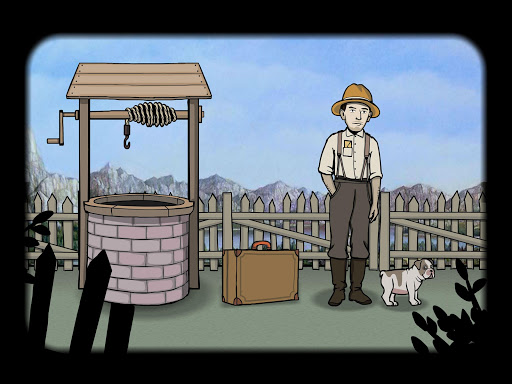
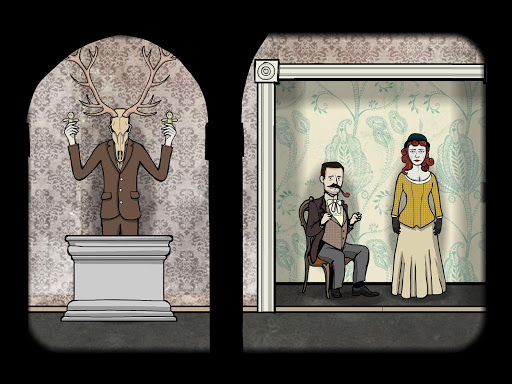
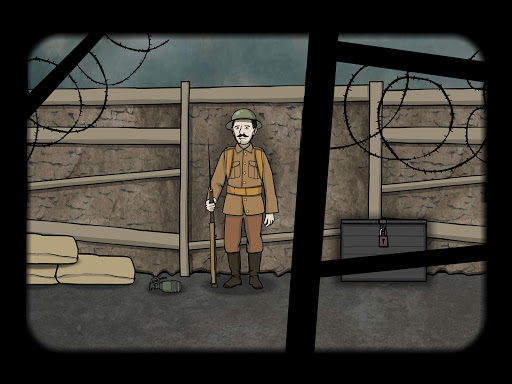

Život Jamese Vanderbooma se drasticky mění, když na zahradě domu, který zdědil, zasadí speciální semeno. Rozvinout svou krevní linii odemčením portrétů ve stromu života.
Rusty Lake: Roots je druhým prémiovým point-and-click adventure od Rustyho jezera, tvůrců seriálu Cube Escape a Rusty Lake Hotel.
Funkce:
- Pick-up-and-play:
Snadno se rozběhne, ale těžko je potlačit.
- Jedinečný příběh:
Zažijte začátek a konec životů postav a vytvořte vlastní rodokmen.
- Více než 33 úrovní:
Největší hra Rustyho jezera je zatím plná hádanek
- plný napětí a atmosféry:
Přechod z klidných do velmi temných okamžiků
- Ponorný soundtrack:
Každá úroveň má svou vlastní píseň a variace
- Dosažené výsledky:
Strom má více tajemství, které se odhalí
Klepněte na šipky, přetáhněte nebo přetáhněte prstem pro pohyb v okolí. Některé objekty můžete přetáhnout. Interakujte s lidmi a objekty kliknutím. Vyberte nalezené položky v inventáři a klikněte na ně, abyste je mohli použít.
Pošlete nám prosím e-mail na info@rustylake.com, pokud máte nějaký problém. Pro všechny hráče, kteří mají malou závadu, zkuste nejprve v nastavení nastavení Vyrovnat úroveň, pokud to nefunguje, dejte nám vědět, abychom jej mohli opravit v aktualizaci!
Rozprávíme příběh Rustyho jezera krok za krokem. Tak zkontrolujte RustyLake.com každý den pro nový obsah!
Podívejte se a přihlaste se:
Facebook: https://www.facebook.com/rustylakecom
Instagram: https://www.instagram.com/rustylakecom
Twitter: https://twitter.com/rustylakecom
Mailing list: http://eepurl.com/bhphw1
Show more

1. Stáhněte si instalační program MEmu a dokončete instalaci

2. Spusťte MEmu a poté otevřete Google Play na ploše

3. Vyhledejte Rusty Lake: Roots v Google Play
Install
4. Stáhněte a nainstalujte Rusty Lake: Roots
5. Po dokončení instalace klikněte na ikonu pro spuštění

6. Užijte si hraní Rusty Lake: Roots na PC s MEmu
MEmu je zdarma a ten nejlepší Android emulátor. 50 milionů lidí si užívá jeho nejlepší herní zážitky. Technologie virtualizace MEmu ti dovolí plynule hrát Android hry na PC a to i ty nejnáročnější.
Větší obrazovka s lepší grafikou; Dlouhá výdrž bez omezení baterie nebo mobilních dat.
Plná podpora mapování kláves pro přesné ovládání klávesnice a myši nebo gamepadu.
Více herních účtů nebo úkolů na jednom počítači najednou s Multi-Instance Managerem.
Play Rusty Lake: Roots on PC by following steps: