Shard of Beauty - Jigsaw Quest
Aktualizováno
Aktuální verze
1.0.1
Od vývojáře

With all your passion for playing Shard of Beauty - Jigsaw Quest, you hands are not supposed to be limited on a tiny screen of your phone. Play like a pro and get full control of your game with keyboard and mouse. MEmu offers you all the things that you are expecting. Download and play Shard of Beauty - Jigsaw Quest on PC. Play as long as you want, no more limitations of battery, mobile data and disturbing calls. The brand new MEmu 9 is the best choice of playing Shard of Beauty - Jigsaw Quest on PC. Prepared with our expertise, the exquisite preset keymapping system makes Shard of Beauty - Jigsaw Quest a real PC game. MEmu multi-instance manager makes playing 2 or more accounts on the same device possible. And the most important, our exclusive emulation engine can release full potential of your PC, make everything smooth.
Show more
Vychutnejte si vynikající zážitek z přehrávání Shard of Beauty - Jigsaw Quest na PC s MEMU App Player. Je to silný bezplatný emulátor pro Android, který vám umožní hrát tisíce her v systému Android. Game Overview.
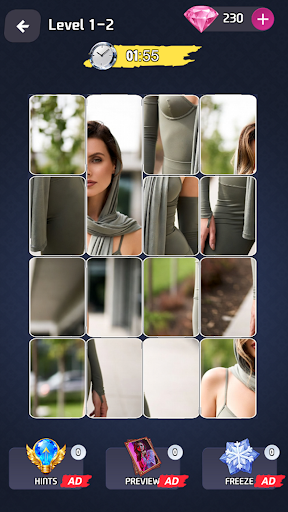
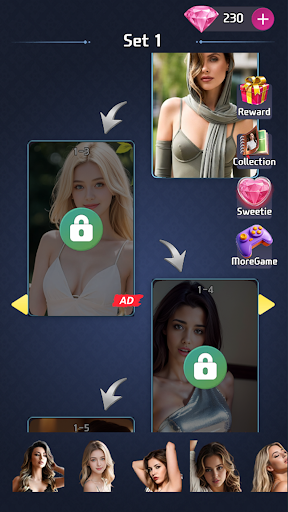
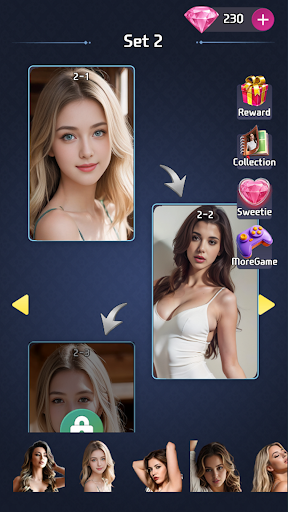
Game Overview
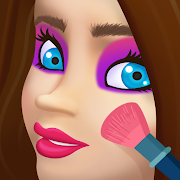
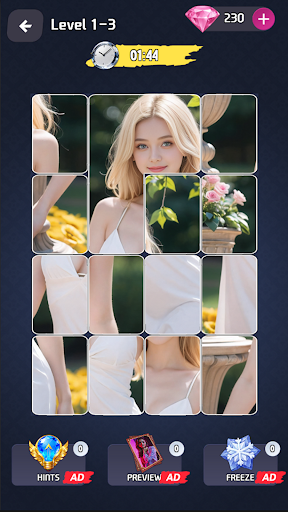
This is a classic 4x4 jigsaw puzzle game with 16 scattered pieces split from a complete beauty-themed image. Players drag and swap pieces to restore the full picture, and must finish the puzzle before the countdown ends to clear the level. Any piece placed in the correct position will automatically lock into place and cannot be moved again, making the puzzle process both stress-relieving and engaging.
---
Basic Game Rules
Piece Swap Mechanics
- At the start of each round, the 16 puzzle pieces are randomly shuffled and fill the entire 4x4 grid layout, with each piece being an equal cut of the original complete image.
- Press and hold any puzzle piece, drag it to the position of another target piece, then release your finger to swap the two pieces.
- There are no limits on swap direction or distance; you can adjust pieces repeatedly until they are in the right position.
Auto-Lock Mechanism
Once a puzzle piece is moved to its exact correct position matching the original image, the system will automatically trigger the lock effect. The piece will be fixed in the grid and disabled from further dragging or swapping, with a clear visual indicator to separate completed areas from unadjusted pieces.
---
Level Clear Rules
Core Clear Condition: Restore all 16 puzzle pieces to their correct positions to form a complete, seamless beauty image before the countdown timer at the top of the screen expires.
- If the puzzle is not fully completed when the countdown ends, the round is deemed failed, and you can choose to restart the current level.
- When restarting a failed round, all previously locked pieces will be reset, and the 16 pieces will be randomly shuffled again for a new attempt.
---
Pro Tips for Faster Clearing
- Prioritize edge and corner pieces first: The corner and outer edge pieces of the 4x4 grid have distinctive features, and locking these pieces first helps build the puzzle framework quickly.
- Focus on detailed clues: Use unique details such as facial features, hairstyle, and clothing patterns from the beauty image to match adjacent piece connections accurately.
- Use the auto-lock feedback wisely: Once a piece is locked, no further adjustments are needed, so focus only on the remaining misplaced pieces to reduce mistakes and save time.
Show more

1. Stáhněte si instalační program MEmu a dokončete instalaci

2. Spusťte MEmu a poté otevřete Google Play na ploše

3. Vyhledejte Shard of Beauty - Jigsaw Quest v Google Play
Install
4. Stáhněte a nainstalujte Shard of Beauty - Jigsaw Quest
5. Po dokončení instalace klikněte na ikonu pro spuštění

6. Užijte si hraní Shard of Beauty - Jigsaw Quest na PC s MEmu
MEmu je zdarma a ten nejlepší Android emulátor. 50 milionů lidí si užívá jeho nejlepší herní zážitky. Technologie virtualizace MEmu ti dovolí plynule hrát Android hry na PC a to i ty nejnáročnější.
Větší obrazovka s lepší grafikou; Dlouhá výdrž bez omezení baterie nebo mobilních dat.
Plná podpora mapování kláves pro přesné ovládání klávesnice a myši nebo gamepadu.
Více herních účtů nebo úkolů na jednom počítači najednou s Multi-Instance Managerem.
Play Shard of Beauty - Jigsaw Quest on PC by following steps: