SRPG Eldgear
Aktualizováno
Aktuální verze
1.0.3
Od vývojáře

With all your passion for playing SRPG Eldgear, you hands are not supposed to be limited on a tiny screen of your phone. Play like a pro and get full control of your game with keyboard and mouse. MEmu offers you all the things that you are expecting. Download and play SRPG Eldgear on PC. Play as long as you want, no more limitations of battery, mobile data and disturbing calls. The brand new MEmu 9 is the best choice of playing SRPG Eldgear on PC. Prepared with our expertise, the exquisite preset keymapping system makes SRPG Eldgear a real PC game. MEmu multi-instance manager makes playing 2 or more accounts on the same device possible. And the most important, our exclusive emulation engine can release full potential of your PC, make everything smooth.
Show more
Vychutnejte si vynikající zážitek z přehrávání SRPG Eldgear na PC s MEMU App Player. Je to silný bezplatný emulátor pro Android, který vám umožní hrát tisíce her v systému Android. Available soon with Play Pass!

Available soon with Play Pass!
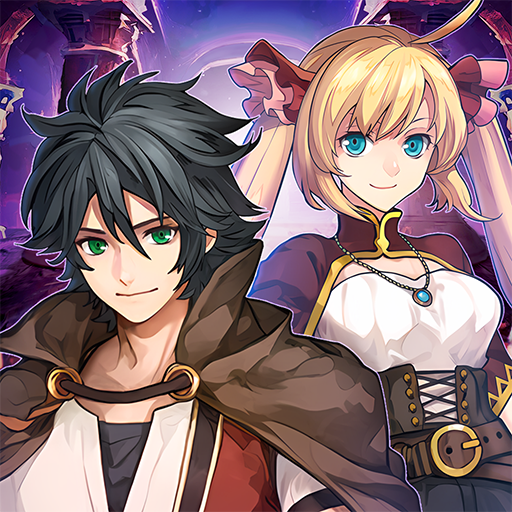
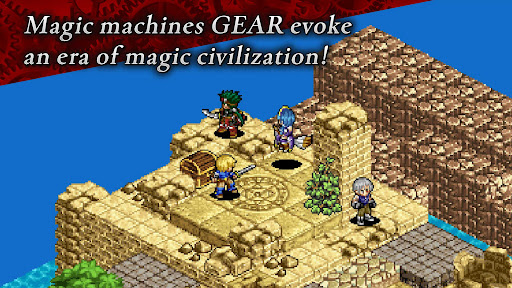
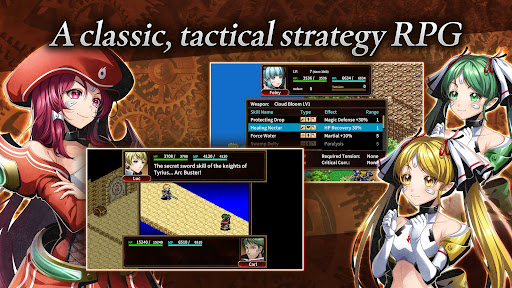
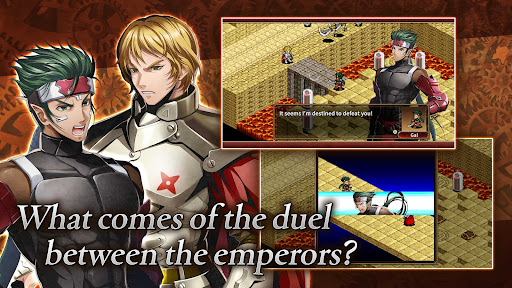
Eldgear is a tactical strategy RPG set in a fantasy world.
In the vast unexplored land of Argenia where hundreds of nations are crowded together, a new era is about to begin, leaving behind the medieval era and entering the era of magical civilization.
In turn-based battles, you can choose your own strategy, whether you dash alone like lightning, advance steadily like the earth. Immersive and enjoyable pixel animations take place to enhance the battle experience.
Master area attacks that blow away enemies in a group, combined attacks unleashed by well-coordinated tags, and use EMA (Embedding Abilities) and EXA (Expanding Abilities)! Powerful strikes will power up into super special moves.
[IMPORTANT NOTICE]
Your use of the application requires your agreement to the following EULA and 'Privacy Policy and Notice'. If you do not agree, please do not download our application.
End User License Agreement: http://kemco.jp/eula/index.html
Privacy Policy and Notice: http://www.kemco.jp/app_pp/privacy.html
[Languages]
- English, Japanese
[Game Controller]
Not supported
[Non-Supported Devices]
This app has generally been tested to work on any mobile device released in Japan. We cannot guarantee full support on other devices. If you have the Developer Options enabled in your device, please turn off the "Don't keep activities" option in case of any issue. On the title screen, a banner showing latest KEMCO games may be displayed but the game doesn't have any ads from 3rd parties.
Get the latest information!
[Newsletter]
http://kemcogame.com/c8QM
[Facebook page]
https://www.facebook.com/kemco.global
* The actual price might differ depending on the region.
© 2006-2024 KEMCO
© 2023-2024 MCF Co.,Ltd.
© 2006-2024 Akira Kojima
Show more

1. Stáhněte si instalační program MEmu a dokončete instalaci

2. Spusťte MEmu a poté otevřete Google Play na ploše

3. Vyhledejte SRPG Eldgear v Google Play
Install
4. Stáhněte a nainstalujte SRPG Eldgear
5. Po dokončení instalace klikněte na ikonu pro spuštění

6. Užijte si hraní SRPG Eldgear na PC s MEmu
MEmu je zdarma a ten nejlepší Android emulátor. 50 milionů lidí si užívá jeho nejlepší herní zážitky. Technologie virtualizace MEmu ti dovolí plynule hrát Android hry na PC a to i ty nejnáročnější.
Větší obrazovka s lepší grafikou; Dlouhá výdrž bez omezení baterie nebo mobilních dat.
Plná podpora mapování kláves pro přesné ovládání klávesnice a myši nebo gamepadu.
Více herních účtů nebo úkolů na jednom počítači najednou s Multi-Instance Managerem.
Play SRPG Eldgear on PC by following steps: