Mods, Maps, Skins and Addons for Minecraft
Aktualizováno
Aktuální verze
5.0
Od vývojáře

Přestaňte se obávat přebíjení při používání Mods, Maps, Skins and Addons for Minecraft na mobilním telefonu, uvolněte se z malé obrazovky a užívejte si aplikace na mnohem větším displeji. „Společnost MEmu vám nabízí všechny překvapivé funkce, které jste očekávali: rychlá instalace a snadné nastavení, intuitivní ovládání, žádná omezení baterií, mobilní data a rušivá volání. Zcela nový přístroj MEmu 9 je nejlepší volbou použití Mods, Maps, Skins and Addons for Minecraft ve vašem počítači. díky naší absorpci umožňuje správce více instancí otevření 2 nebo více účtů současně. A co je nejdůležitější, náš exkluzivní emulační modul může uvolnit plný potenciál vašeho počítače, učinit vše plynulým a příjemným.
Show more
Vychutnejte si vynikající zážitek z přehrávání Mods, Maps, Skins and Addons for Minecraft na PC s MEMU App Player. Je to silný bezplatný emulátor pro Android, který vám umožní hrát tisíce her v systému Android. Now you do not need to search the Internet for new mods, skins and maps every time.
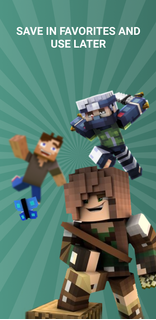



Now you do not need to search the Internet for new mods, skins and maps every time. For your convenience, we have collected everything in one place and made it as easy to use as possible. All you have to do is decide what you want to be today, what you would like to add to the game, and where you would like to be right now. Do you want to be scary so that everyone is afraid of you or cute to make you smile? Do you want more resources and items for the game? Tired of always playing at the same location? You no longer need to think about where to look for everything and what to choose for. You can save everything to your favorites and use later, so as not to lose. Also, constant updates of all categories will be a pleasant bonus. Disclaimer: This app is not endorsed by or affiliated with Mojang AB, its name, commercial brand and other aspects of the app are registered brands and property of their respective owners. This application adheres to the terms set by Mojang. All items, names, locations and other aspects of the game described in this application are trademarks and belong to their respective owners. We do not claim or have any rights to any of the above. All rights reserved. As announced at http://account.mojang.com/documents/brand_guidelines Your subscription will renew automatically: * It is possible to use a three-day trial period. It will start after confirmation of payment. Fees will only be charged upon expiration and the Premium subscription will automatically renew 1 week for $ 29.99 * Payment will be charged only after confirmation of purchase from your Google account * The trial period will automatically renew to a paid subscription unless turned off at least 24 hours before the end of the current period. * You can turn off auto-renewal and manage your subscriptions by going to your Google Play store account settings after purchase. * Any unused portion of the three-day free trial period (if offered) will be forfeited when purchasing a premium subscription during the free trial period. All personal data is processed in accordance with the terms of the privacy policy. More detailed information can be found here: Privacy policy: https://docs.google.com/document/d/1Jpz6xZJfzfTHYgd4-fnS6afzZW3Jf2YIugDT3WiCce8/edit?usp=sharing Terms of Use: https://docs.google.com/document/d/1CG5GWV--NsAk94eYh3F3fdtozDNVbFyqx6-ftGt9rKw/edit?usp=sharing
Show more

1. Stáhněte si instalační program MEmu a dokončete instalaci

2. Spusťte MEmu a poté otevřete Google Play na ploše

3. Vyhledejte Mods, Maps, Skins and Addons for Minecraft v Google Play
Install
4. Stáhněte a nainstalujte Mods, Maps, Skins and Addons for Minecraft
5. Po dokončení instalace klikněte na ikonu pro spuštění

6. Užívejte si používání Mods, Maps, Skins and Addons for Minecraft na PC s MEmu
MEmu je bezplatný a vynikající emulátor Androidu s 50 miliony uživatelů, který poskytuje vynikající zážitek z aplikací. Virtualizační technologie MEmu 9 vám umožňuje plynule spouštět aplikace pro Android na vašem počítači, a to i ty nejnáročnější.
Větší obrazovka s lepší grafikou; Dlouhá výdrž bez omezení baterie nebo mobilních dat.
Plná podpora mapování kláves pro přesné ovládání klávesnice a myši nebo gamepadu.
Více herních účtů nebo úkolů na jednom počítači najednou s Multi-Instance Managerem.
Use Mods, Maps, Skins and Addons for Minecraft on PC by following steps: