VeVe
Aktualizováno
Aktuální verze
1.0.555
Od vývojáře

Přestaňte se obávat přebíjení při používání VeVe na mobilním telefonu, uvolněte se z malé obrazovky a užívejte si aplikace na mnohem větším displeji. „Společnost MEmu vám nabízí všechny překvapivé funkce, které jste očekávali: rychlá instalace a snadné nastavení, intuitivní ovládání, žádná omezení baterií, mobilní data a rušivá volání. Zcela nový přístroj MEmu 9 je nejlepší volbou použití VeVe ve vašem počítači. díky naší absorpci umožňuje správce více instancí otevření 2 nebo více účtů současně. A co je nejdůležitější, náš exkluzivní emulační modul může uvolnit plný potenciál vašeho počítače, učinit vše plynulým a příjemným.
Show more
Vychutnejte si vynikající zážitek z přehrávání VeVe na PC s MEMU App Player. Je to silný bezplatný emulátor pro Android, který vám umožní hrát tisíce her v systému Android. VeVe: The Next Evolution in Collecting!
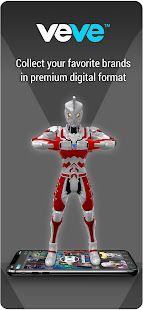
VeVe: The Next Evolution in Collecting!
VeVe brings the world of collectibles into the digital realm and right into the palm of your hand. Collect limited edition 3D sculptures of your favorite heroes, characters and icons in premium digital format.
DIRECT FROM ARTIST TO PHONE
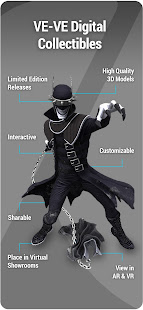
VeVe 3D digital collectibles are crafted by world-leading artists including legendary sculptors like Jim Lee, Todd MacFarlane and Scott Snyder. Did you know modern artists sculpt directly in 3D instead of clay? And now with VeVe, you can own limited editions of these exclusive digital collectibles.
NO MATTER YOUR FANDOM, VeVe HAS YOU COVERED!
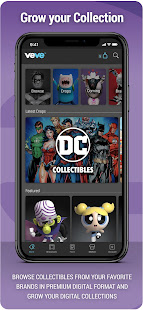
Whether you love pop culture, gaming, sports, film and TV, or anime and animation, VeVe offers digital collectibles from your favorite brands including Batman, Adventure Time, Monster Hunter, NFL, DC Collectibles, Star Trek, Jurassic Park, Fast and the Furious, Back to the Future, Ultraman, Superman, and SO MUCH MORE.
VIRTUAL SHOWROOMS
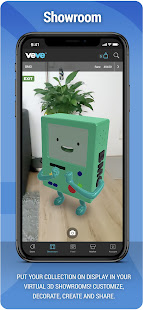
Collectors display their collectibles with pride and with VeVe continue this in the digital realm. Create and customize virtual showrooms to showcase your digital collectibles and share this experience with other VeVe collectors around the world. Move through your virtual Showrooms on your phone, FPS game-style, or bring your showrooms to life in Augmented Reality and physically walk through them, all on your phone or tablet!
DIGITAL IN THE REAL WORLD!
With VeVe's Augmented Reality features you can stand side by side with your favorite hero's, in the real world. Simply scan your surrounding and tap to drop your digital collectible in AR. You can then move, rotate and even scale your digital collectible to 1:1 size and take photos.
BUY & SELL WITH OTHER FANS
In the Market you can buy and sell from other VeVe collectors. If you missed out on that digital collectible you need to complete your set, fear not! You can browse the secondary market for the collectibles you need.
DROP DAYS
VeVe drops new Digital Collectibles on Thursdays. So be sure to allow notifications and keep an eye on your phone on Thursday at 8am PST to get the scoop on latest drop and get your hands on rare digital collectibles
Show more

1. Stáhněte si instalační program MEmu a dokončete instalaci

2. Spusťte MEmu a poté otevřete Google Play na ploše

3. Vyhledejte VeVe v Google Play
Install
4. Stáhněte a nainstalujte VeVe
5. Po dokončení instalace klikněte na ikonu pro spuštění

6. Užívejte si používání VeVe na PC s MEmu
MEmu je bezplatný a vynikající emulátor Androidu s 50 miliony uživatelů, který poskytuje vynikající zážitek z aplikací. Virtualizační technologie MEmu 9 vám umožňuje plynule spouštět aplikace pro Android na vašem počítači, a to i ty nejnáročnější.
Větší obrazovka s lepší grafikou; Dlouhá výdrž bez omezení baterie nebo mobilních dat.
Plná podpora mapování kláves pro přesné ovládání klávesnice a myši nebo gamepadu.
Více herních účtů nebo úkolů na jednom počítači najednou s Multi-Instance Managerem.
Use VeVe on PC by following steps: