
InviteMe
Aktualizováno
Aktuální verze
1.0
Od vývojáře

Přestaňte se obávat přebíjení při používání InviteMe na mobilním telefonu, uvolněte se z malé obrazovky a užívejte si aplikace na mnohem větším displeji. „Společnost MEmu vám nabízí všechny překvapivé funkce, které jste očekávali: rychlá instalace a snadné nastavení, intuitivní ovládání, žádná omezení baterií, mobilní data a rušivá volání. Zcela nový přístroj MEmu 9 je nejlepší volbou použití InviteMe ve vašem počítači. díky naší absorpci umožňuje správce více instancí otevření 2 nebo více účtů současně. A co je nejdůležitější, náš exkluzivní emulační modul může uvolnit plný potenciál vašeho počítače, učinit vše plynulým a příjemným.
Show more
Vychutnejte si vynikající zážitek z přehrávání InviteMe na PC s MEMU App Player. Je to silný bezplatný emulátor pro Android, který vám umožní hrát tisíce her v systému Android. Are you tired of useless and ineffective swiping to meet your affable one?

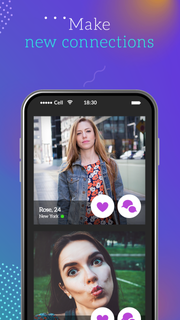

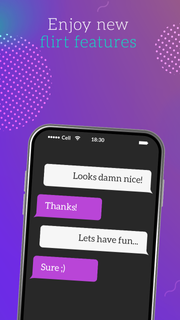
Are you tired of useless and ineffective swiping to meet your affable one? The current generation is fully wrapped up in an exciting online dating world. Everyone has his own goals here. For someone, it’s a viable chance to meet mature women and plunge into love encounter vibes together. For someone, it’s an alternative way to match with local women for meetups without any commitments. Some people even don't pursue the goal of building strong relationships, but simply want to make new acquaintances with attractive girls and find a friend just for fun chat time. Whatever your reason, InviteMe allows you to flirt without limits, chat with attractive singles, find real women, make new contacts, and fall in love in a snap. Our top-of-the-line service knows how to live your romantic dreams and make you happy. Diving into our dating app, it’s easy to become amazed by the copious amount of exclusive features available. With dating app’s free opportunities you’ll be able to show your great personal charm and find a friend according to your preferences. We’ll navigate you through our streamlined app interface that is really worth your attention. InviteMe has a voluminous functionality compared to other dating services, such as: - Browse the user profiles for free; - Activate the search function of nearby affable singles to you; - Send and receive an unlimited number of messages; - Be able to see who viewed your profile and picked you to favorites; - Create your own detailed page with pics; - Private chat rooms with mature women; It's time to forget about the time-taking sign-up forms and try out our quick-and-easy registration. This process takes less than 2 minutes and requires providing essential information about your preferences and goals by answering questions in the test task's form. The app shows you only a pic with the name and age of local women to save your time and effort. If you are interested in, you can tap on the pic to see more information about a potential partner for flirt and fun. As is common in dating space, then you can swipe right to show interest or left to pass and see the next one. In case you and your partner have both swiped right on one another, you can start to communicate in private chat rooms and invite to match in real life in a snap. InviteMe holds a leading position among dating apps free globally. We have got more to offer you than never-ending swiping and scrolling. Tap into an encounter d'amour atmosphere with real women!
Show more

1. Stáhněte si instalační program MEmu a dokončete instalaci

2. Spusťte MEmu a poté otevřete Google Play na ploše

3. Vyhledejte InviteMe v Google Play
Install
4. Stáhněte a nainstalujte InviteMe
5. Po dokončení instalace klikněte na ikonu pro spuštění

6. Užívejte si používání InviteMe na PC s MEmu
MEmu je bezplatný a vynikající emulátor Androidu s 50 miliony uživatelů, který poskytuje vynikající zážitek z aplikací. Virtualizační technologie MEmu 9 vám umožňuje plynule spouštět aplikace pro Android na vašem počítači, a to i ty nejnáročnější.
Větší obrazovka s lepší grafikou; Dlouhá výdrž bez omezení baterie nebo mobilních dat.
Plná podpora mapování kláves pro přesné ovládání klávesnice a myši nebo gamepadu.
Více herních účtů nebo úkolů na jednom počítači najednou s Multi-Instance Managerem.
Use InviteMe on PC by following steps: