
Coreader- QR Code & Barcode Scanner
Aktualizováno
Aktuální verze
1.5.3
Od vývojáře

Přestaňte se obávat přebíjení při používání Coreader- QR Code & Barcode Scanner na mobilním telefonu, uvolněte se z malé obrazovky a užívejte si aplikace na mnohem větším displeji. „Společnost MEmu vám nabízí všechny překvapivé funkce, které jste očekávali: rychlá instalace a snadné nastavení, intuitivní ovládání, žádná omezení baterií, mobilní data a rušivá volání. Zcela nový přístroj MEmu 9 je nejlepší volbou použití Coreader- QR Code & Barcode Scanner ve vašem počítači. díky naší absorpci umožňuje správce více instancí otevření 2 nebo více účtů současně. A co je nejdůležitější, náš exkluzivní emulační modul může uvolnit plný potenciál vašeho počítače, učinit vše plynulým a příjemným.
Show more
Vychutnejte si vynikající zážitek z přehrávání Coreader- QR Code & Barcode Scanner na PC s MEMU App Player. Je to silný bezplatný emulátor pro Android, který vám umožní hrát tisíce her v systému Android. Coreader- QR Code & Barcode Scanner, a powerful QR reader & Barcode Scanner that supports all kinds of major barcode formats.
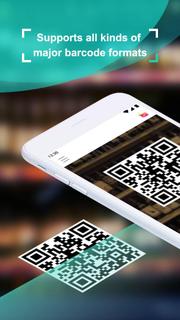
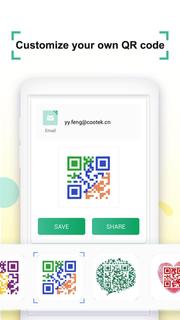
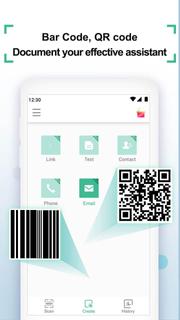
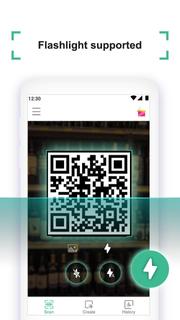
Coreader- QR Code & Barcode Scanner, a powerful QR reader & Barcode Scanner that supports all kinds of major barcode formats. Try it and you will find scanning has never been more convenient like that. Coreader is extremely easy to use: simply point to QR or barcode you want to scan and app will automatically detect and scan it. No need to press any buttons, scan in just 1 second. 【Main Features of Coreader】- All in one: Scan QR codes and barcodes (all 1D & 2D code types) to get Links, Text, Contact info. etc. all the formats code can be scanned by one-touch. -Smart & Fast: Multiple options for your QR scan result. Reading, opening, sharing and so on, just in your touch. (all result types supported: URLs, Text, ISBN, Email, Contact, Calendar, Geo, Phone number, SMS, WIFI connection) - Flashlight supported: Turn on the flashlight while scanning to avoid the invalid scan in the dark. - View history: The scan history will be well saved, you can easily view your scan history at any time. - Document Scanner supported. You can scan documents to PDF files in portable way. 【How to use Coreader】 1.To scan QR code or barcode, you can simply open the app, point the camera at the code and the scanner will automatically recognize it 2.For different types of scanned result, there are varies options for you to choose. e.g. reading the text, sharing the link, dialing the phone number, sending e-mail, getting contact info. on your list and connecting WIFI etc. 3.If you are in the low-light circumstance when scanning the code, click the flashlight button to turn on the flashlight. 4. Try to view scan history, it could help you to review your scan record better. 5. This APP Includes but not limited to the following features:Tag reader, business card scanner, book scanner, store locator, food scanner, price scanner. Coreader, scanning has never been easier.
Show more

1. Stáhněte si instalační program MEmu a dokončete instalaci

2. Spusťte MEmu a poté otevřete Google Play na ploše

3. Vyhledejte Coreader- QR Code & Barcode Scanner v Google Play
Install
4. Stáhněte a nainstalujte Coreader- QR Code & Barcode Scanner
5. Po dokončení instalace klikněte na ikonu pro spuštění

6. Užívejte si používání Coreader- QR Code & Barcode Scanner na PC s MEmu
MEmu je bezplatný a vynikající emulátor Androidu s 50 miliony uživatelů, který poskytuje vynikající zážitek z aplikací. Virtualizační technologie MEmu 9 vám umožňuje plynule spouštět aplikace pro Android na vašem počítači, a to i ty nejnáročnější.
Větší obrazovka s lepší grafikou; Dlouhá výdrž bez omezení baterie nebo mobilních dat.
Plná podpora mapování kláves pro přesné ovládání klávesnice a myši nebo gamepadu.
Více herních účtů nebo úkolů na jednom počítači najednou s Multi-Instance Managerem.
Use Coreader- QR Code & Barcode Scanner on PC by following steps: