EURO 2020 Official
Aktualizováno
Aktuální verze
7.11.2
Od vývojáře

Přestaňte se obávat přebíjení při používání EURO 2020 Official na mobilním telefonu, uvolněte se z malé obrazovky a užívejte si aplikace na mnohem větším displeji. „Společnost MEmu vám nabízí všechny překvapivé funkce, které jste očekávali: rychlá instalace a snadné nastavení, intuitivní ovládání, žádná omezení baterií, mobilní data a rušivá volání. Zcela nový přístroj MEmu 9 je nejlepší volbou použití EURO 2020 Official ve vašem počítači. díky naší absorpci umožňuje správce více instancí otevření 2 nebo více účtů současně. A co je nejdůležitější, náš exkluzivní emulační modul může uvolnit plný potenciál vašeho počítače, učinit vše plynulým a příjemným.
Show more
Vychutnejte si vynikající zážitek z přehrávání EURO 2020 Official na PC s MEMU App Player. Je to silný bezplatný emulátor pro Android, který vám umožní hrát tisíce her v systému Android. The official UEFA EURO 2020 app is the best way to follow the action!
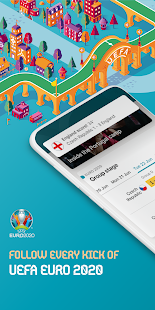
The official UEFA EURO 2020 app is the best way to follow the action!
UEFA EURO 2020 will take place from 11 June to 11 July 2021 – and you won’t miss a kick with the official app.
Following at home?
• Check the full UEFA EURO 2020 match schedule
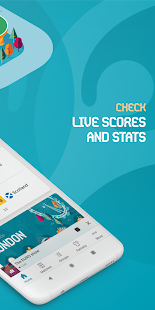
• Get live minute-by-minute updates from every single match
• Stay up to date with goal notifications
• View all fixtures and results
• Explore in-depth stats and form guides for each team
• Analyse individual team pages, squads and player pages
• Check the latest standings
• Follow the latest news and videos
• Personalise your feed by selecting the teams you’re interested in
In a EURO 2020 host city?
• Be the first to know about available match tickets
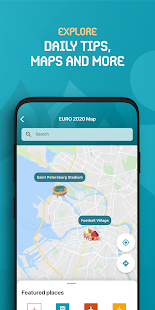
• Get useful tips and updates about what’s going on in your city during EURO 2020.
• Explore interactive maps to help you get to key EURO sites, including the best route to your stadium entrance
The app is available in English, French, German, Russian, Spanish, Italian and Portuguese. Content about host cities and their events is available in their local languages of Azerbaijani, Danish, Dutch, Hungarian and Romanian.
That’s not all – experience the football in a whole new way with the official EURO 2020 Fantasy and Predictor games!
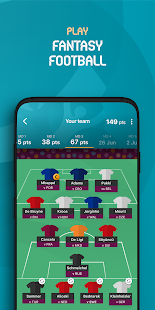
FANTASY FOOTBALL
• Play for free from your EURO 2020 app
• Assemble a squad from Europe’s finest soccer players, with a budget of €100m
• As the tournament progresses, score points based on your players’ real-life performances
• Sub players in and out to get the best out of your squad
• Shape your squad by transferring players in and out
• Compete against your friends by creating and joining leagues
• Check player stats to make the best selection decisions
TOURNAMENT PREDICTOR
• Play for free from your EURO 2020 app
• Predict how EURO 2020 will unfold
• Pick who will progress through each round all the way to the final
• Track your friends’ predictions and battle for bragging rights
Download the official EURO 2020 app today and enjoy the tournament to its fullest!
Show more

1. Stáhněte si instalační program MEmu a dokončete instalaci

2. Spusťte MEmu a poté otevřete Google Play na ploše

3. Vyhledejte EURO 2020 Official v Google Play
Install
4. Stáhněte a nainstalujte EURO 2020 Official
5. Po dokončení instalace klikněte na ikonu pro spuštění

6. Užívejte si používání EURO 2020 Official na PC s MEmu
MEmu je bezplatný a vynikající emulátor Androidu s 50 miliony uživatelů, který poskytuje vynikající zážitek z aplikací. Virtualizační technologie MEmu 9 vám umožňuje plynule spouštět aplikace pro Android na vašem počítači, a to i ty nejnáročnější.
Větší obrazovka s lepší grafikou; Dlouhá výdrž bez omezení baterie nebo mobilních dat.
Plná podpora mapování kláves pro přesné ovládání klávesnice a myši nebo gamepadu.
Více herních účtů nebo úkolů na jednom počítači najednou s Multi-Instance Managerem.
Use EURO 2020 Official on PC by following steps: