Draw & Paint - Classic & Pixel
Aktualizováno
Aktuální verze
1.12.6
Od vývojáře

Přestaňte se obávat přebíjení při používání Draw & Paint - Classic & Pixel na mobilním telefonu, uvolněte se z malé obrazovky a užívejte si aplikace na mnohem větším displeji. „Společnost MEmu vám nabízí všechny překvapivé funkce, které jste očekávali: rychlá instalace a snadné nastavení, intuitivní ovládání, žádná omezení baterií, mobilní data a rušivá volání. Zcela nový přístroj MEmu 9 je nejlepší volbou použití Draw & Paint - Classic & Pixel ve vašem počítači. díky naší absorpci umožňuje správce více instancí otevření 2 nebo více účtů současně. A co je nejdůležitější, náš exkluzivní emulační modul může uvolnit plný potenciál vašeho počítače, učinit vše plynulým a příjemným.
Show more
Užijte si skvělý zážitek z používání Draw & Paint - Classic & Pixel u na PC s MEmu Play. Je to výkonný bezplatný emulátor Androidu, který vám nabízí tisíce aplikací pro Android ve verzi pro stolní počítače. Užívejte si spojení s přáteli a vylepšujte svou práci s vyšší efektivitou! UNLEASH YOUR INNER ARTIST WITH DRAW & PAINT - CLASSIC & PIXEL!
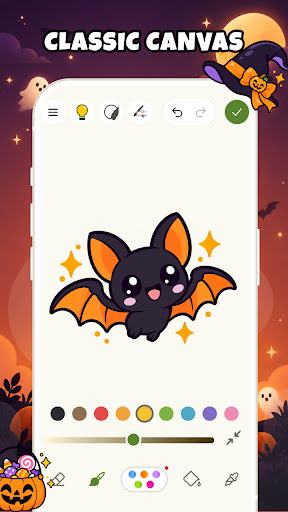
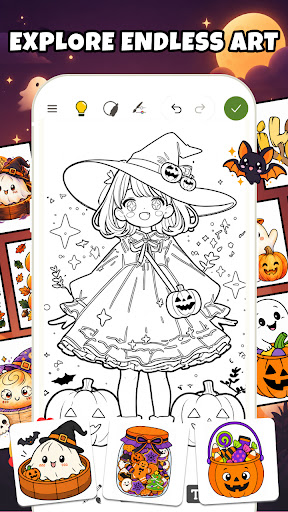
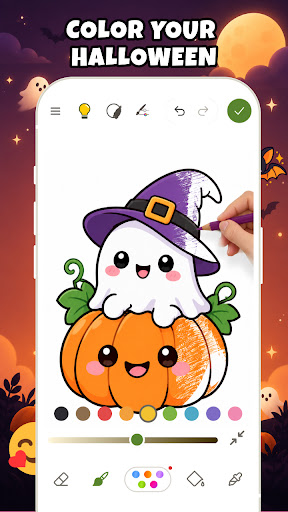
UNLEASH YOUR INNER ARTIST WITH DRAW & PAINT - CLASSIC & PIXEL!
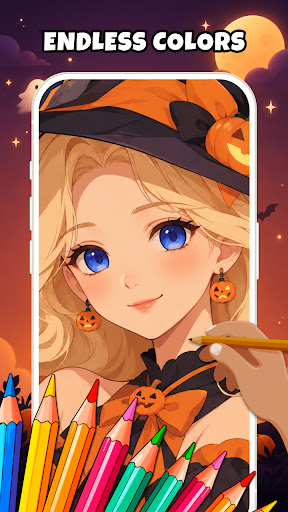
Are you ready to turn your device into a magical digital canvas? Draw & Paint - Classic & Pixel is the ultimate drawing app and coloring book designed for everyone! Whether you are a curious kid, a beginner learning how to draw, or a passionate digital artist, we have everything you need to create amazing art. Grab your digital brush, relax your mind, and let the fun begin!
DISCOVER AMAZING FEATURES
The Ultimate Coloring Book Experience
Relax and relieve stress with our beautiful coloring pages! Choose the "free color" mode to let your creativity run wild, or use the "stay-in-the-lines" mode for a neat, perfect finish. Dive into 20+ trending color palettes to make your artwork pop! Best of all? We update our gallery every single week with fresh, exciting designs so you never run out of inspiration.
Free Sketch & Draw Your Heart Out
Start from a blank canvas and bring your imagination to life! Enjoy a huge collection of drawing brushes, pens, and markers. It is your personal pocket art studio, ready whenever you feel inspired to sketch your own world!
Smart Trace Drawing (Draw Like a Pro!)
Want to create a masterpiece but don't know where to start? Try our smart tracing feature! We provide a blurred template for you to follow. Just trace the lines, and when you are done, simply hide the original picture. Ta-da! You have a perfect artwork that you can proudly call your own!
Step-by-Step Drawing Lessons
Learning how to draw is now super easy and fun! Our simple, step-by-step tutorials will guide you from the very first line to the final detail. It is perfectly designed for both adults and kids. Gather your family and let's learn how to draw together!
AR Draw Trace - Camera Sketch Magic
Get ready to be amazed! With AR technology, you can use your phone's camera to project any virtual image onto real paper. Just look through your screen and trace the lines with a real pencil. It is a super easy, highly accurate, and magical way to practice drawing on paper!
WHY YOU WILL LOVE THIS APP?
Simple and easy-to-use interface for everyone.
Relax and relieve stress with every brush stroke.
Save and share your artwork with friends in one tap!
Download Draw & Paint - Classic & Pixel today and wake up your inner artist!
If you have any questions or contributions to the app, do not hesitate to contact us via email: feedback.neli.creative@gmail.com. We value your contributions and will do our best to meet all requirements and improve product quality.
Terms of Use: https://neli-creative.com/term-and-condition.html
Privacy Policy: https://neli-creative.com/privacy-policy.html
Show more

1. Stáhněte si instalační program MEmu a dokončete instalaci

2. Spusťte MEmu a poté otevřete Google Play na ploše

3. Vyhledejte Draw & Paint - Classic & Pixel v Google Play
Install
4. Stáhněte a nainstalujte Draw & Paint - Classic & Pixel
5. Po dokončení instalace klikněte na ikonu pro spuštění

6. Užívejte si používání Draw & Paint - Classic & Pixel na PC s MEmu
MEmu je bezplatný a vynikající emulátor Androidu s 50 miliony uživatelů, který poskytuje vynikající zážitek z aplikací. Virtualizační technologie MEmu 9 vám umožňuje plynule spouštět aplikace pro Android na vašem počítači, a to i ty nejnáročnější.
Větší obrazovka s lepší grafikou; Dlouhá výdrž bez omezení baterie nebo mobilních dat.
Plná podpora mapování kláves pro přesné ovládání klávesnice a myši nebo gamepadu.
Více herních účtů nebo úkolů na jednom počítači najednou s Multi-Instance Managerem.
Use Draw & Paint - Classic & Pixel on PC by following steps: