PDF Reader: PDF Editor, Viewer
Aktualizováno
Aktuální verze
1.3
Od vývojáře

Přestaňte se obávat přebíjení při používání PDF Reader: PDF Editor, Viewer na mobilním telefonu, uvolněte se z malé obrazovky a užívejte si aplikace na mnohem větším displeji. „Společnost MEmu vám nabízí všechny překvapivé funkce, které jste očekávali: rychlá instalace a snadné nastavení, intuitivní ovládání, žádná omezení baterií, mobilní data a rušivá volání. Zcela nový přístroj MEmu 9 je nejlepší volbou použití PDF Reader: PDF Editor, Viewer ve vašem počítači. díky naší absorpci umožňuje správce více instancí otevření 2 nebo více účtů současně. A co je nejdůležitější, náš exkluzivní emulační modul může uvolnit plný potenciál vašeho počítače, učinit vše plynulým a příjemným.
Show more
Užijte si skvělý zážitek z používání PDF Reader: PDF Editor, Viewer u na PC s MEmu Play. Je to výkonný bezplatný emulátor Androidu, který vám nabízí tisíce aplikací pro Android ve verzi pro stolní počítače. Užívejte si spojení s přáteli a vylepšujte svou práci s vyšší efektivitou! READ, SCAN, AND MANAGE PDF FILES WITH EASE.
READ, SCAN, AND MANAGE PDF FILES WITH EASE
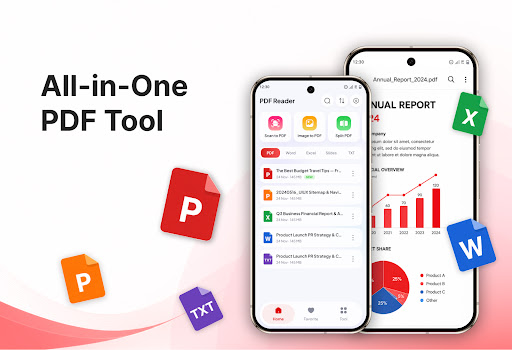
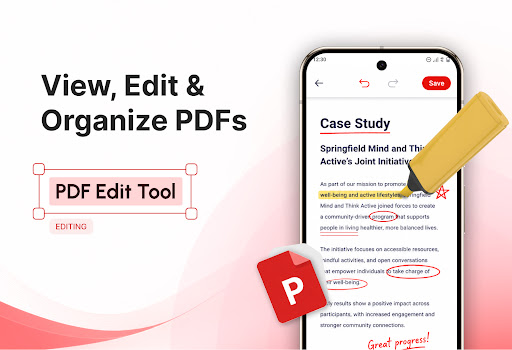
PDF Reader: PDF Editor, Viewer helps you read, scan, convert, and manage documents directly on your phone. With an intuitive interface and simple controls, the app makes handling PDF files faster and more convenient for study, work, and personal use.
Open PDF documents quickly, enjoy clear content, and easily navigate to the pages you need. In addition to reading PDFs, the app provides useful tools for scanning documents, converting images to PDF, splitting pages, merging files, creating ZIP archives, printing, and translating documents.
KEY FEATURES
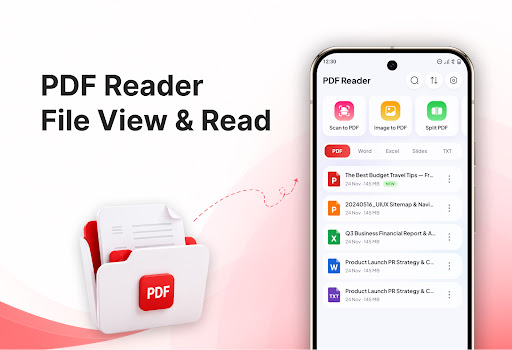
Read and view PDF documents on your phone
Scan papers, receipts, and notes into PDF files
Convert one or multiple images to PDF
Extract selected pages from PDF documents
Merge multiple PDF files into one document
Compress documents and create ZIP files for storage
Print PDF files directly from the app
Translate document content into other languages
CONVENIENT PDF READER
Quickly open and view PDF files stored on your device. Documents are displayed clearly, while intuitive navigation controls make it easier to read long files and find the pages you need.
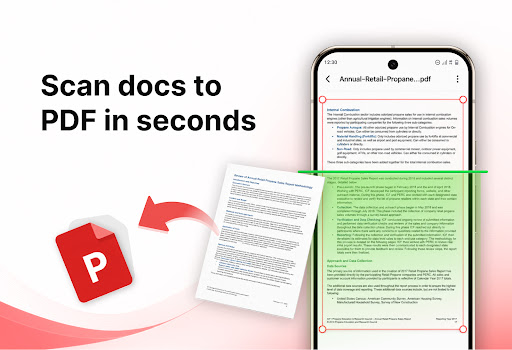
SCAN DOCUMENTS TO PDF
Use your phone’s camera to scan paper documents, receipts, forms, or notes. Scanned pages can be arranged and saved as PDF files for convenient storage, use, or sharing.
CONVERT IMAGES TO PDF
Select images from your gallery, arrange them in your preferred order, and convert them into a complete PDF document. This feature is useful for combining homework, personal documents, receipts, or other images into one file.
SPLIT PDF PAGES
Select and extract the pages you need from a large PDF document. The chosen pages can be saved as a separate file, making it easier to manage and share specific content.
MERGE MULTIPLE PDF FILES
Combine multiple PDF documents into one file. Rearrange the files before merging them to create organized records, reports, or complete documents.
COMPRESS AND CREATE ZIP FILES
Organize PDF documents in ZIP archives to save storage space and make sharing multiple files more convenient.
PRINT PDF DOCUMENTS
Connect to a printing service supported by your device and print PDF documents directly from the app. Choose to print the entire document or only selected pages based on your needs.
TRANSLATE PDF CONTENT
Translate content from PDF documents into other languages, making foreign-language materials easier to read, study, and understand.
ONE APP FOR ALL YOUR PDF NEEDS
PDF Reader: PDF Editor, Viewer is suitable for students, office workers, and anyone who regularly works with documents. From reading and scanning papers to converting, organizing, and sharing files, the essential tools are available in one easy-to-use app.
Download PDF Reader: PDF Editor, Viewer today to read, scan, and manage documents more conveniently on your phone.
Show more

1. Stáhněte si instalační program MEmu a dokončete instalaci

2. Spusťte MEmu a poté otevřete Google Play na ploše

3. Vyhledejte PDF Reader: PDF Editor, Viewer v Google Play
Install
4. Stáhněte a nainstalujte PDF Reader: PDF Editor, Viewer
5. Po dokončení instalace klikněte na ikonu pro spuštění

6. Užívejte si používání PDF Reader: PDF Editor, Viewer na PC s MEmu
MEmu je bezplatný a vynikající emulátor Androidu s 50 miliony uživatelů, který poskytuje vynikající zážitek z aplikací. Virtualizační technologie MEmu 9 vám umožňuje plynule spouštět aplikace pro Android na vašem počítači, a to i ty nejnáročnější.
Větší obrazovka s lepší grafikou; Dlouhá výdrž bez omezení baterie nebo mobilních dat.
Plná podpora mapování kláves pro přesné ovládání klávesnice a myši nebo gamepadu.
Více herních účtů nebo úkolů na jednom počítači najednou s Multi-Instance Managerem.
Use PDF Reader: PDF Editor, Viewer on PC by following steps: