EV3 Controller
Aktualisiert
Aktuelle Version
0.1.1
Angeboten von

Machen Sie sich keine Sorgen mehr über überhöhte Gebühren, wenn Sie EV3 Controller auf Ihrem Mobiltelefon verwenden, befreien Sie sich von dem winzigen Bildschirm und genießen Sie die Nutzung der App auf einem viel größeren Display. Von nun an können Sie Ihre App mit Tastatur und Maus im Vollbildmodus nutzen. MEmu bietet Ihnen all die überraschenden Funktionen, die Sie erwartet haben: schnelle Installation und einfache Einrichtung, intuitive Steuerung, keine Einschränkungen mehr durch Batterie, mobile Daten und störende Anrufe. Der brandneue MEmu 9 ist die beste Wahl für die Nutzung von EV3 Controller auf Ihrem Computer. Mit unserer Absorption kodiert, ermöglicht der Multi-Instanz-Manager die Eröffnung von 2 oder mehr Konten zur gleichen Zeit. Und das Wichtigste, unsere exklusive Emulations-Engine kann das volle Potenzial Ihres PCs freisetzen und alles reibungslos und angenehm gestalten.
Mehr anzeigen
Genieße EV3 Controller auf deinem PC mit MEmu Play in einer fantastischen Version. Dieser leistungsstarke, kostenlose Android-Emulator bietet dir Zugriff auf Tausende von Android-Apps für deinen Desktop. Bleib mit Freunden in Kontakt und arbeite effizienter! EN:.
EN:
EV3 Controller turns your Android tablet or Chromebook into a wireless remote for your LEGO
MINDSTORMS EV3 robot — no extra hardware, no cables, no code.
DRIVE YOUR WAY
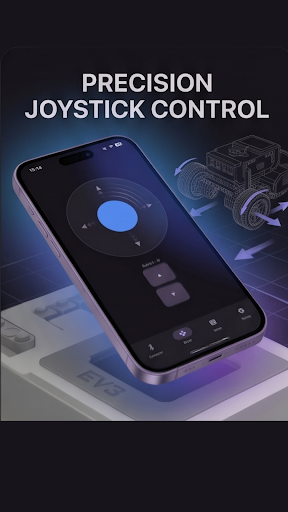
• Drive tab — an on-screen joystick with speed proportional to how far you push it. Works
with touch or a mouse, so it's just as usable on a Chromebook in clamshell mode.
• Keys tab — WASD or arrow keys at full speed while held, for Chromebooks with a hardware
keyboard attached.
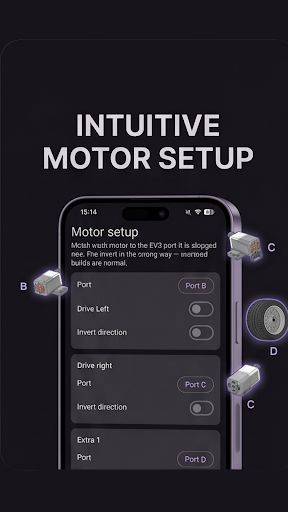
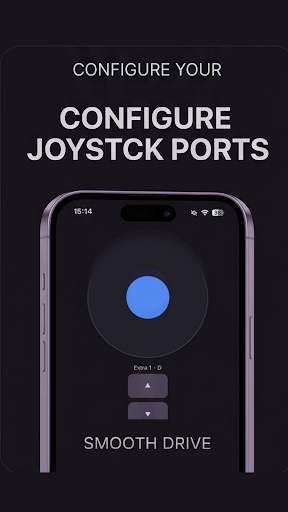
• Setup tab — map each motor to its EV3 port (A–D), flip direction for mirrored builds, and
configure up to two attachment motors with their own speeds and key bindings.
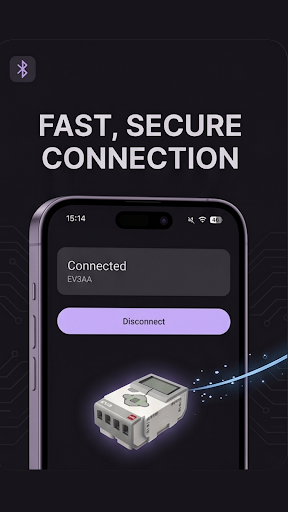
SIMPLE, ONE-TIME PAIRING
The EV3's stock firmware only speaks classic Bluetooth, which Android requires pairing for
before any app can connect. EV3 Controller handles this the straightforward way: it lists
already-paired bricks for one-tap connect, and sends you straight to Bluetooth settings if you
haven't paired yet. On the brick, just turn on Bluetooth and Visibility — the passkey is 1234.
BUILT AROUND SAFETY
Every control path — releasing a key, releasing the joystick, switching tabs mid-drive,
backgrounding the app, locking the screen — sends an explicit stop command. The one thing no
app can protect against is a dropped Bluetooth link while the robot is moving; EV3 Controller
tells you plainly when that's the situation instead of pretending otherwise.
REQUIREMENTS
• A LEGO MINDSTORMS EV3 brick with Bluetooth enabled and already paired to your device
• Android 8.0 (Oreo) or later
• Works on phones, tablets, and Chromebooks (touch or mouse/keyboard)
This is a focused, single-robot controller: one saved motor configuration, Bluetooth only (no
Wi-Fi or USB), no sensor readback. If that's what you need, it does it well.
Mehr anzeigen

1. Laden das MEmu-Installationsprogramm herunter und beenden die Installation

2. MEmu starten und Google Play auf der Homepage öffnen

3. Suchen EV3 Controller in Google Play
Install
4. Herunterladen und Installieren EV3 Controller
5. Klicken nach Abschluss der Installation auf das Symbol, um es zu starten

6. Verwenden Sie MEmu, um EV3 Controller auf Ihrem PC zu nutzen
MEmu Play ist aktuell der beste kostenlose Android-Emulator und bietet 50 Millionen Nutzern ein überragendes Android-App-Erlebnis. Dank der Virtualisierungstechnologie von MEmu können Sie Tausende von Android-Apps problemlos auf Ihrem Computer nutzen, selbst solche mit hohen Grafikanforderungen.
BGrößeres Bild mit besserer Grafik; Keine unterbrechungen, keine sorgen um Akku
Komplette Tastenbelegung unterstützt mit Maus und Tastatur oder Controller
Mit dem „Multi-Instance-Manager“ können Sie mehrere Spielkonten oder Spiele gleichzeitig auf einem PC ausführen.
Use EV3 Controller on PC by following steps: