Block Crush!
تاریخ بهروزرسانی
نسخه کنونی
2.2.0
ارائهکننده

با تمام اشتیاق شما به بازی Block Crush!، قرار نیست دست های شما روی صفحه نمایش کوچک گوشی شما محدود شود. مانند یک حرفه ای بازی کنید و کنترل کامل بازی خود را با صفحه کلید و ماوس بدست آورید.MEmu همه ی انتظاراتی که دارید را برآورده می کند.Block Crush! را بر روی رایانه شخصی دانلود و بازی کنید. تا زمانی که می خواهید بازی کنید، دیگر محدودیتی در باتری، داده تلفن همراه و تماس های مزاحم وجود ندارد.MEmu 9 کاملاً جدید و بهترین انتخاب برای بازی Block Crush! روی رایانه شخصی است. با تخصص ما، سیستم keymapping از پیش تعیین شده عالی،Block Crush! را به یک بازی رایانه شخصی واقعی تبدیل می کند.مدیریت چند موردی MEmu امکان اجرای 2 یا چندین حساب در یک دستگاه را فراهم می کند.و مهمتر از همه، موتور شبیهسازی انحصاری ما میتواند پتانسیل کامل رایانه شما را آزاد کند و همه چیز را روان کند.
بیشتر نشان بده
دانلود بازی Block Crush! برای کامپیوتر با MEmu Play. از بازی روی صفحه نمایش بزرگ لذت ببرید. Welcome to Block Crush — a classic block puzzle and line-clear puzzle game built around fitting blocks, clearing full lines, and solving each board with smart spatial reasoning inspired by classic line-based block logic.
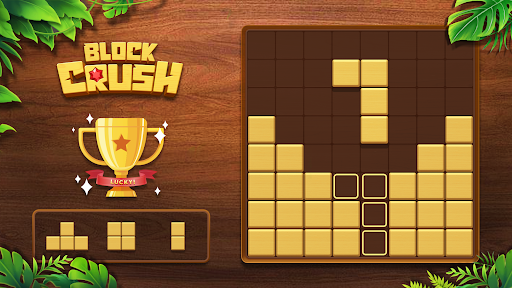
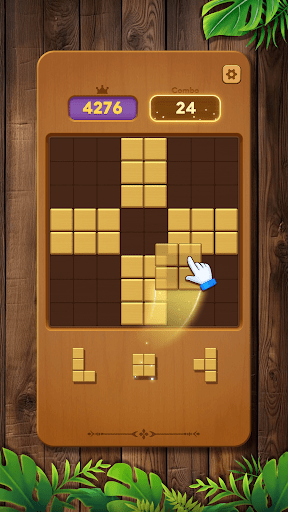
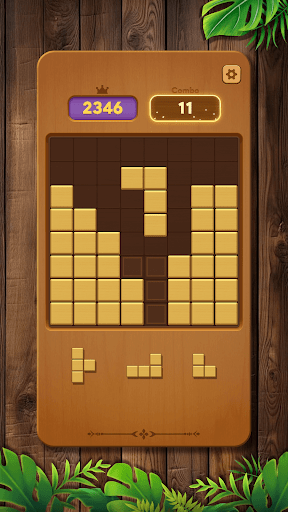
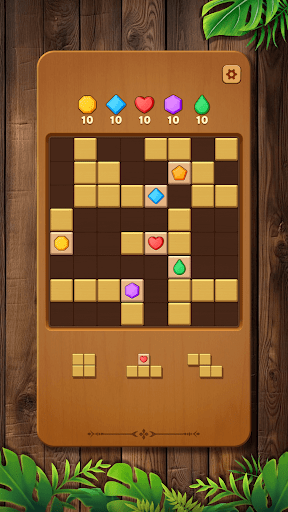
Welcome to Block Crush — a classic block puzzle and line-clear puzzle game built around fitting blocks, clearing full lines, and solving each board with smart spatial reasoning inspired by classic line-based block logic.
As a thoughtful brain teaser, this puzzle challenges you to think ahead, control the grid, and manage space through clean, precise block placement. Every move matters — each block changes the board, creates patterns, and opens opportunities for longer runs.
Inspired by classic line-clear logic found in iconic block-shaping puzzle games, Block Crush blends puzzle solving with familiar fit-the-blocks mechanics, paired with a calm, wooden visual style. The focus stays on reading the grid, planning placements, and maintaining space through consistent line completion.
Solve the Puzzle with Each Placement
Place blocks onto the grid to complete full lines, clear space, and maintain control of the puzzle board using familiar block-fitting principles.
Every clear refreshes the grid, creates new openings, and can trigger chain-clear moments that extend your run.
Fit shapes, fill gaps, and prevent grid lock by reading patterns and planning several moves ahead through classic puzzle logic.
Play offline anytime — no wifi or internet connection needed, just pure puzzle problem-solving wherever you are.
Key Features
● Classic Block Puzzle Flow: Fit blocks, complete lines, and solve the board through clear, line-based puzzle logic.
● Chain Clears & Smooth Feedback: Satisfying clear effects that reward clean block placement and shape matching.
● Spatial Depth: Use logical thinking and spatial awareness to avoid grid lock and extend each run.
● Line Completion Gameplay: Clear full lines to refresh the board and maintain open space.
● Offline Play: Enjoy a full offline puzzle experience with no wifi required.
● Play Anywhere: Perfect for travel, commuting, or relaxing without internet access.
Why Puzzle Fans Enjoy It
At its core, Block Crush is a classic block puzzle built on fitting blocks, completing lines, and solving each board through thoughtful planning and grid-based reasoning.
If you enjoy block puzzles, line-clear challenges, classic block-shaping gameplay, or games you can play offline without wifi, this experience delivers a clean and rewarding way to sharpen your mind anytime.
بیشتر نشان بده

1. نصب کننده Memu را دانلود کرده و راه اندازی را تمام کنید

2. Memu را اجرا کنید و سپس گوگل پلی را بر روی دستکتاپ باز کنید

3. Block Crush! را بر روی گوگل پلی جستجو کنید
Install
4. Block Crush! را دانلود و نصب کنید
5. پس از اتمام نصب روی آیکون کلیک کنید تا اجرا شود

6. از بازی کردن Block Crush! بر روی رایانه شخصی با MEmu لذت ببرید
MEmu بهترین نمونه ساز رایگان اندروید است و پیش از این 50 میلیون نفر از تجربه بسیار خوب بازی اندروید در آن لذت برده اند. تکنولوژی مجازی ساز MEmu شما را قادر می سازد هزاران بازی اندرویدی را در کامپیوتر به طور روان اجرا کنید، حتی آنهایی که گرافیک سنگین تری دارند.
صفحه نمایش بزرگتر با گرافیک بهتر؛ زمان طولانی تر، بدون محدودیت باتری یا داده تلفن همراه.
پشتیبانی کامل از Keymapping برای کنترل دقیق صفحه کلید و ماوس یا گیم پد.
چندین حساب بازی یا وظایف در یک رایانه شخصی در یک زمان با مدیریت همزمان همه
Play Block Crush! on PC by following steps: