FastCast
تاریخ بهروزرسانی
نسخه کنونی
2.47.230703
ارائهکننده

در مورد استفاده بیش از حد در هنگام استفاده از FastCast بر روی تلفن همراه خود ، نگران نباشید ، خود را از صفحه ریز رها کنید و از استفاده از برنامه در یک صفحه نمایش بسیار بزرگتر لذت ببرید. از این پس ، تجربه تمام صفحه برنامه خود را با صفحه کلید و ماوس دریافت کنید .Mmu تمام ویژگی های شگفت انگیز مورد نظر شما را ارائه می دهد: نصب سریع و نصب آسان ، کنترل های بصری ، محدودیت بیشتر باتری ، داده های تلفن همراه و تماس های مزاحم. نام تجاری جدید MEmu 9 بهترین انتخاب برای استفاده از FastCast در رایانه شما است. با جذب ما ، مدیر چند نمونه باعث می شود همزمان 2 یا چند حساب را باز کنید. و از همه مهمتر ، موتور انحصاری منحصر به فرد ما می تواند پتانسیل کامل کامپیوتر شما را آزاد کند ، همه چیز را صاف و لذت بخش کند.
بیشتر نشان بده
Enjoy superb experience of using FastCast on PC with MEMU App Player. It's a powerful free Android emulator which provides you with thousands of android apps for their desktop version. Enjoy connecting with friends and polishing your work with higher efficiency! FastCast:.
FastCast:
A terrific APP for mirroring or media sharing.
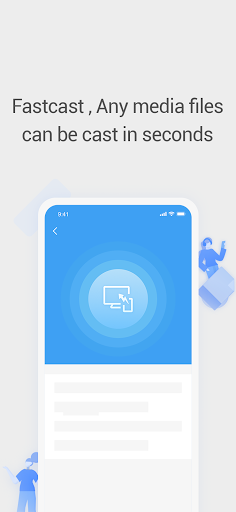
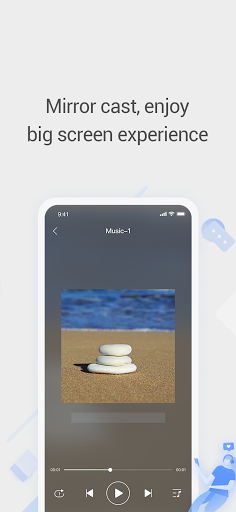
It helps you to cast your phone, tablet, or PC to the large TV screen in high picture quality, real-time response, and stability.
And you can also play your phone's video, music, or picture on the TV set.
Youtube casting and AirPlay are also supported here in the FastCast TV APP.
FastCast, cast your joyful life!
【KEY FEATURES】
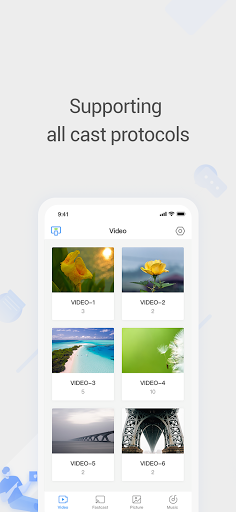
✦Local files cast: Support projecting photos, music, and videos from your phone to the large screen, making the large-screen TV in the living room become a home-sharing center, to share happiness with family and friends!
These features are only supported on Android TVs with FastCast TV installed:
✦Mirroring: Project your phone's screen to a large-screen TV, go online lessons, play games, watch movies, let you feel the thrill of the large screen!
Note: Screen mirroring supports only Android System Smart TVs, doesn't support Linux system TV. Tip: If you find no Mirroring QR code, pls directly check your TV "Wireless Display" and play screen mirroring with it.
✦QR code cast: Scan QR code on the TV screen(Android TV Only) with phone browser or FastCast APP, and mirror the mobile phone/tablet to the large screen TV, experience the convince and delight!
【Devices Supported】
✦Most of the smart Phone sets, including the Iphone,Samsung, Xiaomi, Hisense, etc.
✦
【Tips for usage】
✦Make sure your smart TV and Android device support wireless display and screen mirroring functions.
✦Make sure your smart TV and phone/tablet are connected to the same Wi-Fi network.
✦It is recommended to turn off the VPN in order to connect the device correctly.
【Contact us】
Thanks for downloading FastCast. Any other feedback, please feel free to contact us at tcl.scbctv@gmail.com.We will respond to your questions within 10 working days.
بیشتر نشان بده

1. نصب کننده Memu را دانلود کرده و راه اندازی را تمام کنید

2. Memu را اجرا کنید و سپس گوگل پلی را بر روی دستکتاپ باز کنید

3. FastCast را بر روی گوگل پلی جستجو کنید
Install
4. FastCast را دانلود و نصب کنید
5. پس از اتمام نصب روی آیکون کلیک کنید تا اجرا شود

6. با استفاده از MEmu، FastCast را روی کامپیوتر خود تجربه کنید.
MEmu در حال حاضر بهترین شبیهساز رایگان اندروید است که ۵۰ میلیون کاربر از تجربه استثنایی برنامههای اندروید لذت میبرند. فناوری مجازیسازی MEmu به شما امکان میدهد هزاران برنامه اندروید، حتی بازیهای با گرافیک بالا را به راحتی روی رایانه خود اجرا کنید.
صفحه نمایش بزرگتر با گرافیک بهتر؛ زمان طولانی تر، بدون محدودیت باتری یا داده تلفن همراه.
پشتیبانی کامل از Keymapping برای کنترل دقیق صفحه کلید و ماوس یا گیم پد.
چندین حساب بازی یا وظایف در یک رایانه شخصی در یک زمان با مدیریت همزمان همه
Use FastCast on PC by following steps: