
Anomalous Coffee Machine
تاریخ بهروزرسانی
نسخه کنونی
1.0.0.0
ارائهکننده

با تمام اشتیاق شما به بازی Anomalous Coffee Machine، قرار نیست دست های شما روی صفحه نمایش کوچک گوشی شما محدود شود. مانند یک حرفه ای بازی کنید و کنترل کامل بازی خود را با صفحه کلید و ماوس بدست آورید.MEmu همه ی انتظاراتی که دارید را برآورده می کند.Anomalous Coffee Machine را بر روی رایانه شخصی دانلود و بازی کنید. تا زمانی که می خواهید بازی کنید، دیگر محدودیتی در باتری، داده تلفن همراه و تماس های مزاحم وجود ندارد.MEmu 9 کاملاً جدید و بهترین انتخاب برای بازی Anomalous Coffee Machine روی رایانه شخصی است. با تخصص ما، سیستم keymapping از پیش تعیین شده عالی،Anomalous Coffee Machine را به یک بازی رایانه شخصی واقعی تبدیل می کند.مدیریت چند موردی MEmu امکان اجرای 2 یا چندین حساب در یک دستگاه را فراهم می کند.و مهمتر از همه، موتور شبیهسازی انحصاری ما میتواند پتانسیل کامل رایانه شما را آزاد کند و همه چیز را روان کند.
بیشتر نشان بده
دانلود بازی Anomalous Coffee Machine برای کامپیوتر با MEmu Play. از بازی روی صفحه نمایش بزرگ لذت ببرید. On mobile, Anomalous Coffee Machine places you across from a cryptic girl and a seemingly ordinary coffee vending machine.
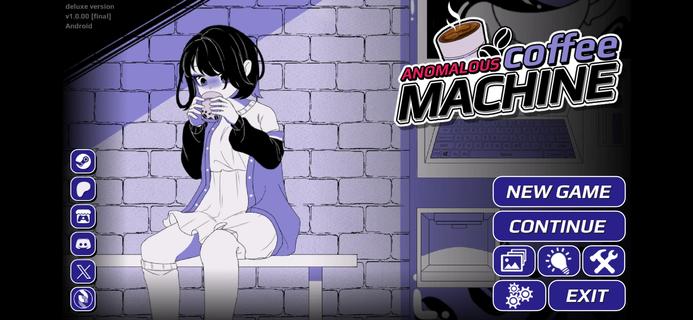


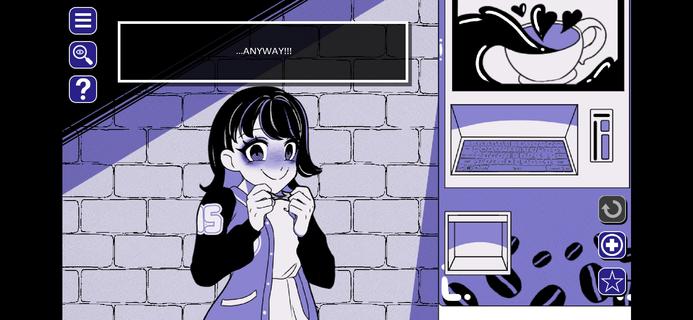
On mobile, Anomalous Coffee Machine places you across from a cryptic girl and a seemingly ordinary coffee vending machine. The narrative reacts to your decisions, so each path can shift in unexpected directions with strong replay value. The Android release is available as an Anomalous Coffee Machine APK for touch-friendly play, while PC editions are on Steam and Itch.io from HoruBrain Interactive. The series blends mystery, exploration, and consequence-driven structure that rewards experimentation across multiple runs.FeaturesBranching visual novel plus simulationAnomalous Coffee Machine combines dialogue choice, light simulation, and puzzle-like decision-making. Your selections drive the scene with the girl and the machine, and the story shifts accordingly.Extensive routes and endingsThe game supports many paths across multiple playthroughs. Reports cite more than 200 unique outcomes, so you can revisit scenes to pursue different transformations and conclusions.Mystery-focused storytellingEvery session of Anomalous Coffee Machine begins with a tense encounter around a coffee dispenser and a cryptic companion. The tone stays eerie, and the pacing is deliberate, which invites careful reading and deliberate choices.Multiple editions for different preferencesAnomalous Coffee Machine offers versions with different content profiles. Some editions include NSFW material, and there is also an SFW or Safe Edition, especially highlighted in Anomalous Coffee Machine 2.Community and mod-friendly buildsHoruBrain Interactive notes mod support on select builds to encourage community content. Availability of Anomalous Coffee Machine can vary by platform and version, so always review the build notes before installing.How to play Anomalous Coffee MachineThis guide covers the core loop for a first run. It focuses on reading context, making choices, and observing how outcomes branch.Launch Anomalous Coffee Machine on your Android phone and reach the opening scene with the vending machine and the girl. Read the dialogue carefully to understand each prompt.Choose a starting action or reply whenever a prompt appears. Your selection will immediately adjust the scene tone and available options.After your first decision, continue responding to dialogue or interaction points. Watch for clues in the text that hint at deeper routes.Then experiment with different choices at key moments to nudge the path toward new transformations or endings. Small changes can produce different sequences.So when you finish a route, start a new run and select alternative responses. Track what worked, revisit earlier branches, and aim for additional outcomes.Download Anomalous Coffee Machine nowAnomalous Coffee Machine delivers a surreal encounter that changes based on what you decide. If you want portable access to its branching paths, download Anomalous Coffee Machine on APKPure and keep exploring new routes. For updates, return to this page to download Anomalous Coffee Machine APK latest version.
بیشتر نشان بده

1. نصب کننده Memu را دانلود کرده و راه اندازی را تمام کنید

2. Memu را اجرا کنید و سپس گوگل پلی را بر روی دستکتاپ باز کنید

3. Anomalous Coffee Machine را بر روی گوگل پلی جستجو کنید
Install
4. Anomalous Coffee Machine را دانلود و نصب کنید
5. پس از اتمام نصب روی آیکون کلیک کنید تا اجرا شود

6. از بازی کردن Anomalous Coffee Machine بر روی رایانه شخصی با MEmu لذت ببرید
MEmu بهترین نمونه ساز رایگان اندروید است و پیش از این 50 میلیون نفر از تجربه بسیار خوب بازی اندروید در آن لذت برده اند. تکنولوژی مجازی ساز MEmu شما را قادر می سازد هزاران بازی اندرویدی را در کامپیوتر به طور روان اجرا کنید، حتی آنهایی که گرافیک سنگین تری دارند.
صفحه نمایش بزرگتر با گرافیک بهتر؛ زمان طولانی تر، بدون محدودیت باتری یا داده تلفن همراه.
پشتیبانی کامل از Keymapping برای کنترل دقیق صفحه کلید و ماوس یا گیم پد.
چندین حساب بازی یا وظایف در یک رایانه شخصی در یک زمان با مدیریت همزمان همه
Play Anomalous Coffee Machine on PC by following steps: