Epicsports
تاریخ بهروزرسانی
نسخه کنونی
10.5
ارائهکننده

در مورد استفاده بیش از حد در هنگام استفاده از Epicsports بر روی تلفن همراه خود ، نگران نباشید ، خود را از صفحه ریز رها کنید و از استفاده از برنامه در یک صفحه نمایش بسیار بزرگتر لذت ببرید. از این پس ، تجربه تمام صفحه برنامه خود را با صفحه کلید و ماوس دریافت کنید .Mmu تمام ویژگی های شگفت انگیز مورد نظر شما را ارائه می دهد: نصب سریع و نصب آسان ، کنترل های بصری ، محدودیت بیشتر باتری ، داده های تلفن همراه و تماس های مزاحم. نام تجاری جدید MEmu 9 بهترین انتخاب برای استفاده از Epicsports در رایانه شما است. با جذب ما ، مدیر چند نمونه باعث می شود همزمان 2 یا چند حساب را باز کنید. و از همه مهمتر ، موتور انحصاری منحصر به فرد ما می تواند پتانسیل کامل کامپیوتر شما را آزاد کند ، همه چیز را صاف و لذت بخش کند.
بیشتر نشان بده
از تجربه فوقالعاده استفاده از Epicsports در کامپیوتر با MEmu Play لذت ببرید. این یک شبیهساز اندروید رایگان و قدرتمند است که هزاران برنامه اندروید را برای نسخه دسکتاپ در اختیار شما قرار میدهد. Epicsports suits fans who want reliable access to live football on a phone, plus quick updates on scores and news.
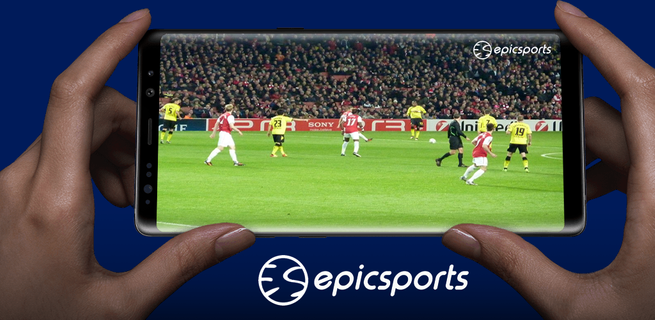
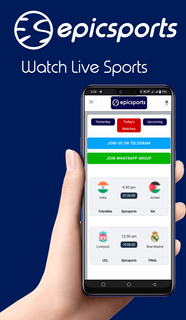


Epicsports suits fans who want reliable access to live football on a phone, plus quick updates on scores and news. It brings live streams and match coverage together so you do not need to search across different sites. Users follow major competitions in one place, and stay informed before, during, and after matches. For users who install apps as APK files, Epicsports APK offers a straightforward way to get the app on a compatible Android device. Epicsports FeaturesLive matches from major competitionsFootball World CupEnglish Premier LeagueLa LigaUEFA Champions LeagueBundesligaSerie ALigue 1UEFA Europa LeagueVideo quality controlEpicsports lets you switch between low and HD streams. This helps manage data use on mobile networks and improves playback on slower connections. You can adjust quality during a match without leaving the player.Alerts and quick accessYou can set notifications for live games, then jump into the stream with one touch when a match starts. This reduces missed kickoffs and makes it easy to follow your club or national team through busy schedules.Scores, news, and sourcesEpicsports shows score updates and football news alongside live video. Content may come from public platforms and embedded third party services. The app uses the official YouTube API for videos and does not host media itself. Get started with EpicsportsEpicsports focuses on live streaming, match alerts, and updates in one place. To get the most recent features and fixes, install the Epicsports latest version on your device.
بیشتر نشان بده

1. نصب کننده Memu را دانلود کرده و راه اندازی را تمام کنید

2. Memu را اجرا کنید و سپس گوگل پلی را بر روی دستکتاپ باز کنید

3. Epicsports را بر روی گوگل پلی جستجو کنید
Install
4. Epicsports را دانلود و نصب کنید
5. پس از اتمام نصب روی آیکون کلیک کنید تا اجرا شود

6. با استفاده از MEmu، Epicsports را روی کامپیوتر خود تجربه کنید.
MEmu در حال حاضر بهترین شبیهساز رایگان اندروید است که ۵۰ میلیون کاربر از تجربه استثنایی برنامههای اندروید لذت میبرند. فناوری مجازیسازی MEmu به شما امکان میدهد هزاران برنامه اندروید، حتی بازیهای با گرافیک بالا را به راحتی روی رایانه خود اجرا کنید.
صفحه نمایش بزرگتر با گرافیک بهتر؛ زمان طولانی تر، بدون محدودیت باتری یا داده تلفن همراه.
پشتیبانی کامل از Keymapping برای کنترل دقیق صفحه کلید و ماوس یا گیم پد.
چندین حساب بازی یا وظایف در یک رایانه شخصی در یک زمان با مدیریت همزمان همه
Use Epicsports on PC by following steps: