
Kiss KH
تاریخ بهروزرسانی
نسخه کنونی
9.8
ارائهکننده

در مورد استفاده بیش از حد در هنگام استفاده از Kiss KH بر روی تلفن همراه خود ، نگران نباشید ، خود را از صفحه ریز رها کنید و از استفاده از برنامه در یک صفحه نمایش بسیار بزرگتر لذت ببرید. از این پس ، تجربه تمام صفحه برنامه خود را با صفحه کلید و ماوس دریافت کنید .Mmu تمام ویژگی های شگفت انگیز مورد نظر شما را ارائه می دهد: نصب سریع و نصب آسان ، کنترل های بصری ، محدودیت بیشتر باتری ، داده های تلفن همراه و تماس های مزاحم. نام تجاری جدید MEmu 9 بهترین انتخاب برای استفاده از Kiss KH در رایانه شما است. با جذب ما ، مدیر چند نمونه باعث می شود همزمان 2 یا چند حساب را باز کنید. و از همه مهمتر ، موتور انحصاری منحصر به فرد ما می تواند پتانسیل کامل کامپیوتر شما را آزاد کند ، همه چیز را صاف و لذت بخش کند.
بیشتر نشان بده
از تجربه فوقالعاده استفاده از Kiss KH در کامپیوتر با MEmu Play لذت ببرید. این یک شبیهساز اندروید رایگان و قدرتمند است که هزاران برنامه اندروید را برای نسخه دسکتاپ در اختیار شما قرار میدهد. Kiss KH helps users who want an easy place to watch Asian dramas and movies without switching between different apps.
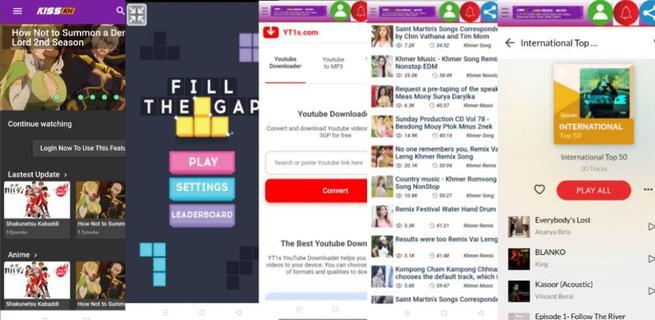
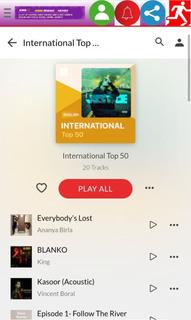
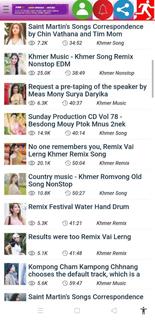
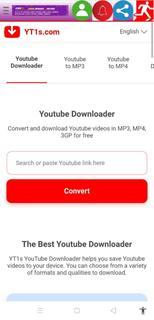
Kiss KH helps users who want an easy place to watch Asian dramas and movies without switching between different apps. It centralizes streaming and discovery in a clean layout, so you can find current hits and explore older titles with minimal effort. Because connection quality can vary, playback adapts to different situations, and navigation stays simple across sections. If you plan to download Kiss KH, the app presents entertainment content alongside handy tools, keeping everything accessible from one screen. Key features in Kiss KH Free streaming and downloads Kiss KH lets you watch dramas and movies online and save videos to your device at no cost. Playback focuses on high quality for a clear viewing experience. Downloads are helpful when you want to watch later without using mobile data. Flexible resolution control To match your connection and device, you can choose different resolutions while watching. Options range from 240p and 360p to 480p and 720p HD, and some titles may also offer 1080p. Switching resolution helps balance clarity and data usage as your network changes. Wide regional catalog Kiss KH includes a broad mix of content from multiple regions and genres. You can explore titles from South Korea, China, Japan, Thailand, Hong Kong, Hollywood, and the United States. This variety makes it easier to find the shows and films you prefer across different cultures and styles. Discovery categories Finding what to watch is straightforward with organized browsing. Kiss KH separates content by ongoing, completed, upcoming, and popularity categories. This structure helps you follow new releases, finish older series, and quickly identify what other viewers are watching right now. Navigation and quick reload A simple sidebar guides you to core sections and extras, including Movies, mini-games like Fill The Gap and Oil Hunt, social tools such as Search Tube, and music areas like Asia Music and Europe Music. If you ever face infinite loading, use the Reload option to refresh the screen and continue watching. Before downloading Kiss KH APK Many users first access Kiss KH through its website, and availability of the Android app can change over time. Version names may differ by release, so check the version details to understand what you are installing. Video quality choices affect data usage, with lower resolutions using less data and higher ones needing faster connections. Catalogs evolve as series move from ongoing to completed, and new titles arrive regularly, so expect periodic changes to what is available. How to use Kiss KH on Android Kiss KH opens to a simple home screen with clear sections for browsing and playback. After installing the Kiss KH latest version, you can start in the main Movies or Dramas area and move to other parts when needed. Launch Kiss KH and tap the sidebar to reveal all sections for browsing. Select a region or a discovery category such as ongoing, completed, upcoming, or popularity. Open a title, view the episode list, then start playback or choose Download to save the video. Tap the resolution control and switch between 240p, 360p, 480p, 720p, or 1080p when available. If the screen shows infinite loading, tap Reload to refresh and continue watching without leaving the page. Start watching with Kiss KH Kiss KH brings Asian dramas and movies together with flexible video settings and straightforward discovery. Users can stream or download, browse regional catalogs, and access extras like mini-games and music from the sidebar. To get started, install the Kiss KH APK and follow the simple steps above.
بیشتر نشان بده

1. نصب کننده Memu را دانلود کرده و راه اندازی را تمام کنید

2. Memu را اجرا کنید و سپس گوگل پلی را بر روی دستکتاپ باز کنید

3. Kiss KH را بر روی گوگل پلی جستجو کنید
Install
4. Kiss KH را دانلود و نصب کنید
5. پس از اتمام نصب روی آیکون کلیک کنید تا اجرا شود

6. با استفاده از MEmu، Kiss KH را روی کامپیوتر خود تجربه کنید.
MEmu در حال حاضر بهترین شبیهساز رایگان اندروید است که ۵۰ میلیون کاربر از تجربه استثنایی برنامههای اندروید لذت میبرند. فناوری مجازیسازی MEmu به شما امکان میدهد هزاران برنامه اندروید، حتی بازیهای با گرافیک بالا را به راحتی روی رایانه خود اجرا کنید.
صفحه نمایش بزرگتر با گرافیک بهتر؛ زمان طولانی تر، بدون محدودیت باتری یا داده تلفن همراه.
پشتیبانی کامل از Keymapping برای کنترل دقیق صفحه کلید و ماوس یا گیم پد.
چندین حساب بازی یا وظایف در یک رایانه شخصی در یک زمان با مدیریت همزمان همه
Use Kiss KH on PC by following steps: