
Kiss KH
Aktualizováno
Aktuální verze
9.8
Od vývojáře

Přestaňte se obávat přebíjení při používání Kiss KH na mobilním telefonu, uvolněte se z malé obrazovky a užívejte si aplikace na mnohem větším displeji. „Společnost MEmu vám nabízí všechny překvapivé funkce, které jste očekávali: rychlá instalace a snadné nastavení, intuitivní ovládání, žádná omezení baterií, mobilní data a rušivá volání. Zcela nový přístroj MEmu 9 je nejlepší volbou použití Kiss KH ve vašem počítači. díky naší absorpci umožňuje správce více instancí otevření 2 nebo více účtů současně. A co je nejdůležitější, náš exkluzivní emulační modul může uvolnit plný potenciál vašeho počítače, učinit vše plynulým a příjemným.
Show more
Užijte si skvělý zážitek z používání Kiss KH u na PC s MEmu Play. Je to výkonný bezplatný emulátor Androidu, který vám nabízí tisíce aplikací pro Android ve verzi pro stolní počítače. Užívejte si spojení s přáteli a vylepšujte svou práci s vyšší efektivitou! Kiss KH helps users who want an easy place to watch Asian dramas and movies without switching between different apps.
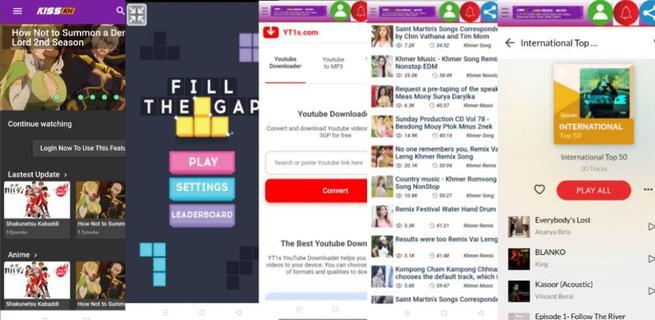
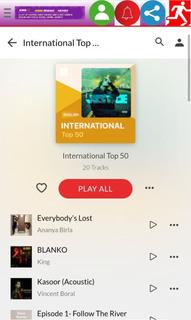
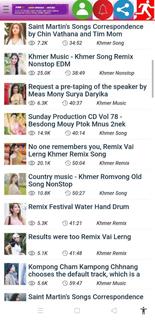
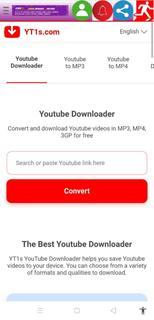
Kiss KH helps users who want an easy place to watch Asian dramas and movies without switching between different apps. It centralizes streaming and discovery in a clean layout, so you can find current hits and explore older titles with minimal effort. Because connection quality can vary, playback adapts to different situations, and navigation stays simple across sections. If you plan to download Kiss KH, the app presents entertainment content alongside handy tools, keeping everything accessible from one screen. Key features in Kiss KH Free streaming and downloads Kiss KH lets you watch dramas and movies online and save videos to your device at no cost. Playback focuses on high quality for a clear viewing experience. Downloads are helpful when you want to watch later without using mobile data. Flexible resolution control To match your connection and device, you can choose different resolutions while watching. Options range from 240p and 360p to 480p and 720p HD, and some titles may also offer 1080p. Switching resolution helps balance clarity and data usage as your network changes. Wide regional catalog Kiss KH includes a broad mix of content from multiple regions and genres. You can explore titles from South Korea, China, Japan, Thailand, Hong Kong, Hollywood, and the United States. This variety makes it easier to find the shows and films you prefer across different cultures and styles. Discovery categories Finding what to watch is straightforward with organized browsing. Kiss KH separates content by ongoing, completed, upcoming, and popularity categories. This structure helps you follow new releases, finish older series, and quickly identify what other viewers are watching right now. Navigation and quick reload A simple sidebar guides you to core sections and extras, including Movies, mini-games like Fill The Gap and Oil Hunt, social tools such as Search Tube, and music areas like Asia Music and Europe Music. If you ever face infinite loading, use the Reload option to refresh the screen and continue watching. Before downloading Kiss KH APK Many users first access Kiss KH through its website, and availability of the Android app can change over time. Version names may differ by release, so check the version details to understand what you are installing. Video quality choices affect data usage, with lower resolutions using less data and higher ones needing faster connections. Catalogs evolve as series move from ongoing to completed, and new titles arrive regularly, so expect periodic changes to what is available. How to use Kiss KH on Android Kiss KH opens to a simple home screen with clear sections for browsing and playback. After installing the Kiss KH latest version, you can start in the main Movies or Dramas area and move to other parts when needed. Launch Kiss KH and tap the sidebar to reveal all sections for browsing. Select a region or a discovery category such as ongoing, completed, upcoming, or popularity. Open a title, view the episode list, then start playback or choose Download to save the video. Tap the resolution control and switch between 240p, 360p, 480p, 720p, or 1080p when available. If the screen shows infinite loading, tap Reload to refresh and continue watching without leaving the page. Start watching with Kiss KH Kiss KH brings Asian dramas and movies together with flexible video settings and straightforward discovery. Users can stream or download, browse regional catalogs, and access extras like mini-games and music from the sidebar. To get started, install the Kiss KH APK and follow the simple steps above.
Show more

1. Stáhněte si instalační program MEmu a dokončete instalaci

2. Spusťte MEmu a poté otevřete Google Play na ploše

3. Vyhledejte Kiss KH v Google Play
Install
4. Stáhněte a nainstalujte Kiss KH
5. Po dokončení instalace klikněte na ikonu pro spuštění

6. Užívejte si používání Kiss KH na PC s MEmu
MEmu je bezplatný a vynikající emulátor Androidu s 50 miliony uživatelů, který poskytuje vynikající zážitek z aplikací. Virtualizační technologie MEmu 9 vám umožňuje plynule spouštět aplikace pro Android na vašem počítači, a to i ty nejnáročnější.
Větší obrazovka s lepší grafikou; Dlouhá výdrž bez omezení baterie nebo mobilních dat.
Plná podpora mapování kláves pro přesné ovládání klávesnice a myši nebo gamepadu.
Více herních účtů nebo úkolů na jednom počítači najednou s Multi-Instance Managerem.
Use Kiss KH on PC by following steps: