Photo Editor Video Maker Music
تاریخ بهروزرسانی
نسخه کنونی
2.0.3
ارائهکننده

در مورد استفاده بیش از حد در هنگام استفاده از Photo Editor Video Maker Music بر روی تلفن همراه خود ، نگران نباشید ، خود را از صفحه ریز رها کنید و از استفاده از برنامه در یک صفحه نمایش بسیار بزرگتر لذت ببرید. از این پس ، تجربه تمام صفحه برنامه خود را با صفحه کلید و ماوس دریافت کنید .Mmu تمام ویژگی های شگفت انگیز مورد نظر شما را ارائه می دهد: نصب سریع و نصب آسان ، کنترل های بصری ، محدودیت بیشتر باتری ، داده های تلفن همراه و تماس های مزاحم. نام تجاری جدید MEmu 9 بهترین انتخاب برای استفاده از Photo Editor Video Maker Music در رایانه شما است. با جذب ما ، مدیر چند نمونه باعث می شود همزمان 2 یا چند حساب را باز کنید. و از همه مهمتر ، موتور انحصاری منحصر به فرد ما می تواند پتانسیل کامل کامپیوتر شما را آزاد کند ، همه چیز را صاف و لذت بخش کند.
بیشتر نشان بده
از تجربه فوقالعاده استفاده از Photo Editor Video Maker Music در کامپیوتر با MEmu Play لذت ببرید. این یک شبیهساز اندروید رایگان و قدرتمند است که هزاران برنامه اندروید را برای نسخه دسکتاپ در اختیار شما قرار میدهد. Relive the 80s Photo Trend Retro Styles.
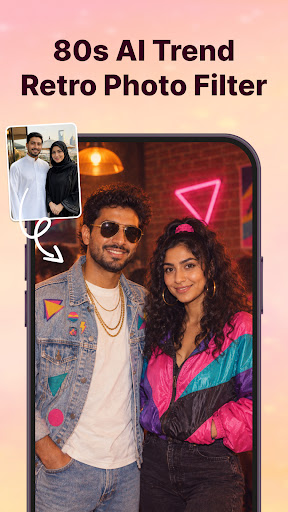
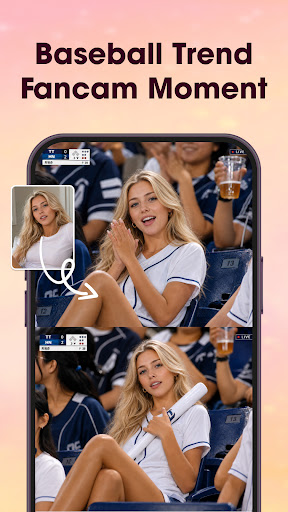
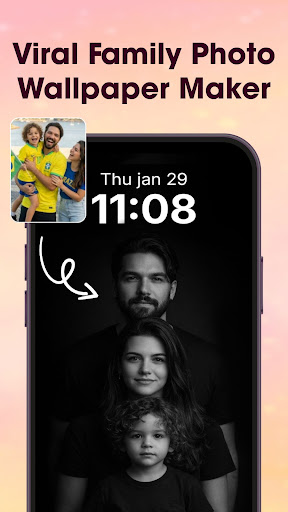
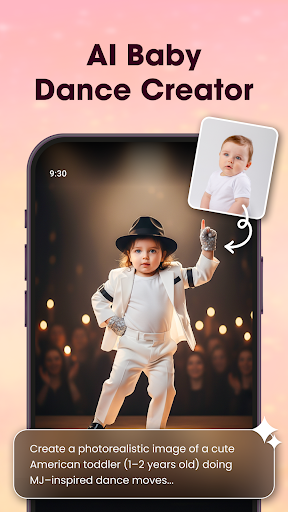
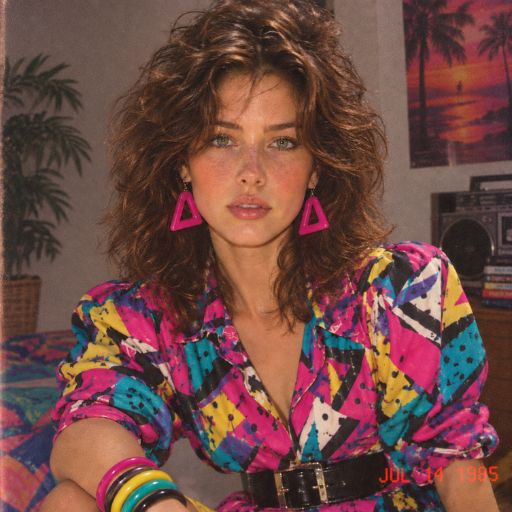
Relive the 80s Photo Trend Retro Styles
- AI 80s Photo Generator: Transform your selfies into authentic 1980s-inspired portraits.
- Retro 80s Fashion: Try bold patterned shirts, shoulder pads, neon colors, statement belts, and vintage accessories.
- Vintage Photo Style: analog grain, faded colors, film texture, soft focus, and direct-flash effects.
- Preserve Your Look: Keep your facial features, skin tone, and recognizable appearance while changing your style.
One-Tap Retro Makeover & Generate your 80s-inspired photo quickly with AI, no complicated editing required.
Turn Your Photos into Memorable Videos with Music and Creative Effects
Photo Editor Video Maker Music helps you turn your favorite pictures into emotional video stories with ease. Add background music, stylish effects, frames, and custom text to create videos that feel truly personal and full of life.
AI Video Generator
Our AI Video Generator lets you transform simple photos into stunning videos Our app provides AI Hug, AI Kiss, and many other templates. You just need to select a template and choose your photo — our app will transform your photo into a stunning video using the AI Video Generator.
Add Music – Let Every Memory Have a Soundtrack
Choose your best moments, arrange them as you like, and pair them with music that fits the vibe. From birthdays to weddings, anniversaries, or everyday highlights - your memories will come alive through sound and visuals.
Edit Photos Before You Start
Use the built-in photo editor to enhance your images before making a video. Apply filters, lighting, crop, retouch or fine-tune the details. Everything you need is right here.
Visual Effects That Make an Impact
Make your slideshow stand out with a wide selection of effects. Simple touches can create a big emotional effect.
Add Frames & Text to Tell Your Story
Highlight moments with themed borders or frames, and use text to add meaning. Whether it's a title, a greeting, or a quote, you can style it your way with customizable fonts and colors.
Key Features
AI Hug Video – Generate videos where you “hug your younger self” or create emotional AI interactions.
AI Background Remover – Erase or replace photo backgrounds with 1 click.
Video Templates – Choose from trendy templates for Reels, Shorts, and Stories.
AI Photo Enhancer – Auto-improve image clarity, lighting, detail with one tap.
Photo Editor Tools – Filters, stickers, text, cropping, tone adjustments, contrast, etc.
Video Maker with Music – Turn photos into dynamic videos, add background music & trending tracks.
Slideshow & Effects – Stylish transitions, effects, narration or voice-over.
Why Users Love It:
Easy-to-use video maker with music from photos
Smooth transitions and visual polish with no effort
Quick export in HD quality – ready to share anytime
Great for birthdays, events, daily moments, and more
Discover Photo Editor Video Maker Music and start turning photos into mini-movies filled with emotion, creativity and sound. Creating something beautiful has never been this simple.
بیشتر نشان بده

1. نصب کننده Memu را دانلود کرده و راه اندازی را تمام کنید

2. Memu را اجرا کنید و سپس گوگل پلی را بر روی دستکتاپ باز کنید

3. Photo Editor Video Maker Music را بر روی گوگل پلی جستجو کنید
Install
4. Photo Editor Video Maker Music را دانلود و نصب کنید
5. پس از اتمام نصب روی آیکون کلیک کنید تا اجرا شود

6. با استفاده از MEmu، Photo Editor Video Maker Music را روی کامپیوتر خود تجربه کنید.
MEmu در حال حاضر بهترین شبیهساز رایگان اندروید است که ۵۰ میلیون کاربر از تجربه استثنایی برنامههای اندروید لذت میبرند. فناوری مجازیسازی MEmu به شما امکان میدهد هزاران برنامه اندروید، حتی بازیهای با گرافیک بالا را به راحتی روی رایانه خود اجرا کنید.
صفحه نمایش بزرگتر با گرافیک بهتر؛ زمان طولانی تر، بدون محدودیت باتری یا داده تلفن همراه.
پشتیبانی کامل از Keymapping برای کنترل دقیق صفحه کلید و ماوس یا گیم پد.
چندین حساب بازی یا وظایف در یک رایانه شخصی در یک زمان با مدیریت همزمان همه
Use Photo Editor Video Maker Music on PC by following steps: