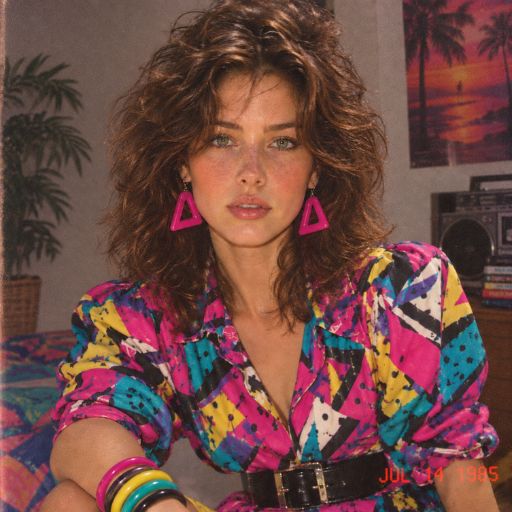
Photo Editor Video Maker Music
Updated
Current Version
2.0.5
Offered By

Stop worrying about high battery drain when using Photo Editor Video Maker Music on your phone. Free yourself from the tiny screen and enjoy the app on a much larger display. From now on, get a full-screen experience of your app with the convenience of a keyboard and mouse. MEmu offers you all the surprising features you’d expect: quick installation and easy setup, intuitive controls, and no more worries about battery life, mobile data, or unexpected calls. The all-new MEmu 9 is the choice for using Photo Editor Video Maker Music on your computer. With the MEmu multi-instance manager, you can run two or more accounts at the same time. Most importantly, our exclusive emulation engine unlocks your PC’s full potential, delivering smooth and enjoyable performance.
Show more
Enjoy superb experience of using Photo Editor Video Maker Music on PC with MEMU App Player. It's a powerful free Android emulator which provides you with thousands of android apps for their desktop version. Enjoy connecting with friends and polishing your work with higher efficiency! Relive the 80s Photo Trend Retro Styles.
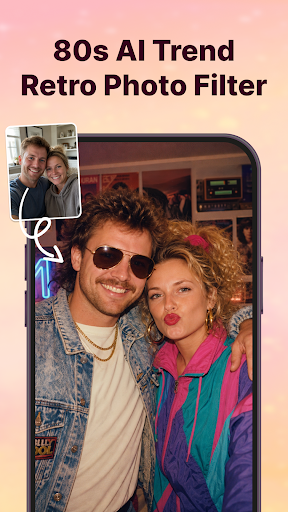
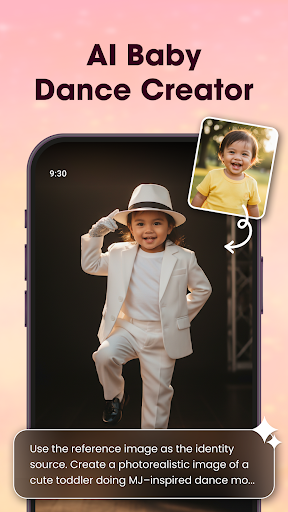
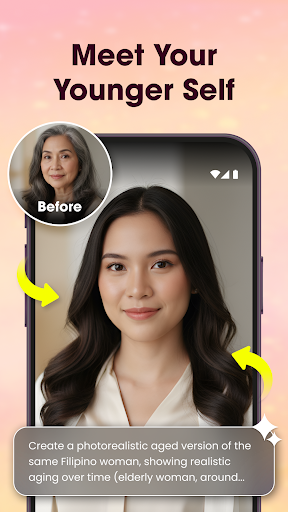
Relive the 80s Photo Trend Retro Styles
- AI 80s Photo Generator: Transform your selfies into authentic 1980s-inspired portraits.
- Retro 80s Fashion: Try bold patterned shirts, shoulder pads, neon colors, statement belts, and vintage accessories.
- Vintage Photo Style: analog grain, faded colors, film texture, soft focus, and direct-flash effects.
- Preserve Your Look: Keep your facial features, skin tone, and recognizable appearance while changing your style.
One-Tap Retro Makeover & Generate your 80s-inspired photo quickly with AI, no complicated editing required.
Turn Your Photos into Memorable Videos with Music and Creative Effects
Photo Editor Video Maker Music helps you turn your favorite pictures into emotional video stories with ease. Add background music, stylish effects, frames, and custom text to create videos that feel truly personal and full of life.
AI Video Generator
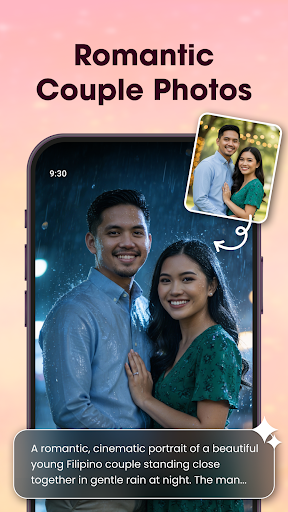
Our AI Video Generator lets you transform simple photos into stunning videos Our app provides AI Hug, AI Kiss, and many other templates. You just need to select a template and choose your photo — our app will transform your photo into a stunning video using the AI Video Generator.
Add Music – Let Every Memory Have a Soundtrack
Choose your best moments, arrange them as you like, and pair them with music that fits the vibe. From birthdays to weddings, anniversaries, or everyday highlights - your memories will come alive through sound and visuals.
Edit Photos Before You Start
Use the built-in photo editor to enhance your images before making a video. Apply filters, lighting, crop, retouch or fine-tune the details. Everything you need is right here.
Visual Effects That Make an Impact
Make your slideshow stand out with a wide selection of effects. Simple touches can create a big emotional effect.
Add Frames & Text to Tell Your Story
Highlight moments with themed borders or frames, and use text to add meaning. Whether it's a title, a greeting, or a quote, you can style it your way with customizable fonts and colors.
Key Features
AI Hug Video – Generate videos where you “hug your younger self” or create emotional AI interactions.
AI Background Remover – Erase or replace photo backgrounds with 1 click.
Video Templates – Choose from trendy templates for Reels, Shorts, and Stories.
AI Photo Enhancer – Auto-improve image clarity, lighting, detail with one tap.
Photo Editor Tools – Filters, stickers, text, cropping, tone adjustments, contrast, etc.
Video Maker with Music – Turn photos into dynamic videos, add background music & trending tracks.
Slideshow & Effects – Stylish transitions, effects, narration or voice-over.
Why Users Love It:
Easy-to-use video maker with music from photos
Smooth transitions and visual polish with no effort
Quick export in HD quality – ready to share anytime
Great for birthdays, events, daily moments, and more
Discover Photo Editor Video Maker Music and start turning photos into mini-movies filled with emotion, creativity and sound. Creating something beautiful has never been this simple.
Show more

1. Download MEmu installer and finish the setup

2. Start MEmu then open Google Play on the desktop

3. Search Photo Editor Video Maker Music in Google Play
Install
4. Download and Install Photo Editor Video Maker Music
5. On install completion click the icon to start

6. Enjoy using Photo Editor Video Maker Music on PC with MEmu
MEmu Play is the best Android emulator, and 100 million users already enjoy its superb Android app experience. Powered by advanced virtualization technology, it lets you enjoy thousands of Android apps smoothly on your PC—including the most graphics-intensive ones.
Bigger screen with better graphics; Long duration, without limitation of battery or mobile data.
Full Keymapping support for precise control of keyboard and mouse or gamepad.
Multiple game accounts or tasks on single PC at one time with Multi-Instance manager.
Use Photo Editor Video Maker Music on PC by following steps: