
Video Downloader-Story Saver
تاریخ بهروزرسانی
نسخه کنونی
1.3.3
ارائهکننده

در مورد استفاده بیش از حد در هنگام استفاده از Video Downloader-Story Saver بر روی تلفن همراه خود ، نگران نباشید ، خود را از صفحه ریز رها کنید و از استفاده از برنامه در یک صفحه نمایش بسیار بزرگتر لذت ببرید. از این پس ، تجربه تمام صفحه برنامه خود را با صفحه کلید و ماوس دریافت کنید .Mmu تمام ویژگی های شگفت انگیز مورد نظر شما را ارائه می دهد: نصب سریع و نصب آسان ، کنترل های بصری ، محدودیت بیشتر باتری ، داده های تلفن همراه و تماس های مزاحم. نام تجاری جدید MEmu 9 بهترین انتخاب برای استفاده از Video Downloader-Story Saver در رایانه شما است. با جذب ما ، مدیر چند نمونه باعث می شود همزمان 2 یا چند حساب را باز کنید. و از همه مهمتر ، موتور انحصاری منحصر به فرد ما می تواند پتانسیل کامل کامپیوتر شما را آزاد کند ، همه چیز را صاف و لذت بخش کند.
بیشتر نشان بده
Enjoy superb experience of using Video Downloader-Story Saver on PC with MEMU App Player. It's a powerful free Android emulator which provides you with thousands of android apps for their desktop version. Enjoy connecting with friends and polishing your work with higher efficiency! Unlock the Ultimate Status-Saving Experience with Our Video Downloader App!
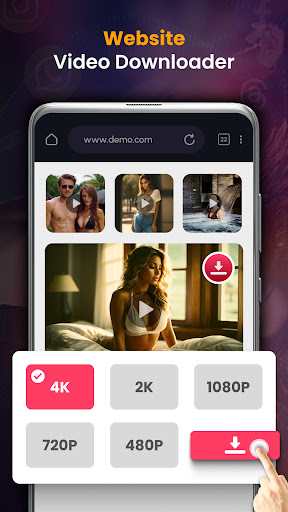
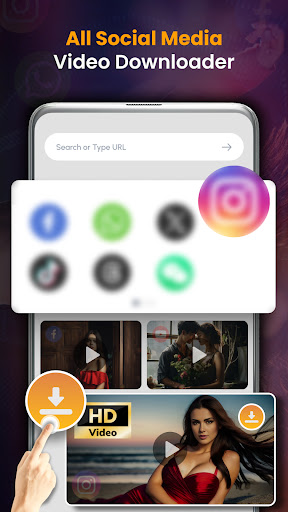

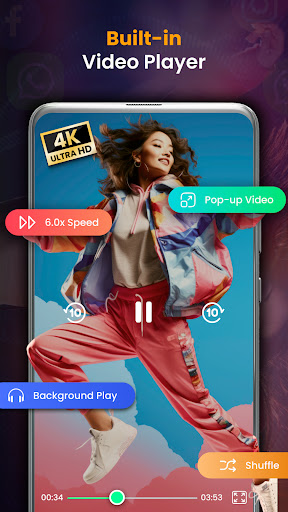
Unlock the Ultimate Status-Saving Experience with Our Video Downloader App!
Discover the best Video Downloader Status Saver app for hassle-free status downloads. Save time and data with lightning-fast downloads and explore a versatile range of supported platforms like fb and WA.
Effortless Saving with Top-Tier Video Downloader:
Effortlessly download and save videos and images with our user-friendly Video Downloader Status Saver app. Save WhatsApp status videos and Instagram images in just a few taps. Enjoy a seamless experience with quick, secure, and private video downloads.
Versatile Video Downloading for social media:
Download videos from various platforms with ease. Whether it's WA, Instagram, or other social media apps, Video Downloader Status Saver supports multiple platforms, giving you the flexibility to save content from your preferred sources. Download videos from WA and other platforms effortlessly.
Automatic Status Detection - Status saver:
Experience the convenience of automatic status detection. Our video saver - status saver intuitively identifies new statuses on Whatzapp ,fb, and other platforms, making it easy for you to download and save the latest updates from your contacts without manual searching.
Lightning-Fast Downloads:
Say goodbye to long waiting times. Enjoy lightning-fast downloads that save you time and data when downloading statuses of all social media. This video downloader app is optimized for speed, ensuring you can quickly and efficiently download your favorite videos and images without delays
.
Explore Offline Enjoyment with status saver app:
Create your offline gallery with the status video downloader app.Now you can enjoy your favorite content even when you're offline. Watch different status videos of different platforms without the need for an internet connection.
User-Friendly Design:
This top video downloader for android has a user-friendly design. The video downloader-video saver is crafted for simplicity, ensuring a smooth and intuitive experience for users of all levels. Now download, save, and enjoy your statuses without any unnecessary complications. So what are you waiting for?
Key Features:
Status video downloader app - Video saver
Full video status saver -Video downloader app
Browse videos with the built-in browser
Play videos offline with the built-in player
Easy-to-use Interface
Play videos offline without buffering
All video downloader - Status Saver and Story Downloader
بیشتر نشان بده

1. نصب کننده Memu را دانلود کرده و راه اندازی را تمام کنید

2. Memu را اجرا کنید و سپس گوگل پلی را بر روی دستکتاپ باز کنید

3. Video Downloader-Story Saver را بر روی گوگل پلی جستجو کنید
Install
4. Video Downloader-Story Saver را دانلود و نصب کنید
5. پس از اتمام نصب روی آیکون کلیک کنید تا اجرا شود

6. با استفاده از MEmu، Video Downloader-Story Saver را روی کامپیوتر خود تجربه کنید.
MEmu در حال حاضر بهترین شبیهساز رایگان اندروید است که ۵۰ میلیون کاربر از تجربه استثنایی برنامههای اندروید لذت میبرند. فناوری مجازیسازی MEmu به شما امکان میدهد هزاران برنامه اندروید، حتی بازیهای با گرافیک بالا را به راحتی روی رایانه خود اجرا کنید.
صفحه نمایش بزرگتر با گرافیک بهتر؛ زمان طولانی تر، بدون محدودیت باتری یا داده تلفن همراه.
پشتیبانی کامل از Keymapping برای کنترل دقیق صفحه کلید و ماوس یا گیم پد.
چندین حساب بازی یا وظایف در یک رایانه شخصی در یک زمان با مدیریت همزمان همه
Use Video Downloader-Story Saver on PC by following steps: