
Y2Mate App
تاریخ بهروزرسانی
نسخه کنونی
1.0.0
ارائهکننده

در مورد استفاده بیش از حد در هنگام استفاده از Y2Mate App بر روی تلفن همراه خود ، نگران نباشید ، خود را از صفحه ریز رها کنید و از استفاده از برنامه در یک صفحه نمایش بسیار بزرگتر لذت ببرید. از این پس ، تجربه تمام صفحه برنامه خود را با صفحه کلید و ماوس دریافت کنید .Mmu تمام ویژگی های شگفت انگیز مورد نظر شما را ارائه می دهد: نصب سریع و نصب آسان ، کنترل های بصری ، محدودیت بیشتر باتری ، داده های تلفن همراه و تماس های مزاحم. نام تجاری جدید MEmu 9 بهترین انتخاب برای استفاده از Y2Mate App در رایانه شما است. با جذب ما ، مدیر چند نمونه باعث می شود همزمان 2 یا چند حساب را باز کنید. و از همه مهمتر ، موتور انحصاری منحصر به فرد ما می تواند پتانسیل کامل کامپیوتر شما را آزاد کند ، همه چیز را صاف و لذت بخش کند.
بیشتر نشان بده
از تجربه فوقالعاده استفاده از Y2Mate App در کامپیوتر با MEmu Play لذت ببرید. این یک شبیهساز اندروید رایگان و قدرتمند است که هزاران برنامه اندروید را برای نسخه دسکتاپ در اختیار شما قرار میدهد. Y2Mate App helps when you want to keep a clip or song on your device for offline playback.
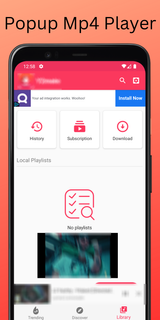
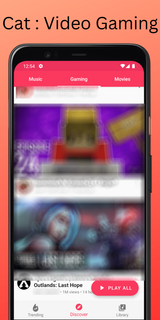
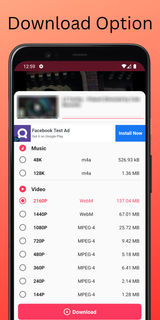
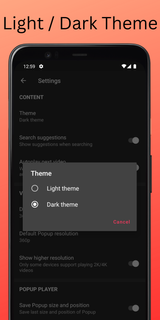
Y2Mate App helps when you want to keep a clip or song on your device for offline playback. It saves media to local storage for later viewing or listening, so you are not tied to a connection. The app guides you through simple steps and requests the access it needs to store files. If this matches your needs, download Y2Mate App and follow the on screen instructions. After saving, items are easy to manage inside the app.Y2Mate App FeaturesSave as MP4 or MP3Choose to keep a video file as MP4 or save only the audio track as MP3. Paste a supported link, confirm the format, then start the download. After installing Y2Mate App APK, grant storage access when prompted so files can be written to your device.Play downloaded mediaAfter downloads complete, Y2Mate App includes a simple player for music and video. Open the library, pick a file, and start playback without leaving the app. This keeps everything in one place for quick checks or repeat listening.Storage access and file locationTo store files correctly, the app saves to local storage and will ask for permission the first time. You can review saved items inside the app and find them on your device later. This makes offline use straightforward on trips or in low signal areas.Free use and usage policyFinally, note the usage rules. The app is free to use and has no in app purchases. Content is for personal, non commercial use only. Respect the rights of content owners and follow local laws and platform rules when downloading or sharing media.Get started with Y2Mate AppThis tool focuses on saving media to your phone for offline playback and simple in app viewing or listening. Install the Y2Mate App latest version, allow storage access, then follow the prompts to save your first file.
بیشتر نشان بده

1. نصب کننده Memu را دانلود کرده و راه اندازی را تمام کنید

2. Memu را اجرا کنید و سپس گوگل پلی را بر روی دستکتاپ باز کنید

3. Y2Mate App را بر روی گوگل پلی جستجو کنید
Install
4. Y2Mate App را دانلود و نصب کنید
5. پس از اتمام نصب روی آیکون کلیک کنید تا اجرا شود

6. با استفاده از MEmu، Y2Mate App را روی کامپیوتر خود تجربه کنید.
MEmu در حال حاضر بهترین شبیهساز رایگان اندروید است که ۵۰ میلیون کاربر از تجربه استثنایی برنامههای اندروید لذت میبرند. فناوری مجازیسازی MEmu به شما امکان میدهد هزاران برنامه اندروید، حتی بازیهای با گرافیک بالا را به راحتی روی رایانه خود اجرا کنید.
صفحه نمایش بزرگتر با گرافیک بهتر؛ زمان طولانی تر، بدون محدودیت باتری یا داده تلفن همراه.
پشتیبانی کامل از Keymapping برای کنترل دقیق صفحه کلید و ماوس یا گیم پد.
چندین حساب بازی یا وظایف در یک رایانه شخصی در یک زمان با مدیریت همزمان همه
Use Y2Mate App on PC by following steps: