
Alien Watch: Omnitrix App
Mise à jour
Version actuelle
1734566024
Proposée par

Avec toute la passion que vous avez à jouer Alien Watch: Omnitrix App, vos mains ne sont pas sensées se limiter à l’infime écran de votre téléphone. Jouez comme un pro et ayez le contrôle total de votre jeu à l’aide du clavier et de la souris. MEmu satisfait toutes vos attentes. Téléchargez et jouez Alien Watch: Omnitrix App sur PC. Jouez aussi longtemps que vous souhaitez sans aucune limitation de batterie, de données mobiles et d’appels embêtants. La toute nouvelle version de MEmu 9 est la meilleure option de jouer Alien Watch: Omnitrix App sur PC. Réalisé par nos experts, l’e magnifique système d’affectation de touches prédéfini fait de Alien Watch: Omnitrix App un jeu réaliste sur PC. Le gestionnaire multi-instances de MEmu permet 2 ou plusieurs comptes de jeu sur le même appareil. Et le plus important, le moteur d’émulation exclusif peut libérer le plein potentiel de votre PC, ce qui facilite tout.
Afficher plus
Téléchargez Alien Watch: Omnitrix App avec le simulateur d’Android MEmu sur votre PC. Profitez de jouer sur un grand écran. * Features: Master Control, Ultimatrix (Recalibrated), Omniverse, Albedo, Randomizer, Self Destruction, 3D transformations.
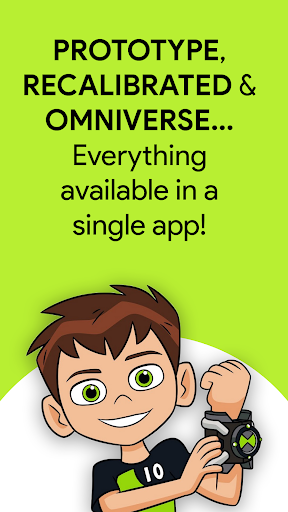
* Features: Master Control, Ultimatrix (Recalibrated), Omniverse, Albedo, Randomizer, Self Destruction, 3D transformations... more coming very soon!
DISCLAIMER: In order to use all features which are advertised on Google Play and YouTube you need to have both the Android and Wear OS version of the app! You can use the Wear OS version without the Android version, but the Android version is 100% dependent on the Wear OS version. You need to own a Wear OS device.
The original Alien Watch (Omnitrix) app from Galaxy Watch is now available on your Wear OS smart watch and it's better than ever!
Enjoy an authentic and realistic Ben 10 and Omnitrix experience on your Wear OS watch. Revive your favorite childhood memories and cartoon heroes directly from your wrist. This app is made for true Ben 10 fans!
How do you use the app?
Please check the OFFICIAL GUIDE on the Alien Watch website for information on how to use the app: https://omnitrix-watch.web.app/documents/how-to-use.html.
You will find all information you need there, including the ACTIVATION CODES for all features. If you have trouble getting any of the features to work please let me know.
Transform your smartwatch into the ultimate Alien Watch! Access multiple modes, customize features, and immerse yourself in the world of aliens.
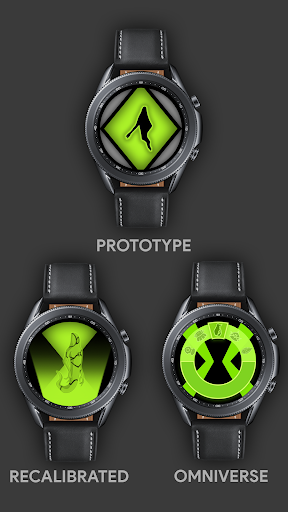
Alien Watch includes 3 main modes: Prototype mode, Recalibrated mode and Omniverse mode. Each of these modes has interesting sub-modes.
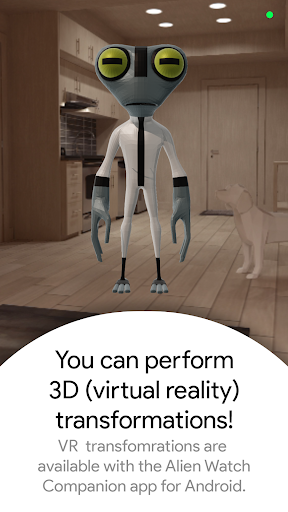
PROTOTYPE mode includes Master Control, Self Destruction and Virtual Reality transformations (allows you to view aliens in 3D when transforming)!
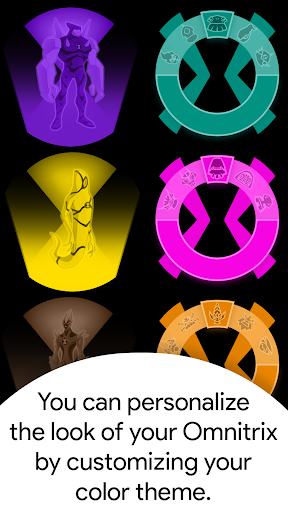
RECALIBRATED (includes Ultimatrix mode) mode includes Master Control, Self Destruction, Ultimate Transformations (Ultimatrix mode), Azmuth Easter Egg and it supports color customization! You can pick one of 12 available colors, including ALBEDO mode!
OMNIVERSE mode includes the Randomizer function (gives you a random alien every 15 seconds) and it also supports color customization! Omniverse mode supports another cool features which gives an awesome look to your watch: ALBEDO mode.
With the latest update you can keep Alien Watch as a screen saver (temporary watch face) by doing the "palm gesture" eg. covering the screen of your watch with your palm.
Find out more on the OFFICIAL GUIDE: https://omnitrix-watch.web.app/documents/how-to-use.html
For any questions or suggestion, use vujicandrej366@gmail.com.
I'll gladly answer your questions and take your ideas into consideration for the next update! Stay tuned because more features are coming to your wrist very soon!
Check out our website:
https://omnitrix-watch.web.app/index.html
Afficher plus

1. Téléchargez l'installateur MEmu et terminez l'installation

2. Démarrez MEmu puis ouvrez Google Play sur la page d'accueil

3. Recherchez Alien Watch: Omnitrix App dans Google Play
Install
4. Téléchargez et installez Alien Watch: Omnitrix App
5. Une fois l'installation terminée, cliquez sur l'icône pour démarrer

6. Profitez de jouer Alien Watch: Omnitrix App sur PC avec MEmu
Le lecteur d'application MEmu est le meilleur émulateur Android gratuit, et 50 millions de personnes profitent déjà de sa fantastique expérience de jeu Android. La technologie de virtualisation MEmu vous donne la possibilité de jouer à des milliers de jeux Android sur votre PC sans aucune difficulté, même aux plus gourmands.
L’écran plus grand avec de meilleurs graphismes; Une longue durée, sans limitation de batterie ou de données mobiles.
Soutien du Keymapping pour un contrôle précis du clavier et de la souris ou de la manette de jeu
Plusieurs comptes de jeu ou tâches sur un seul PC en même temps avec le gestionnaire de multi-instance.
Play Alien Watch: Omnitrix App on PC by following steps: