Aniimo PC

Téléchargez Aniimo sur PC

Aniimo PC
  • Mise à jour

  • Version actuelle

  • Proposée par

    Aniimo PC

Caractéristiques de Aniimo sur PC

Avec toute la passion que vous avez à jouer Aniimo, vos mains ne sont pas sensées se limiter à l’infime écran de votre téléphone. Jouez comme un pro et ayez le contrôle total de votre jeu à l’aide du clavier et de la souris. MEmu satisfait toutes vos attentes. Téléchargez et jouez Aniimo sur PC. Jouez aussi longtemps que vous souhaitez sans aucune limitation de batterie, de données mobiles et d’appels embêtants. La toute nouvelle version de MEmu 9 est la meilleure option de jouer Aniimo sur PC. Réalisé par nos experts, l’e magnifique système d’affectation de touches prédéfini fait de Aniimo un jeu réaliste sur PC. Le gestionnaire multi-instances de MEmu permet 2 ou plusieurs comptes de jeu sur le même appareil. Et le plus important, le moteur d’émulation exclusif peut libérer le plein potentiel de votre PC, ce qui facilite tout.

Afficher plus

Captures d'écran et Vidéo de Aniimo PC

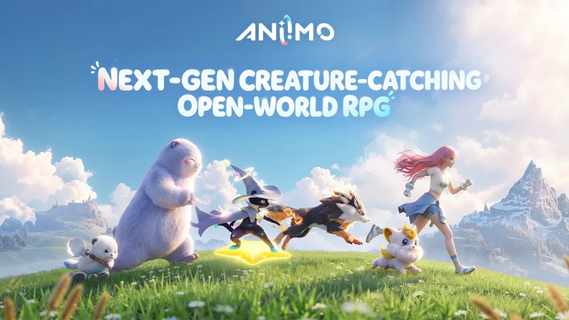
Téléchargez Aniimo avec le simulateur d’Android MEmu sur votre PC. Profitez de jouer sur un grand écran. Aniimo is an exciting next-generation action role-playing game that plunges players into a vast, vibrant open world teeming with magical creatures and thrilling quests.

Informations sur le jeu

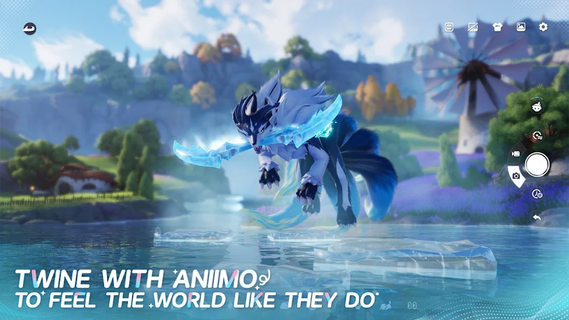
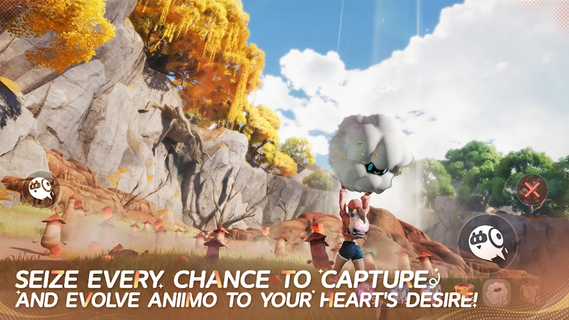
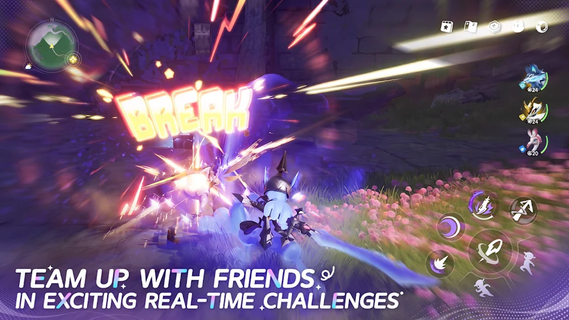
Aniimo is an exciting next-generation action role-playing game that plunges players into a vast, vibrant open world teeming with magical creatures and thrilling quests. Blending fast-paced combat with deep strategic elements, Aniimo offers a rich fantasy experience where players can explore, battle, and forge alliances in a beautifully crafted universe. At its core, Aniimo invites players to become heroes who can tame and bond with a variety of magical creatures, each possessing unique abilities and traits. These companions are not just pets but integral partners in combat and exploration, allowing players to customize their fighting styles and strategies. The synergy between the player and their creatures opens up countless tactical possibilities, encouraging experimentation and mastery. The open world of Aniimo is expansive and diverse, featuring lush forests, ancient ruins, sprawling cities, and mysterious dungeons. Exploration is rewarded with hidden secrets, rare resources, and challenging enemies. The environment is dynamic, with weather changes and day-night cycles that affect gameplay and creature behavior, adding depth and immersion to the adventure. Combat in Aniimo is a seamless blend of action and strategy. Players engage in real-time battles that demand quick reflexes, precise timing, and smart use of abilities. The game features a variety of combat styles, from melee and ranged attacks to powerful magical spells. Players can switch between their own skills and those of their magical companions, creating fluid and engaging fight sequences. Boss battles and large-scale encounters test players’ tactical thinking and teamwork. Aniimo also emphasizes cooperative multiplayer gameplay. Players can team up with friends or other adventurers online to tackle challenging quests and dungeons. Cooperation and coordination are key, as combining different creature abilities and player skills can turn the tide of battle. This social aspect enriches the game’s community and adds replayability through shared experiences. Quests in Aniimo are varied and immersive, ranging from epic story-driven missions to smaller side tasks that flesh out the world and its lore. Players encounter diverse characters, each with their own stories and motivations, making the world feel alive and reactive. Choices made during quests can influence relationships and outcomes, adding a layer of role-playing depth. Character progression is robust, with players able to develop their hero’s abilities and customize their magical companions through skill trees and equipment upgrades. Crafting and resource management also play important roles, allowing players to create powerful items and potions to aid them on their journey. Visually, Aniimo boasts stunning graphics that leverage next-gen technology to create detailed environments and fluid animations. The art style combines fantasy aesthetics with a touch of realism, enhancing the magical atmosphere. In summary, Aniimo is a captivating action RPG that offers a perfect balance of exploration, combat, and strategy. With its unique creature bonding system, expansive open world, and cooperative multiplayer features, it promises an unforgettable fantasy adventure for players seeking both challenge and wonder. Whether you prefer solo quests or teaming up with friends, Aniimo delivers a rich and dynamic experience that will keep players engaged for countless hours.

Afficher plus

Comment télécharger Aniimo sur PC

  • Aniimo PC

    1. Téléchargez l'installateur MEmu et terminez l'installation

  • Aniimo PC

    2. Démarrez MEmu puis ouvrez Google Play sur la page d'accueil

  • Aniimo PC

    3. Recherchez Aniimo dans Google Play

  • Aniimo PC Install

    4. Téléchargez et installez Aniimo

  • Aniimo PC

    5. Une fois l'installation terminée, cliquez sur l'icône pour démarrer

  • Aniimo PC
    Aniimo PC Aniimo PC

    6. Profitez de jouer Aniimo sur PC avec MEmu

Pourquoi utiliser MEmu pour Aniimo

Le lecteur d'application MEmu est le meilleur émulateur Android gratuit, et 50 millions de personnes profitent déjà de sa fantastique expérience de jeu Android. La technologie de virtualisation MEmu vous donne la possibilité de jouer à des milliers de jeux Android sur votre PC sans aucune difficulté, même aux plus gourmands.

  • L’écran plus grand avec de meilleurs graphismes; Une longue durée, sans limitation de batterie ou de données mobiles.

  • Soutien du Keymapping pour un contrôle précis du clavier et de la souris ou de la manette de jeu

  • Plusieurs comptes de jeu ou tâches sur un seul PC en même temps avec le gestionnaire de multi-instance.

Prêt à jouer?

Sujets populaires

Aniimo - FAQs

  • Comment jouer AniimoX sur PC ?

    Play Aniimo on PC by following steps:

    • Download MEmu, then install and launch it
    • Login to Google Play Store, install the game
    • Enjoy playing the game on PC with MEmu
  • Quelles sont les exigences de système minimales pour utiliser Aniimo sur PC ?
    • Intel or AMD Processor
    • Microsoft Windows 7 and above
    • 2GB of memory
    • 5GB of free disk space
    • Hardware Virtualization Technology