Mimic Party PC

Téléchargez Mimic Party sur PC

Mimic Party PC
  • Mise à jour

  • Version actuelle

  • Proposée par

    Mimic Party PC

Caractéristiques de Mimic Party sur PC

Avec toute la passion que vous avez à jouer Mimic Party, vos mains ne sont pas sensées se limiter à l’infime écran de votre téléphone. Jouez comme un pro et ayez le contrôle total de votre jeu à l’aide du clavier et de la souris. MEmu satisfait toutes vos attentes. Téléchargez et jouez Mimic Party sur PC. Jouez aussi longtemps que vous souhaitez sans aucune limitation de batterie, de données mobiles et d’appels embêtants. La toute nouvelle version de MEmu 9 est la meilleure option de jouer Mimic Party sur PC. Réalisé par nos experts, l’e magnifique système d’affectation de touches prédéfini fait de Mimic Party un jeu réaliste sur PC. Le gestionnaire multi-instances de MEmu permet 2 ou plusieurs comptes de jeu sur le même appareil. Et le plus important, le moteur d’émulation exclusif peut libérer le plein potentiel de votre PC, ce qui facilite tout.

Afficher plus

Captures d'écran et Vidéo de Mimic Party PC

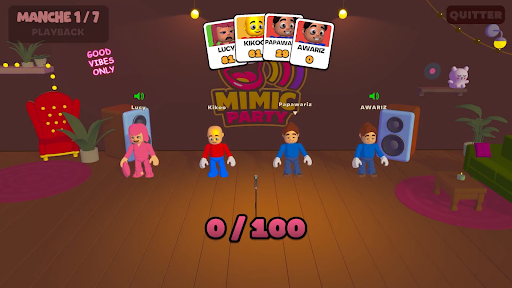
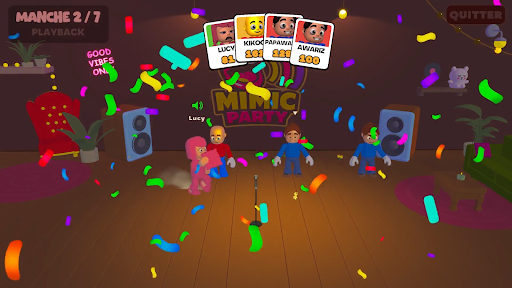
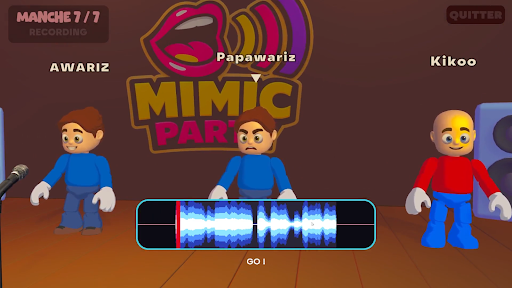
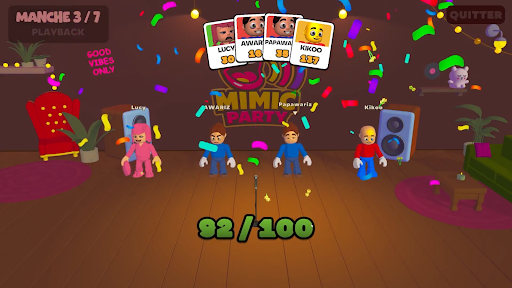
Téléchargez Mimic Party avec le simulateur d’Android MEmu sur votre PC. Profitez de jouer sur un grand écran. An online 1-5 player voice party game.

Informations sur le jeu

An online 1-5 player voice party game. You hear a sound. You get one shot to reproduce it with your own voice. A local AI grades how close you got melody, rhythm, attacks and then the wheel decides who walks away with a bonus and whose next take comes back saturated, echoing, or replaced by a fart.FEATURES:🎤 1-5 player online voice party game🎧 One-shot takes - no retries, no undo, no mercy🤖 Local AI scoring: melody, rhythm and attacks, not your voice🎡A wheel between rounds: bonuses, multipliers, and sabotages to hand out😈 Sabotages: saturation, echo, pitch shift, chopped audio or your take swapped for a fart🗣️ In-game voice chat that goes quiet exactly when someone performs🔊 Themed sound packs - animals, machines, voices, and more🛠️ Steam Workshop: build and share your own sound packs⏱️ 10 minutes per gameONE SOUND. ONE SHOT.Every round reveals a reference sound to the whole table at once. Everybody records on the same countdown, then the takes are played back one by one while the room reacts. There is no second attempt and no rehearsal - whatever came out of your mouth is what everyone hears.WE DON'T CARE ABOUT YOUR VOICEScoring is built around what a human throat can actually reproduce: the shape of the melody, the rhythm, the attacks, whether you barked once or three times. Not your timbre. A deep voice and a high voice doing the same curve score the same, so nobody wins just because they got lucky with their vocal cords.THE WHEEL DECIDESBetween rounds the wheel spins for everyone at once. It hands out points, multipliers and sabotages. Draw one and you choose your victim: their next take comes out saturated, echoing, chopped to pieces, or replaced outright by a garbage sound the whole table hears instead of their voice. It costs them points on top. And you find out who aimed at you only when your take plays.THE ROOM GOES QUIETVoice chat is always on except when it shouldn't be. The moment a take starts playing, the whole table is muted so everyone hears the same thing. The second it ends, the mics open again, right in time for the reaction. That half-second is the game.BRING YOUR OWN NOISESSound packs are just content. Make one, publish it to the Steam Workshop in a couple of clicks, and subscribe to whatever the community comes up with. Everyone at the table needs the pack before a game can start - the lobby tells you exactly who is still downloading.

Afficher plus

Comment télécharger Mimic Party sur PC

  • Mimic Party PC

    1. Téléchargez l'installateur MEmu et terminez l'installation

  • Mimic Party PC

    2. Démarrez MEmu puis ouvrez Google Play sur la page d'accueil

  • Mimic Party PC

    3. Recherchez Mimic Party dans Google Play

  • Mimic Party PC Install

    4. Téléchargez et installez Mimic Party

  • Mimic Party PC

    5. Une fois l'installation terminée, cliquez sur l'icône pour démarrer

  • Mimic Party PC
    Mimic Party PC Mimic Party PC

    6. Profitez de jouer Mimic Party sur PC avec MEmu

Pourquoi utiliser MEmu pour Mimic Party

Le lecteur d'application MEmu est le meilleur émulateur Android gratuit, et 50 millions de personnes profitent déjà de sa fantastique expérience de jeu Android. La technologie de virtualisation MEmu vous donne la possibilité de jouer à des milliers de jeux Android sur votre PC sans aucune difficulté, même aux plus gourmands.

  • L’écran plus grand avec de meilleurs graphismes; Une longue durée, sans limitation de batterie ou de données mobiles.

  • Soutien du Keymapping pour un contrôle précis du clavier et de la souris ou de la manette de jeu

  • Plusieurs comptes de jeu ou tâches sur un seul PC en même temps avec le gestionnaire de multi-instance.

Prêt à jouer?

Mimic Party - FAQs

  • Comment jouer Mimic PartyX sur PC ?

    Play Mimic Party on PC by following steps:

    • Download MEmu, then install and launch it
    • Login to Google Play Store, install the game
    • Enjoy playing the game on PC with MEmu
  • Quelles sont les exigences de système minimales pour utiliser Mimic Party sur PC ?
    • Intel or AMD Processor
    • Microsoft Windows 7 and above
    • 2GB of memory
    • 5GB of free disk space
    • Hardware Virtualization Technology