Gangstar Mirage City: Online
Mise à jour
Version actuelle
Proposée par

Avec toute la passion que vous avez à jouer Gangstar Mirage City: Online, vos mains ne sont pas sensées se limiter à l’infime écran de votre téléphone. Jouez comme un pro et ayez le contrôle total de votre jeu à l’aide du clavier et de la souris. MEmu satisfait toutes vos attentes. Téléchargez et jouez Gangstar Mirage City: Online sur PC. Jouez aussi longtemps que vous souhaitez sans aucune limitation de batterie, de données mobiles et d’appels embêtants. La toute nouvelle version de MEmu 9 est la meilleure option de jouer Gangstar Mirage City: Online sur PC. Réalisé par nos experts, l’e magnifique système d’affectation de touches prédéfini fait de Gangstar Mirage City: Online un jeu réaliste sur PC. Le gestionnaire multi-instances de MEmu permet 2 ou plusieurs comptes de jeu sur le même appareil. Et le plus important, le moteur d’émulation exclusif peut libérer le plein potentiel de votre PC, ce qui facilite tout.
Afficher plus
Téléchargez Gangstar Mirage City: Online avec le simulateur d’Android MEmu sur votre PC. Profitez de jouer sur un grand écran. Enter Mirage City — a living open-world city built on heists, garages, street clashes, and underground power.
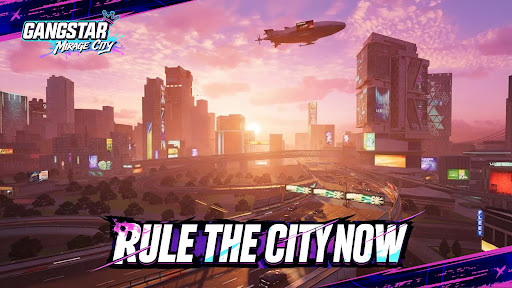
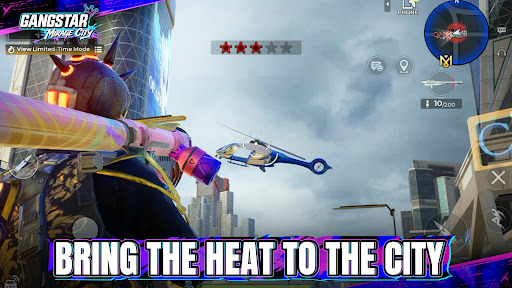
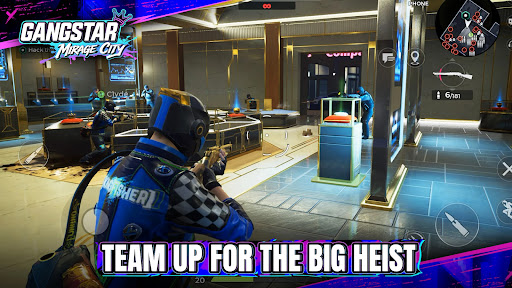
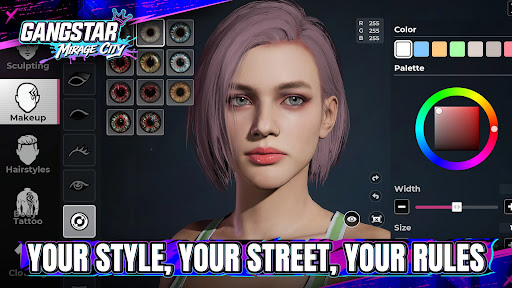
Enter Mirage City — a living open-world city built on heists, garages, street clashes, and underground power. Join your crew, take the right jobs, drive anything that can get you out alive, and build a name the whole city will recognize.
HEISTS ACROSS THE CITY
Plan and execute co-op operations with your crew. Every job demands timing, teamwork, and the nerve to see it through. From bank vaults to high-security transports, pick your target, prep your gear, and strike when the moment is right.
EXPLORE A LIVING OPEN WORLD
Cruise through the neon-lit streets of Mirage City as the city's chaos unfolds around you. Discover secret hotspots, stumble into spontaneous street events, and thrive in a playground where anything can happen at any moment.
BUILD YOUR UNDERGROUND EMPIRE
Run underworld businesses, expand your influence across the city, unlock luxury penthouses and high-end rides, and turn every successful job into more power and control.
DRIVE, ESCAPE, AND OWN THE ROAD
Collect a garage of powerful cars, master high-speed escapes, and lose your pursuers in adrenaline-fueled chases. Every vehicle handles differently — find your perfect ride and rule every road in the city.
BLACK MARKET ARSENAL
Build and customize your weapon collection, from compact pistols to heavy artillery. Prep for whatever the streets throw at you — different jobs call for different firepower.
STREET SHOWDOWNS
Face off against rival crews in casual PvP battles and high-speed races. It's all about fun, style, and street cred — jump in, show off your skills, and enjoy the ride without the pressure of ranked competition.
Open your file, step into Mirage City, and start writing your own city legend.
Afficher plus

1. Téléchargez l'installateur MEmu et terminez l'installation

2. Démarrez MEmu puis ouvrez Google Play sur la page d'accueil

3. Recherchez Gangstar Mirage City: Online dans Google Play
Install
4. Téléchargez et installez Gangstar Mirage City: Online
5. Une fois l'installation terminée, cliquez sur l'icône pour démarrer

6. Profitez de jouer Gangstar Mirage City: Online sur PC avec MEmu
Le lecteur d'application MEmu est le meilleur émulateur Android gratuit, et 50 millions de personnes profitent déjà de sa fantastique expérience de jeu Android. La technologie de virtualisation MEmu vous donne la possibilité de jouer à des milliers de jeux Android sur votre PC sans aucune difficulté, même aux plus gourmands.
L’écran plus grand avec de meilleurs graphismes; Une longue durée, sans limitation de batterie ou de données mobiles.
Soutien du Keymapping pour un contrôle précis du clavier et de la souris ou de la manette de jeu
Plusieurs comptes de jeu ou tâches sur un seul PC en même temps avec le gestionnaire de multi-instance.
Play Gangstar Mirage City: Online on PC by following steps: