Slot Ghost Hunter
Mise à jour
Version actuelle
1.1
Proposée par

Avec toute la passion que vous avez à jouer Slot Ghost Hunter, vos mains ne sont pas sensées se limiter à l’infime écran de votre téléphone. Jouez comme un pro et ayez le contrôle total de votre jeu à l’aide du clavier et de la souris. MEmu satisfait toutes vos attentes. Téléchargez et jouez Slot Ghost Hunter sur PC. Jouez aussi longtemps que vous souhaitez sans aucune limitation de batterie, de données mobiles et d’appels embêtants. La toute nouvelle version de MEmu 9 est la meilleure option de jouer Slot Ghost Hunter sur PC. Réalisé par nos experts, l’e magnifique système d’affectation de touches prédéfini fait de Slot Ghost Hunter un jeu réaliste sur PC. Le gestionnaire multi-instances de MEmu permet 2 ou plusieurs comptes de jeu sur le même appareil. Et le plus important, le moteur d’émulation exclusif peut libérer le plein potentiel de votre PC, ce qui facilite tout.
Afficher plus
Téléchargez Slot Ghost Hunter avec le simulateur d’Android MEmu sur votre PC. Profitez de jouer sur un grand écran. The most famous slot machine is now available for free on your device.
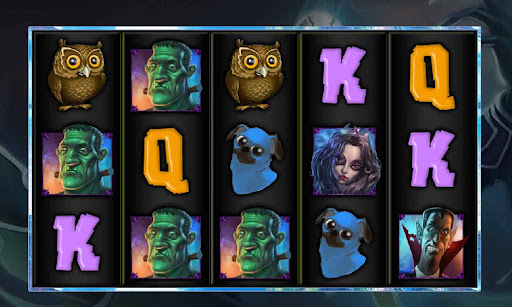
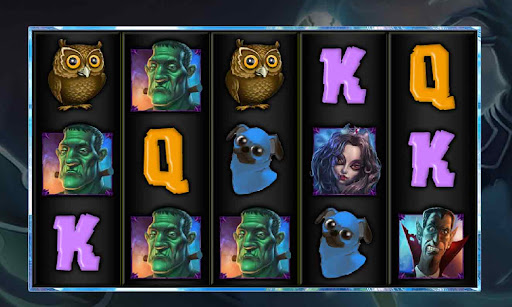
The most famous slot machine is now available for free on your device.
*** Ghost Hunter use GG Account (an automatic account creator). You will find your GGCoins again if you install the app again ***
How to play :
The first time you connect you will receive 5000 GG Coins.
Choose your bet from 1 to 15 Paylines and GG Coins and spin the reels.
When the 3 or more Bonus symbols appear you will access the Bonus games.
Features :
- Centralized Server for all GG Account
- GG Coins are available on all the GG Games with the GG Account symbol.
- Bonus 1000 free GGCoins every 2 hours
- Option : Auto screenshot on big win (>50000)
- Option : Auto save in camera roll
For informations or to notify a bug, please contact us on our site.
Afficher plus

1. Téléchargez l'installateur MEmu et terminez l'installation

2. Démarrez MEmu puis ouvrez Google Play sur la page d'accueil

3. Recherchez Slot Ghost Hunter dans Google Play
Install
4. Téléchargez et installez Slot Ghost Hunter
5. Une fois l'installation terminée, cliquez sur l'icône pour démarrer

6. Profitez de jouer Slot Ghost Hunter sur PC avec MEmu
Le lecteur d'application MEmu est le meilleur émulateur Android gratuit, et 50 millions de personnes profitent déjà de sa fantastique expérience de jeu Android. La technologie de virtualisation MEmu vous donne la possibilité de jouer à des milliers de jeux Android sur votre PC sans aucune difficulté, même aux plus gourmands.
L’écran plus grand avec de meilleurs graphismes; Une longue durée, sans limitation de batterie ou de données mobiles.
Soutien du Keymapping pour un contrôle précis du clavier et de la souris ou de la manette de jeu
Plusieurs comptes de jeu ou tâches sur un seul PC en même temps avec le gestionnaire de multi-instance.
Play Slot Ghost Hunter on PC by following steps: