The Shadow Beneath
Mise à jour
Version actuelle
Proposée par

Avec toute la passion que vous avez à jouer The Shadow Beneath, vos mains ne sont pas sensées se limiter à l’infime écran de votre téléphone. Jouez comme un pro et ayez le contrôle total de votre jeu à l’aide du clavier et de la souris. MEmu satisfait toutes vos attentes. Téléchargez et jouez The Shadow Beneath sur PC. Jouez aussi longtemps que vous souhaitez sans aucune limitation de batterie, de données mobiles et d’appels embêtants. La toute nouvelle version de MEmu 9 est la meilleure option de jouer The Shadow Beneath sur PC. Réalisé par nos experts, l’e magnifique système d’affectation de touches prédéfini fait de The Shadow Beneath un jeu réaliste sur PC. Le gestionnaire multi-instances de MEmu permet 2 ou plusieurs comptes de jeu sur le même appareil. Et le plus important, le moteur d’émulation exclusif peut libérer le plein potentiel de votre PC, ce qui facilite tout.
Afficher plus
Téléchargez The Shadow Beneath avec le simulateur d’Android MEmu sur votre PC. Profitez de jouer sur un grand écran. Rescue Akhenaten, the banished pharaoh, from an eternity beneath the sands.
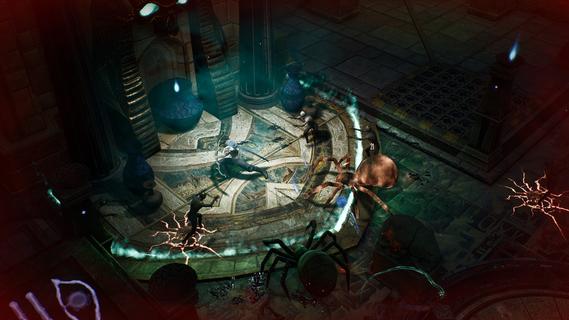
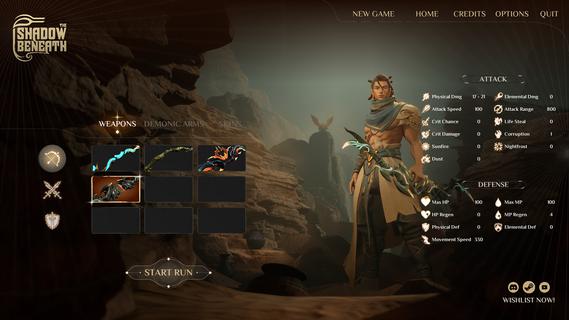
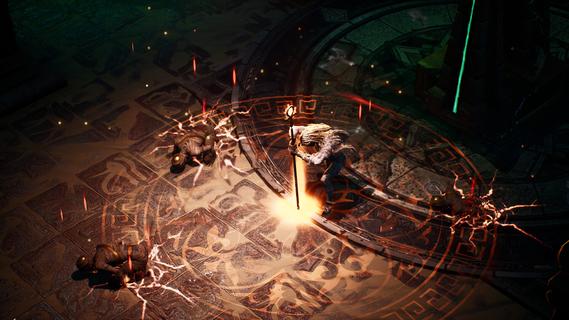
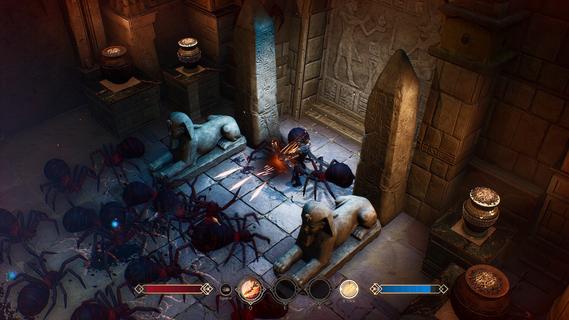
Rescue Akhenaten, the banished pharaoh, from an eternity beneath the sands. Wield the gifts of Aten's last disciples, unleash sacred techniques and battle the relentless guardians of the forgotten tombs in a fast-paced Action Roguelike.Survive the scorching desert and descend into the cursed pyramids of Ancient Egypt. Battle undead mummies, venomous scorpions and the forgotten servants of the gods.Channel the wisdom of Aten's last disciples, master sacred techniques and forge your own fighting style.Every chamber is a deadly trial, every guardian a formidable foe. Survive deadly traps, shatter your enemies and defy the will of the gods - or perish trying!
Afficher plus

1. Téléchargez l'installateur MEmu et terminez l'installation

2. Démarrez MEmu puis ouvrez Google Play sur la page d'accueil

3. Recherchez The Shadow Beneath dans Google Play
Install
4. Téléchargez et installez The Shadow Beneath
5. Une fois l'installation terminée, cliquez sur l'icône pour démarrer

6. Profitez de jouer The Shadow Beneath sur PC avec MEmu
Le lecteur d'application MEmu est le meilleur émulateur Android gratuit, et 50 millions de personnes profitent déjà de sa fantastique expérience de jeu Android. La technologie de virtualisation MEmu vous donne la possibilité de jouer à des milliers de jeux Android sur votre PC sans aucune difficulté, même aux plus gourmands.
L’écran plus grand avec de meilleurs graphismes; Une longue durée, sans limitation de batterie ou de données mobiles.
Soutien du Keymapping pour un contrôle précis du clavier et de la souris ou de la manette de jeu
Plusieurs comptes de jeu ou tâches sur un seul PC en même temps avec le gestionnaire de multi-instance.
Play The Shadow Beneath on PC by following steps: