Transformers: Eternal War
Mise à jour
Version actuelle
1.0.24
Proposée par

Avec toute la passion que vous avez à jouer Transformers: Eternal War, vos mains ne sont pas sensées se limiter à l’infime écran de votre téléphone. Jouez comme un pro et ayez le contrôle total de votre jeu à l’aide du clavier et de la souris. MEmu satisfait toutes vos attentes. Téléchargez et jouez Transformers: Eternal War sur PC. Jouez aussi longtemps que vous souhaitez sans aucune limitation de batterie, de données mobiles et d’appels embêtants. La toute nouvelle version de MEmu 9 est la meilleure option de jouer Transformers: Eternal War sur PC. Réalisé par nos experts, l’e magnifique système d’affectation de touches prédéfini fait de Transformers: Eternal War un jeu réaliste sur PC. Le gestionnaire multi-instances de MEmu permet 2 ou plusieurs comptes de jeu sur le même appareil. Et le plus important, le moteur d’émulation exclusif peut libérer le plein potentiel de votre PC, ce qui facilite tout.
Afficher plus
Téléchargez Transformers: Eternal War avec le simulateur d’Android MEmu sur votre PC. Profitez de jouer sur un grand écran. New foes and iconic characters—Transformers: Eternal War delivers an adrenaline-fueled adventure unlike anything you've ever experienced.
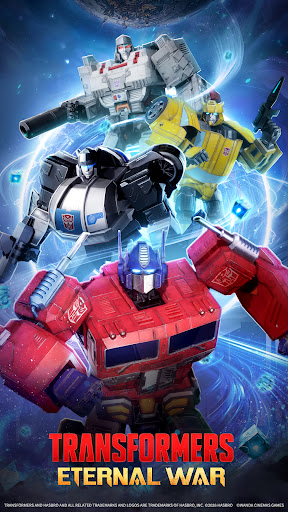
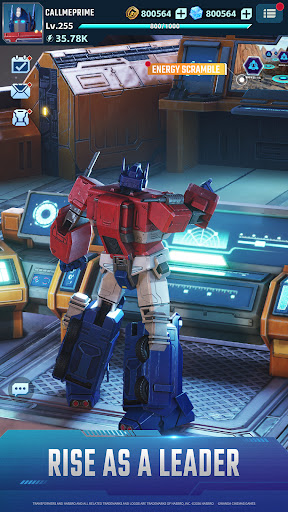
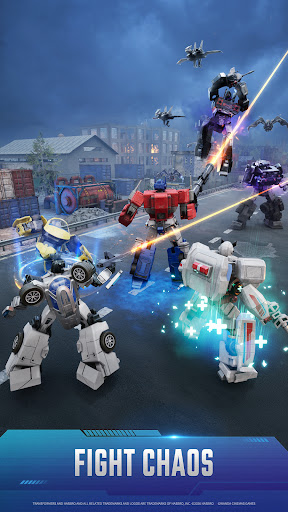
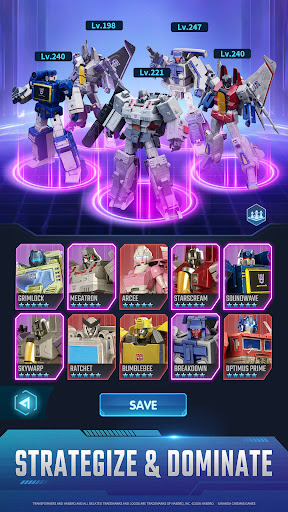
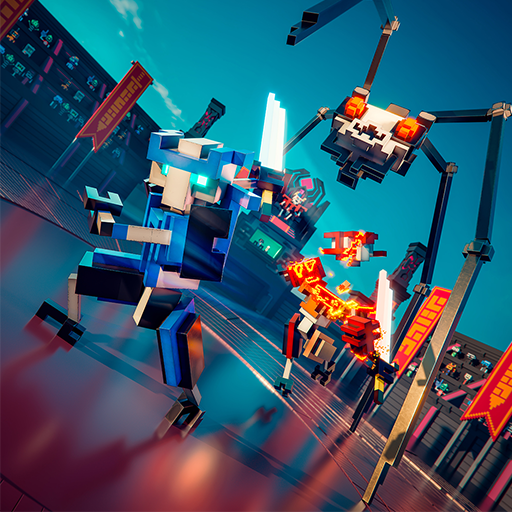
New foes and iconic characters—Transformers: Eternal War delivers an adrenaline-fueled adventure unlike anything you've ever experienced. Witness the groundbreaking debut of the latest Transformers strategy RPG mobile game! Many Transformers bots you know and love will make an appearance, and each one can be recruited to fight alongside you as a powerful ally! Players will tactically deploy their robotic units, each endowed with distinct traits and strengths, to outwit their adversaries. Transformers: Eternal War offers players the chance to not only collect iconic characters from the franchise but also unlock engaging new storylines. Beyond the breathtaking visuals, meticulously crafted 3D character models, and dazzling battle sequences, this is nothing short of a grand celebration crafted for everyone from new players to Transformers enthusiasts!
Five Classes:
All characters in the game are categorized into the following classes in the game: Vanguard, Assault, Firepower, Recon, Support.
Five Traits:
All characters in the game possess their own unique traits: Fearless, Dynamic, Resourceful, Resolute, and Inspiring.
Transformers characters with different attributes will be endowed with various ability bonuses in the game, complemented by a system of synergies and counters. Only the most skilled strategist can masterfully navigate and dominate the battlefield.
Whether you're a seasoned follower of the Transformers saga or a fresh recruit to the series, Transformers: Eternal War offers a thrilling and immersive experience to revisit the monumental clashes and alliances that have shaped this cherished universe. Step onto the battlefield today and carve your legacy as a legendary warrior in the Eternal War between light and darkness!
Afficher plus

1. Téléchargez l'installateur MEmu et terminez l'installation

2. Démarrez MEmu puis ouvrez Google Play sur la page d'accueil

3. Recherchez Transformers: Eternal War dans Google Play
Install
4. Téléchargez et installez Transformers: Eternal War
5. Une fois l'installation terminée, cliquez sur l'icône pour démarrer

6. Profitez de jouer Transformers: Eternal War sur PC avec MEmu
Le lecteur d'application MEmu est le meilleur émulateur Android gratuit, et 50 millions de personnes profitent déjà de sa fantastique expérience de jeu Android. La technologie de virtualisation MEmu vous donne la possibilité de jouer à des milliers de jeux Android sur votre PC sans aucune difficulté, même aux plus gourmands.
L’écran plus grand avec de meilleurs graphismes; Une longue durée, sans limitation de batterie ou de données mobiles.
Soutien du Keymapping pour un contrôle précis du clavier et de la souris ou de la manette de jeu
Plusieurs comptes de jeu ou tâches sur un seul PC en même temps avec le gestionnaire de multi-instance.
Play Transformers: Eternal War on PC by following steps: