AI Chat - Ask your AI Chatbot
Mise à jour
Version actuelle
2.0.4
Proposée par

Ne vous inquiétez plus des surcharges lorsque vous utilisez AI Chat - Ask your AI Chatbot sur votre téléphone portable, libérez-vous de l'écran minuscule et profitez de l'application sur un écran beaucoup plus grand. Désormais, vous pouvez utiliser votre application en plein écran avec le clavier et la souris. MEmu vous offre toutes les fonctionnalités surprenantes que vous attendiez : installation rapide et configuration facile, commandes intuitives, plus de limitations de batterie, de données mobiles et d'appels dérangeants. Le tout nouveau MEmu 9 est le meilleur choix pour utiliser AI Chat - Ask your AI Chatbot sur votre ordinateur. Codé avec notre absorption, le gestionnaire multi-instance permet d'ouvrir 2 ou plusieurs comptes en même temps. Et le plus important, notre moteur d'émulation exclusif peut libérer tout le potentiel de votre PC, rendre tout cela fluide et agréable.
Afficher plus
Profitez d'une expérience AI Chat - Ask your AI Chatbot exceptionnelle sur PC grâce à MEmu Play. Cet émulateur Android gratuit et performant vous donne accès à des milliers d'applications Android pour votre ordinateur. Restez en contact avec vos amis et travaillez plus efficacement ! AI Chat - Ask your AI Chatbot is your all-in-one, handy AI app designed to satisfy any interests or solve any problems — from AI chat, AI tutor, office tool kits, to AI image creator and AI video generator.
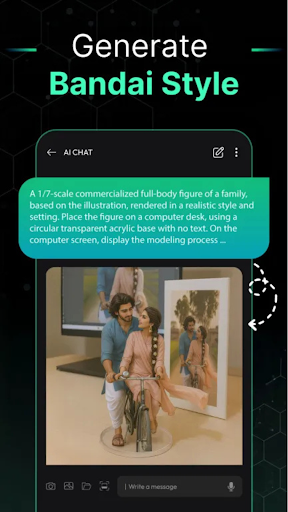
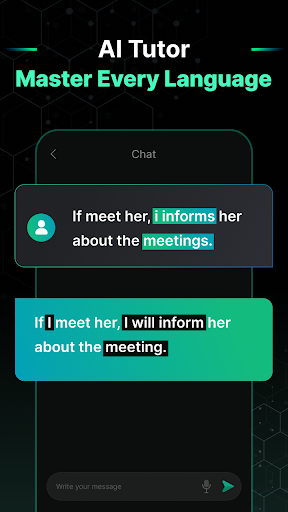
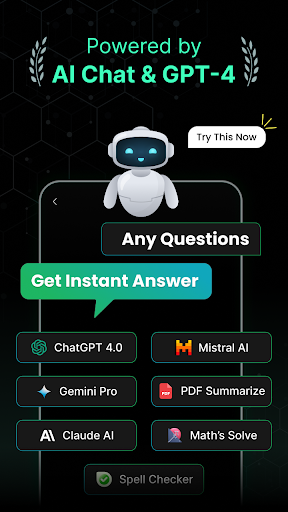
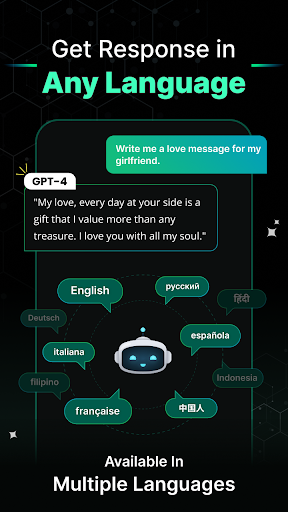
AI Chat - Ask your AI Chatbot is your all-in-one, handy AI app designed to satisfy any interests or solve any problems — from AI chat, AI tutor, office tool kits, to AI image creator and AI video generator. Whether you need help learning, working, creating, or simply chatting, this powerful AI assistant is always by your side.
Key Features
AI chatbot
Powered by the latest, advanced AI technology and models, AI Chat - Ask your AI Chatbot lets you chat unlimitedly on any topic, anytime. Ask questions, brainstorm ideas, seek advice, or simply talk about anything that comes to your mind.
Our AI chatbot is designed to deliver a natural and interactive chatting experience — so natural that it feels less like talking to AI and more like chatting with a real-life friend.
AI image generator
Based on cutting-edge text-to-image and image-to-image AI technology, our app helps you create stunning AI images with just a few simple taps, all within seconds.
Choose from a rich collection of styles to transform your photos into beautiful AI art. With flexible text prompts, you can easily edit and personalize your AI image exactly the way you want.
AI Video Generator
Beyond images, you can also create eye-catching AI videos from just a single photo. Discover trendy video templates that turn your photos into viral AI videos or reels.
Once your creation is ready, don’t forget to share your AI video instantly on social media by hitting the share button and letting your creativity shine.
Customize your own AI chatbots
Create AI chatbots or AI experts tailored to your needs, covering any topic or field you want. From a dating expert, healthcare consultant, AI doctor, tech expert, math teacher, to a marketing guider — the possibilities are endless.
Whether you want to dive deep into a specific field or just chit-chat after a long working day, your personalized AI chatbot is always ready.
AI Tutor
AI Chat - Ask your AI Chatbot acts as your personal AI Tutor — helpful, informative, trusted, and always available. It supports you anytime, anywhere, whether you are studying, learning something new, or solving tricky problems.
Tips: You can type in your questions, or simply take a quick snap, scan an image, or upload a photo to let your AI Tutor understand your problem. Sit back and wait for clear answers and easy-to-follow explanations.
Office tool kits
AI Chat - Ask your AI Chatbot is also a smart assistant for your office work and studies. It works as a document summarizer, PDF reader, and more — helping you save time, boost productivity, and stay organized with ease.
⭐ Why using AI Chat - Ask your AI Chatbot?
Leveraging advanced AI technology
Fast, trusted, and natural AI chat responses
High-quality AI image and AI video generation with quick processing time
Easy to use, beginner-friendly interface
An all-in-one, handy AI app for any interests or problems
A rich library of image styles and video templates to explore
Start using AI Chat - Ask your AI Chatbot to unlock a smarter, more creative way to chat, learn, and create with AI.
Afficher plus

1. Téléchargez l'installateur MEmu et terminez l'installation

2. Démarrez MEmu puis ouvrez Google Play sur la page d'accueil

3. Recherchez AI Chat - Ask your AI Chatbot dans Google Play
Install
4. Téléchargez et installez AI Chat - Ask your AI Chatbot
5. Une fois l'installation terminée, cliquez sur l'icône pour démarrer

6. Utiliser MEmu pour utiliser AI Chat - Ask your AI Chatbot sur votre ordinateur
MEmu Play est actuellement le meilleur émulateur Android gratuit, avec 50 millions d'utilisateurs qui profitent d'une expérience Android exceptionnelle. La technologie de virtualisation de MEmu vous permet de jouer facilement à des milliers d'applications Android sur votre ordinateur, même les plus gourmandes en ressources.
L’écran plus grand avec de meilleurs graphismes; Une longue durée, sans limitation de batterie ou de données mobiles.
Soutien du Keymapping pour un contrôle précis du clavier et de la souris ou de la manette de jeu
Plusieurs comptes de jeu ou tâches sur un seul PC en même temps avec le gestionnaire de multi-instance.
Use AI Chat - Ask your AI Chatbot on PC by following steps: